Hi, I have a RT-AC68U wth a 3tb usb drive loaded with media files. All has been working fine, But suddenly I can not move/delete or add more files from either of my Win 10 PC's.Nothing has changed on the router or either of the PC's and am at a loss! Any help would be appreciated thanks.
In addition to the previous suggestions others have made, what is the
exact error message you are getting from Windows 10?
What firmware are you running on the RT-AC68U?
Was the RT-AC68U a jail broken TM-AC1900 router?
What is the USB device attached to the router (it's make and model)?
What other features are enabled on the router?
If using Asus-Merlin firmware, are you using any add-on scripts? If so what are they?
Standard troubleshooting if you haven't done it already:
Reboot the router.
Eject the USB drive, reboot the router, then after router finishes rebooting reconnect USB device to the router.
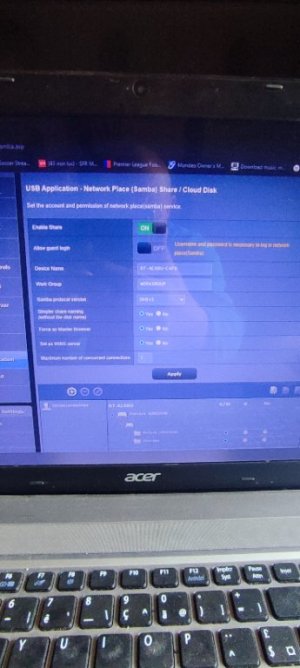
Check the Samba settings under the USB Applications > Server Center > USB Application - Network Place (Samba) Share / Cloud Disk section and ensure the USB drive's folder that is being shared has the proper permissions set for it (R/W) for the user connected to that Share.
Eject the USB device and connect it to a computer and check the device for errors. USB flash drives are notorious for exhibiting reading/writing issues, or simply going into lock mode, right before they die.



 when trying to transfer files from the two windows 10 pc,s. I can play existing files but not modify the folders in any way. All was working fine. I could understand if 1 windows machine had a glitch, but not 2 at the same time. The only thing that has changed is a new folder has appeared in USB application, ( ntfaek.00000000) Which I did not create and can not remove. The firmware is merlin 386.14.