

Rabbit-Spec
Occasional Visitor
Hi everyone,
I’ve noticed that the default icon library in the ASUS Router App is quite limited, especially for those of us who own high-end peripherals or have specific aesthetic preferences for our home networks (Apple ecosystem, premium displays, specialized docks, etc.).
To solve this, I’ve started the ASUS Router Icon Completion Project. My goal is to provide a comprehensive, visually consistent set of high-definition icons that make the app interface look professional and organized.
 Project Banner
Project Highlights:
Visual Previews:
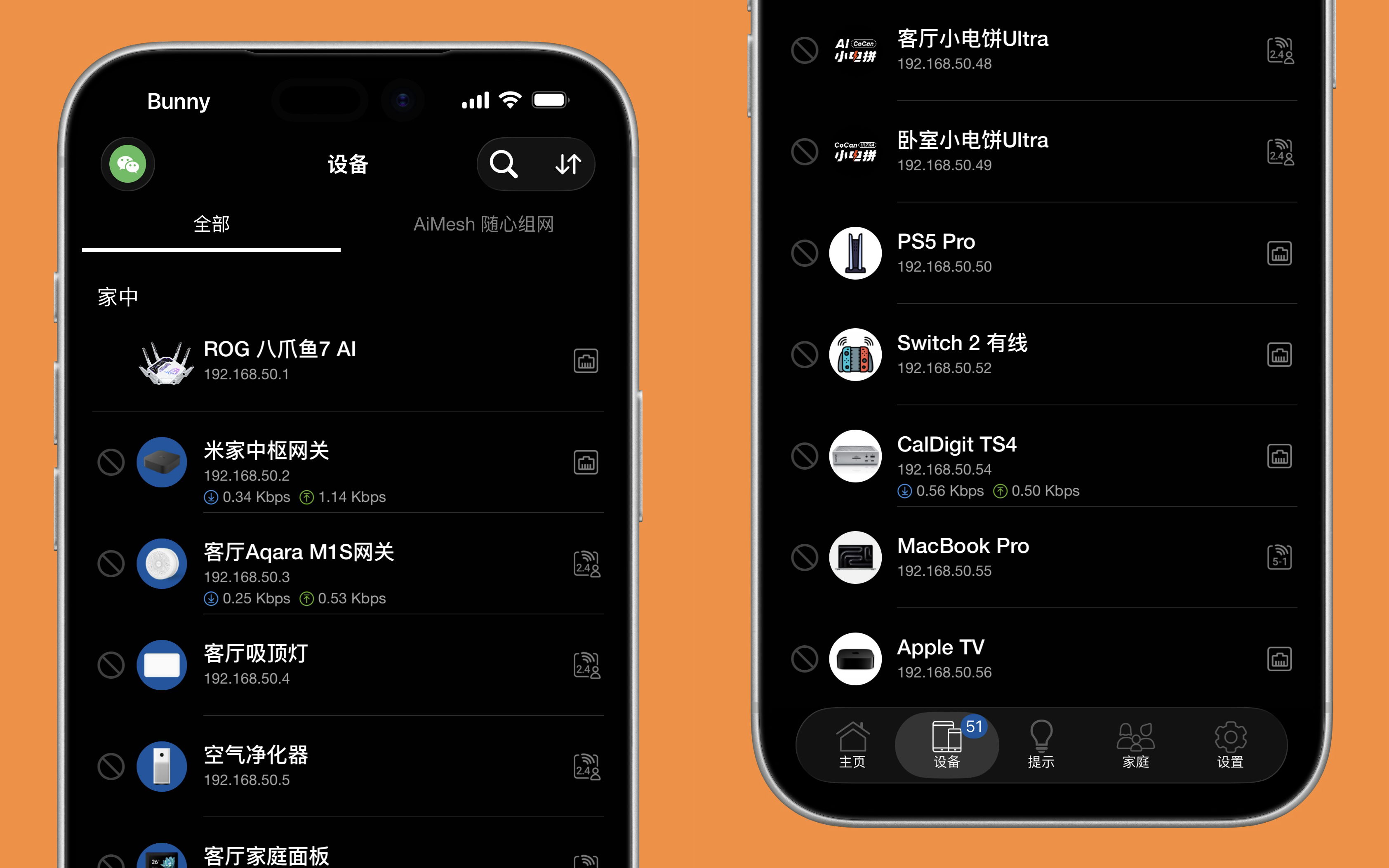 Project Banner
How to Use:
 Click here to browse the 180+ Icon Library
I am continuously adding new icons to the collection. If you have any specific requests for hardware that is currently missing, feel free to let me know here or open an issue on GitHub!
Hope this project helps make your router dashboard look as premium as your hardware!
I’ve noticed that the default icon library in the ASUS Router App is quite limited, especially for those of us who own high-end peripherals or have specific aesthetic preferences for our home networks (Apple ecosystem, premium displays, specialized docks, etc.).
To solve this, I’ve started the ASUS Router Icon Completion Project. My goal is to provide a comprehensive, visually consistent set of high-definition icons that make the app interface look professional and organized.
Project Highlights:
- 180+ Icons: A massive collection already completed and ready for use.
- Premium Aesthetics: Clean, high-resolution designs that offer a native system-like feel.
- Apple Ecosystem: MacBook Pro (M-series), Mac Studio, iPad Pro, Apple TV, HomePod mini, and more.
- High-End OLED Displays: Samsung G80SD, LG C5/G5, and other flagship monitors.
- Premium Peripherals: CalDigit TS4 Dock, various NAS units, and smart home devices.
Visual Previews:
How to Use:
- Download: Browse the repository and save the icons you need to your phone’s photo library.
- Open App: Go to the Devices tab in the ASUS Router App.
- Replace: Tap a device -> Tap the current icon -> Select "Choose from Album".
- Save: Crop the image if necessary and save.
Click here to browse the 180+ Icon LibraryI am continuously adding new icons to the collection. If you have any specific requests for hardware that is currently missing, feel free to let me know here or open an issue on GitHub!
Hope this project helps make your router dashboard look as premium as your hardware!


