
What's new

AX57 go as wireless AIMESH

Jherb

Regular Contributor
Hi,
I have an AX86u PRO as a main router. I set up the ax57go as an AIMESH with an ethernet cable, and it connected fine.

When I disconnect the ethernet cable, the aimesh node goes down and remains disconnected. Even when very close to the main router.

The app and web gui show it as not online. I've rebooted, started the install from scratch, etc but nothing helps.

Can the AX57go act as a wireless mesh? Is there something I need to do to make it work wirelessly as a node?
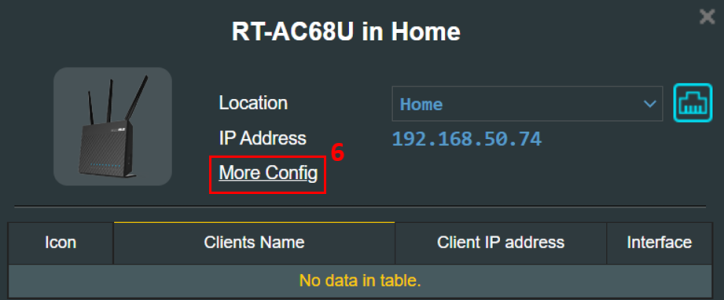
 
On the main router you may need to check the Backhaul Priority setting for the AiMesh Node and adjust if necessary.
1768318218818.png

1768318260034.png


Or one may have to delete the AiMesh Node and readd it (using WiFi rather than Ethernet backhaul).
 
On the main router you may need to check the Backhaul Priority setting for the AiMesh Node and adjust if necessary.
View attachment 69932

View attachment 69933

Or one may have to delete the AiMesh Node and readd it (using WiFi rather than Ethernet backhaul).
I forgot to mention that when I try to add it wirelessly, it fails at about 85%. I tried this many times and it fails every time. This is why I resorted to ethernet for the setup.
 
I forgot to mention that when I try to add it wirelessly, it fails at about 85%.

Is your main router running Asuswrt-Merlin firmware?
 
Is your main router running Asuswrt-Merlin firmware?
I've tried it with Merlin and reflashed to stock as well. Both fail when trying to connect wirelessly at 85%. Both connect fine with ethernet backhaul, but once the cable is removed, it loses connection and never finds it.
 
Something buggy upstream in AiMesh then. Wait for firmware update as usual.
 
What RSSI values are your seeing from the main to the node and from the node to the main , both on 5 GHz and 2.4 GHz if used.
 
Something buggy upstream in AiMesh then. Wait for firmware update as usual.
Is there something I can track for errors like a log or something? I'm not sure why its failing at 85%, and why it can't connect wirelessly.
 
What RSSI values are your seeing from the main to the node and from the node to the main , both on 5 GHz and 2.4 GHz if used.
The node shows totally offline, so I see no RSSI. Its not connecting at all wirelessly.
1768324471065.png
 
Is there something I can track

As far as I remember WPS has to be enabled on the main router for adding wireless nodes. Common advice is to disable it and it may cause issues in your situation. See if WPS on/off makes any difference.
 
As far as I remember WPS has to be enabled on the main router for adding wireless nodes. Common advice is to disable it and it may cause issues in your situation. See if WPS on/off makes any difference.
Thank you for the response.
I tried with wps off and on and nothing changes. It actually prompts you to turn wps on for node detection.

I can set up the other modes fine like Wisp, router, extender, etc. aimesh is really flaky though.
Even when connected with Ethernet, it lists some Wired devices as attached to it when they aren’t.
I’m wondering if vlans are also messing with it or something related.
 
How close are the router and node when you try to add? Should be in the same room. Also, use the SmartConnect on the router. I add the guest WIFI after the node is connected.
 
Thanks for the hints. I made some progress, and uncovered some issues.

I disabled all the guest wifi networks on the main router, and removed all the ethernet cables on the main router.
The AX57 go was then found wirelessly and completed pairing as an AIMESH node. However, even after a long time, nothing connected to it. And when I tried to bind something to it, no bindings actually changed.

I connected all the ethernet cables, and it still connected fine.

The interesting thing is that when I enabled the guest wifi again, the node went down and could not be connected. Even when I unchecked the node propagation box for the guest wifi.

Bottom line: When I have any guest network active on the main router, the node goes down and stays there, even if I am not trying to propagate it.

Unfortunately, I need my guest networks so this is a bottleneck.
I have no idea why this happens, but maybe this will provide some clues.
 
Doesn't sound very promising. And you have a proper Node with Guest Network Pro support. Perhaps reset and start over? When things don't work as expected this is the usually recommended step. If you call ASUS Support they'll recommend the same as first troubleshooting step.
 
Doesn't sound very promising. And you have a proper Node with Guest Network Pro support. Perhaps reset and start over? When things don't work as expected this is the usually recommended step. If you call ASUS Support they'll recommend the same as first troubleshooting step.
I tried. No difference. I guess its a bug.
 
There is a beta firmware for the AX86U Pro that I've been running for a couple of weeks. It seems to be very stable for me and the lack of comments from other users tells me it is working well for them. While I can't say it will fix your problems it may be worth a try. You will have to flash the current Asus firmware then check "I would like to retrieve beta firmware" then check for updates. There is no file to manually download. Also, I would do the beta upgrade then factory reset and manually configure.
Leave the WIFI settings at default (including SmartConnect and do not force 160 MHz), use an SSID with alpha/numeric only no special characters or spaces. Passphrase of 8 to 12 characters with alpha/numeric only no special characters or spaces.
I doubt that there is a terminal firmware bug in either the router or node that is causing your issue. I've learnned that setting the 2.4 GHz to 20 MHZ and the 5 GHz to 80 or 20-40-80 MHz works the best. I also use auto channel but do not use DFS channels if there is a lot of air traffic nearby. Once the node is connected give the clients time to decide where to connect. My network can take a day for the clients to settle in.
FWIW - if this seems to much just use Ethernet Backhaul. Even though the node has 1 GB ports it will give a stable connection and stable is more important than bandwidth.
 
Seems like a very odd issue (watching with interest), like the Wireless is failing or disabled or something, but until that is proven, I don't believe it is that.
I have had (may and repeated) issues getting Wireless Mesh to connect in the first instance, in the past (esp RT-AX86U Pro plus an RT-AX58U/RT-AX3000).

My 'go to' in those instance (Wirelesss or Wired, the latter after checking the cable was in the blue WAN Port of the Node... yes, it happens) was a hard reset of the Node.

That link is for your specific device. i.e. I second @Tech9's advice (not sure of he meant do BOTH main+node or just the Go device) to hard reset (you did not specifically say you did a hard reset, when mentioned above, so apologies if this is what you have actually done, to no avail).
 
Last edited:
Seems like a very odd issue (watching with interest), like the Wireless is failing or disabled or something, but until that is proven, I don't believe it is that.
I have had (may and repeated) issues getting Wireless Mesh to connect in the first instance, in the past (esp RT-AX86U Pro plus an RT-AX58U/RT-AX3000).

My 'go to' in those instance (Wirelesss or Wired, the latter after checking the cable was in the blue WAN Port of the Node... yes, it happens) was a hard reset of the Node.

That link is for your specific device. i.e. I second @Tech9's advice (not sure of he meant do BOTH main or just the Go device) to hard reset (you did not specifically say you did a hard reset, when mentioned above, so apologies if this is what you have actually done, to no avail).
Thanks for the response. I reset firmware to factory on both. Is that a hard reset? Or does that mean something else?
 
Thanks for the response. I reset firmware to factory on both. Is that a hard reset? Or does that mean something else?
Lol, the link shows it to be a "Hard Factory Reset", so they have covered all the bases there ... so yeah, you've done it, ruled it out.

OK then, seems odd that it's not playing nice, almost like a Wireless Type failure, it's a real head-scratcher.
I guess you don't have (or can easily beg, steal or borrow) a spare Asus device you can try to add as a node to rule out one or other device?
 

Support SNBForums w/ Amazon

If you'd like to support SNBForums, just use this link and buy anything on Amazon. Thanks!

Sign Up For SNBForums Daily Digest

Get an update of what's new every day delivered to your mailbox. Sign up here!

Members online

Back
Top