
What's new

BT10 Ethernet Backhaul Crashing Network

phalkon30

New Around Here
Long time Asus/Merlin user, I finally got 2gig fiber and decided it was time to replace my aging RT-AX58U's that were setup in wired backhaul. After a brief stint with Eero Max 7's (returned after a week), I got a 2-pack of BT10's. One single BT10 covers most of my home well and things are very fast, but the garage and yard get spotty so I tried to put the 2nd on Ethernet backhaul. It's I think a Cat-5E 50' cable that had no issues with my last setup.

Whenever I plug the 2nd BT10 in with wired backhaul it crashes the whole network. The router goes through a whole series of lights and then ends blinking red with the other node blinking blue. I spent several hours troubleshooting and finally have both connected via MLO backhaul, but would love to eventually get a wired backhaul setup again and free up spectrum. Here's what I know:
  • Both BT10 are on the latest firmware (3.0.0.6.102_39102)
  • Both connect fine on wireless MLO backhaul
  • Tried various network cables
  • Done multiple hard resets without importing settings, basically stock settings with the same wireless name/password as old router so things connect
  • No guest network enabled
  • Wifi7 mode, no MLO fronthaul, all 3 bands enabled with WPA2/WPA3-Personal
  • Wireless devices roam fine between the two nodes
  • Fiber ONT connected to middle WAN/10g port
  • One hardwired computer connected to the 1g port (it's an older PC)
  • Backhaul connected to yellow 10g LAN port
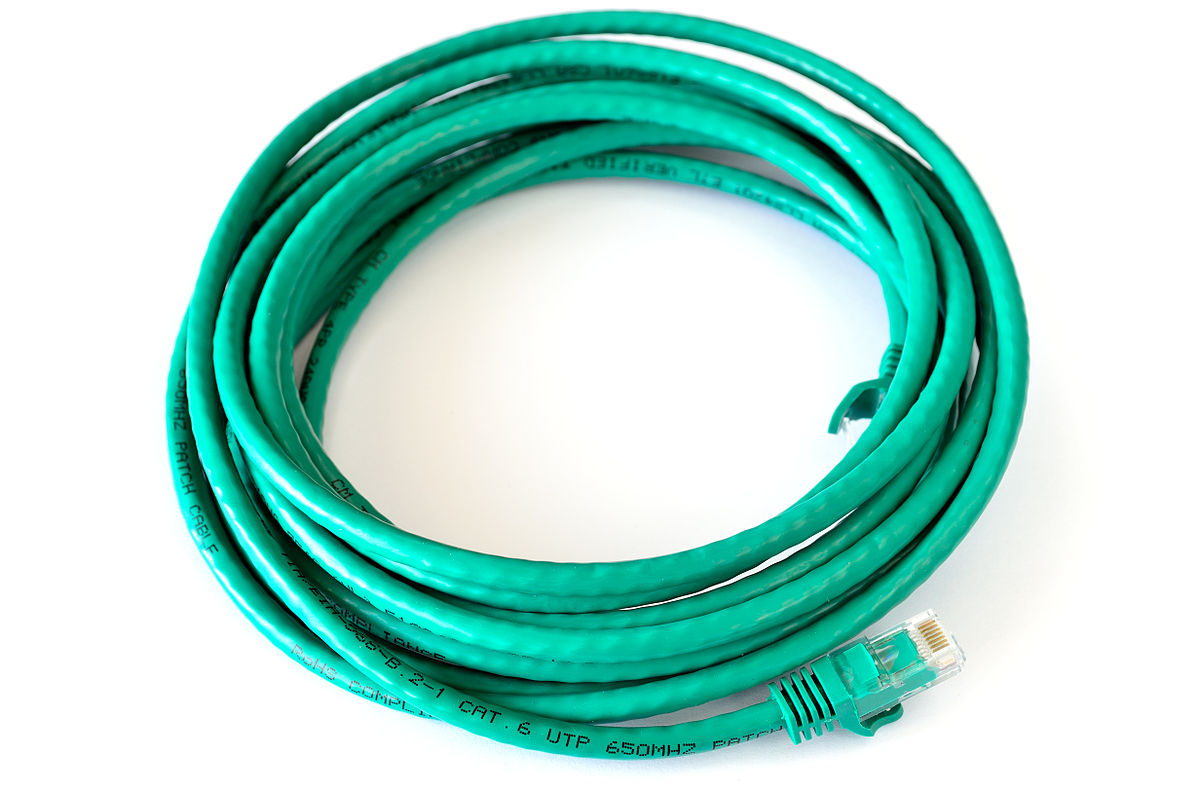
Now that wireless backhaul is working I'm hesitant to try messing with it again, this thing takes so long to reboot it really sucks a lot of my time to troubleshoot. Plus, I have to do it after family is in bed. Is this a known issue? Am I using wrong ports? Should I wait for new firmware? It's working well enough I don't want to return it, but it annoys me not to unlock full potential
 
if available, copy the router logs and post them here for the time period of the wired backhaul crashing. Did you have backhaul in AUTO or ETHERNET ?
Sounds more like a device having issues, an address conflict ( tcp/ip address duplicate) or a bad termination or port.

Consider turning off wifi 7 and use wifi 6 for more stability
 
Try the backhaul on the 1 GB LAN ports. If it works you have something wrong with your Ethernet cable, patch cords or connectors. If you are using an untested cable, don't. You need to use a minimum of CAT 6a cable with matching tested connectors.
 
I have a BT10 mesh that I'm very happy with. We use the MLO wireless mesh backhaul, and it works really well here. Very nearly as fast as ISP speeds all over our house. I believe that this was how this mesh was designed to work, with MLO wireless backhaul. We're using it in AP mode, with a wired router. It has been up about a month now, since I switched it to AP mode.
 
As someone on ZenTalk forum corrected me, it is LAN port from the router to WAN port on the node....
 
if available, copy the router logs and post them here for the time period of the wired backhaul crashing. Did you have backhaul in AUTO or ETHERNET ?
Sounds more like a device having issues, an address conflict ( tcp/ip address duplicate) or a bad termination or port.

Consider turning off wifi 7 and use wifi 6 for more stability
backhaul in auto. Should I set to ethernet before wiring? I'll try to capture the log next time thanks
Try the backhaul on the 1 GB LAN ports. If it works you have something wrong with your Ethernet cable, patch cords or connectors. If you are using an untested cable, don't. You need to use a minimum of CAT 6a cable with matching tested connectors.
I'm fairly certain the cable I ran wasn't any kind of rated 6a cable, but it had no issues on my 1G LAN ports previously. I tried a few shorter cables since this one is run through multiple walls and ceilings with fire block and would be a nightmare to replace, one of which was the cable from the Eero Max 7 which I assume is a nice cable. It still crashed everything. Either way, when I try wired backhaul I'll go 1G LAN to 1G WAN on the node
I have a BT10 mesh that I'm very happy with. We use the MLO wireless mesh backhaul, and it works really well here. Very nearly as fast as ISP speeds all over our house. I believe that this was how this mesh was designed to work, with MLO wireless backhaul. We're using it in AP mode, with a wired router. It has been up about a month now, since I switched it to AP mode.
Now that devices have settled down and I bound a few to a specific router so they're not hopping (some of our google devices don't hop well and knock themselves offline), I haven't had any speed issues. It's probably a non issue, I've always just felt wired backhaul was more reliable and doesn't use any of your precious wireless spectrum. It does work better than previous wireless mesh I've had
As someone on ZenTalk forum corrected me, it is LAN port from the router to WAN port on the node....
Interesting, the port designations are strange to me on this unit. I'll give that a try thanks!
 
How many wires are showing in the termination of this "unknown " spec cable ?
10Gb/s ethernet is very sensitive to proper termination, socket fit, and quality . 1 Gb/s ethernet is very accommodating, shall we say.
You can get a long enough piece of preterminated CAT 6 or 6A to see if the issue follows the cable or the device. Just don't get generic lowest cost cable even though, sometimes, it will work on short runs.

 
Interesting...

Interesting indeed...

1767019069201.png
 
How many wires are showing in the termination of this "unknown " spec cable ?
10Gb/s ethernet is very sensitive to proper termination, socket fit, and quality . 1 Gb/s ethernet is very accommodating, shall we say.
You can get a long enough piece of preterminated CAT 6 or 6A to see if the issue follows the cable or the device. Just don't get generic lowest cost cable even though, sometimes, it will work on short runs.

I'll look when I get home. The Eero I briefly had ran 5Gb/s no problem through it so I assumed it was fine. Fair advice on buying good cables, I used to terminate network cables for my university 20 years ago so I've seen how much signal can be impacted. This cable is old enough I don't remember where it came from honestly
Funny, the support page you linked to has this image. I think the text is wrong but the image is right.
1767023848101.png

And here's the quick start guide that came with the router showing the opposite text. My guess is this is the issue since it was crashing the main router's incoming internet, I will try this and report back. Thanks!
1767024020993.png
 
Actually I forgot to mention this. Typically I prefer to add AiMesh nodes through Ethernet. So I'd suggest:

Remove the AiMesh node under Management, which should simultaneously factory reset it.

Connect via Ethernet (directly preferred no switches in between just in case since you are having trouble. I have added nodes through switches many times including multiple switches but once in a while it does require me to directly connect).

Search for the AiMesh node through the Add Node mode or AiMesh on the app...
 

Support SNBForums w/ Amazon

If you'd like to support SNBForums, just use this link and buy anything on Amazon. Thanks!

Sign Up For SNBForums Daily Digest

Get an update of what's new every day delivered to your mailbox. Sign up here!

Staff online

Back
Top