
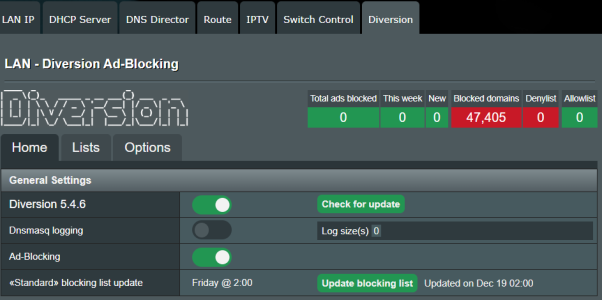
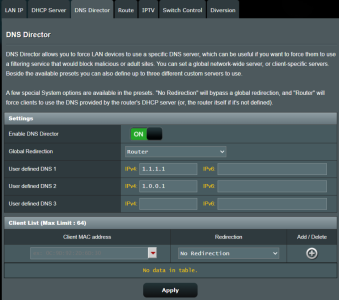
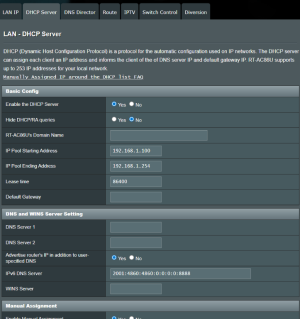
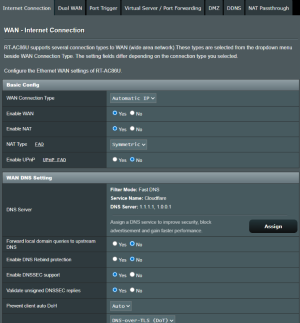
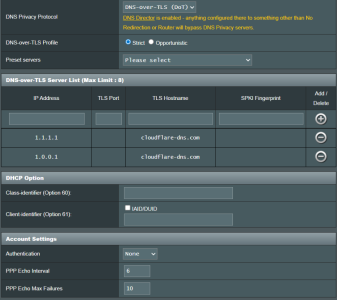
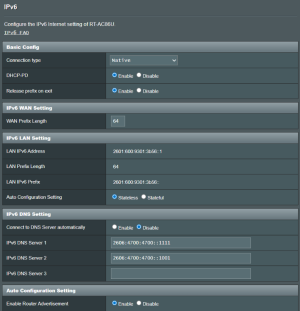
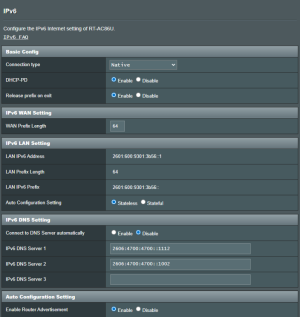
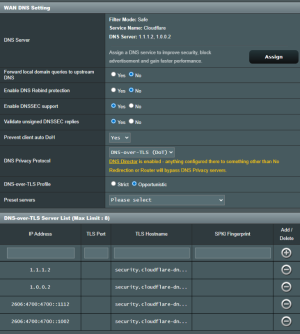
I have installed Diversion on my Asus RT-AC86U, firmware: 386.14_2. The only way I can get ad blocking to work is if I turn off secure DNS in browser (Chrome/Edge on Windows 11 or Chrome/Safari on MacOS). Is this the only way to enable Diversion on a laptop, or is there a way to have both browser-based secure DNS and Diversion ad blocking? Please see my router screenshots too in case I have configured something incorrectly. Thank you all so very much.
Diversion Diversion ad blocking works with secure DNS disabled only




Similar threads


Similar threads
Similar threads
-

-
 Diversion Diversion - how to check if running or active
- Started by kstamand
- Replies: 4
-
 Solved E-mail from Diversion when sending via Yahoo suddenly does not work !!!
- Started by Twiglets
- Replies: 3
-
 Skynet Unable to refresh Skynet to whitelist domains in Shared-Diversion
- Started by sentinelvdx
- Replies: 2
-
-
Diversion Need help - Diversion - Skynet - LAN - Server Settings
- Started by cc666
- Replies: 3
-
Diversion Which IP is Diversion using in my AIMesh system?
- Started by rkalinka
- Replies: 4
-
-
Ad blocker question. Diversion or pi-hole? Or both?
- Started by chewy74
- Replies: 21
-
Diversion Diversion - Ads Not Getting Blocked
- Started by SashaSolitaire
- Replies: 4
Latest threads
-
BE92U roaming issues between 5/6ghz bands.
- Started by kakashisensei
- Replies: 1
-

-
Release ASUS RT-AX68U Firmware version 3.0.0.4.388_24824 (2026/03/24)
- Started by fruitcornbread
- Replies: 0
-
Release ASUS RT-AX1800S V2 Firmware version 3.0.0.4.388_34015 (2026/03/24)
- Started by fruitcornbread
- Replies: 0
-
Mini-PCs running a desktop OS instead of retail NAS boxes
- Started by maxbraketorque
- Replies: 11
Support SNBForums w/ Amazon
If you'd like to support SNBForums, just use this link and buy anything on Amazon. Thanks!
Sign Up For SNBForums Daily Digest
Get an update of what's new every day delivered to your mailbox. Sign up here!