What's new

Scribe Scribe v3.2.12 [2026-Apr-12] - Entware syslog-ng and logrotate installer for Asuswrt-Merlin

syslog-ng.conf
I also saw that. My instance of syslog-ng wouldn't start because that file was overwritten (I use a remote syslog server). Just a couple of edits got it running again.
Once you know you're fine.
 
I also saw that. My instance of syslog-ng wouldn't start because that file was overwritten (I use a remote syslog server). Just a couple of edits got it running again.
Once you know you're fine.

Ya, I was kinda happy to see the conf file wasn't changed much. It is way past due for me to move my changes to syslog-ng.d anyway.
I also would have to sort out my syslog server changes as well as template and rewrite rules I made to push log entries to loki.
 
and a time-stamped file
I didn't look at the timestamp before, but the file is called "syslog-ng.conf-2024-08-10T18:54:53", so it's not even of today...
 
I do indeed have a regular file and a time-stamped file, but the regular file contains my customization (adding an external log server with a specific hostname, which is definitely not part of the default Scribe configuration) ...

All that got changed was log_fifo_size in my existing syslog-ng.conf.

Could you both post the "/opt/etc/syslog-ng.conf" file that was installed with the latest v3.2.9 production release update?

The latest version of the configuration file has a "2026-Feb-01" date stamp at the top of its header, and the critical changes are in the "source src" statement (see the "wildcard_file(...);" entry).

Are there conditions where the update to 3.2.9 will not backup syslog-ng.conf and replace it with a new version?
If you had previously downloaded and installed the v3.2.9 BETA development version, you would likely have the newest version of the "/opt/etc/syslog-ng.conf" file, so when updating to the latest v3.2.9 production release, the code would see no need to make a date/time-stamped backup. If the only differences were the values for the "log_fifo_size(NNN)" and/or "log_msg_size(NNN)" options, the code would simply update those values without making a backup.

Any other changes to the file contents would trigger the code to make a date/time-stamped backup before replacing the file. That is, if you run the latest script with a "forceupdate" parameter.

Ya, I was kinda happy to see the conf file wasn't changed much. It is way past due for me to move my changes to syslog-ng.d anyway.
I also would have to sort out my syslog server changes as well as template and rewrite rules I made to push log entries to loki.
I'd highly recommend executing the following command just to double-check and make sure you have the very latest versions of all files before you start making any custom changes:
Bash:
/jffs/scripts/scribe forceupdate

HTH.
 
The latest version of the configuration file has a "2026-Feb-01" date stamp at the top of its header, and the critical changes are in the "source src" statement (see the "wildcard_file(...);" entry).

I'd highly recommend executing the following command just to double-check and make sure you have the very latest versions of all files before you start making any custom changes:

Bash:
/jffs/scripts/scribe forceupdate
I downloaded the 3.2.9 configuration file from GitHub and compared it with the one of my router; it's very clear that the regular update did not touch/update my syslog.conf at all... (for example the date that you mentioned is missing)

I then ran the forced upgrade and that one did indeed update the configuration file and warn me about it.

So maybe there's a bug in the regular update? (Since two people ran into this?)

PS: I never ran the 3.2.9 beta
 
Could you both post the "/opt/etc/syslog-ng.conf" file that was installed with the latest v3.2.9 production release update?

The latest version of the configuration file has a "2026-Feb-01" date stamp at the top of its header, and the critical changes are in the "source src" statement (see the "wildcard_file(...);" entry).


If you had previously downloaded and installed the v3.2.9 BETA development version, you would likely have the newest version of the "/opt/etc/syslog-ng.conf" file, so when updating to the latest v3.2.9 production release, the code would see no need to make a date/time-stamped backup. If the only differences were the values for the "log_fifo_size(NNN)" and/or "log_msg_size(NNN)" options, the code would simply update those values without making a backup.

Any other changes to the file contents would trigger the code to make a date/time-stamped backup before replacing the file. That is, if you run the latest script with a "forceupdate" parameter.


I'd highly recommend executing the following command just to double-check and make sure you have the very latest versions of all files before you start making any custom changes:
Bash:
/jffs/scripts/scribe forceupdate

HTH.
I haven't run the BETA and am definitely missing the new source configuration.

Code:
source src {
    unix-dgram("/dev/log" so_rcvbuf(65536) flags(syslog-protocol));
    file("/proc/kmsg" program_override("kernel") flags(kernel));
    wildcard_file(base_dir("/opt/var/log")
                  filename_pattern("syslogd.ScribeInitReboot.LOG")
                  recursive(no) max-files(1) follow_freq(1)
                  log_iw_size(1200) log_fetch_limit(1000) flags(syslog-protocol));
    internal();
# uncomment the line below to pass ALL network log messages through syslog-ng filters #
#OFF# udp(port(514) flags(syslog-protocol));
};

As found in :
agagne@xt8-garage:/tmp/mnt/xt8-garage/entware/share/syslog-ng/examples#/syslog-ng.conf-scribe

I need to look at how best to incorporate my customizations into the new conf before I run forceupdate.
 

Attachments

I then ran the forced upgrade and that one did indeed update the configuration file and warn me about it.
...
PS: I never ran the 3.2.9 beta

I haven't run the BETA and am definitely missing the new source configuration.

Ah, OK, my apologies. I should have made it clear in the release notes (as I did when the v3.2.9 BETA development version was issued) that you must run the following 2 commands even if the BETA version was never installed:
Bash:
/jffs/scripts/scribe stable
/jffs/scripts/scribe forceupdate
The reason to run *BOTH* cmds is that the 1st one executes the currently installed version of the script (e.g. v3.2.8), whereas the 2nd cmd executes the newly installed v3.2.9 version, which now runs the very latest code to configure the installation properly.

The original post has now been updated to make the update instructions clear, and again, my apologies for the confusion and misunderstanding.
 
The entware version of syslog-ng is at 4.7; the current release is at 4.10 and 4.11 is around the corner. Because the reboot.LOG only needs to be read on reboot, I experimented with follow-freq() and set it at 9000 seconds. Much higher values wouldn't load. But that means the reboot.LOG source is only read every 2 and half hours, and compared to the .persist value to see if there is anything new.

I also tried monitor-method(inotify), and very much to my surprise it worked (or: at least it loaded without complaint). I thought this was something introduced around 4.9, but this means reboot.LOG is not read at all unless a change is telegraphed. I've commented out follow-freq() for the moment.
 
@Martinski
Thank you for the clarity update.
I re-ran the update with the forceupdate option so all is squared away now.

Just for future reference for someone.
I placed my syslog server settings in /opt/etc/syslog-ng.d/loki-syslog-server.
This was working ok with the exception that some of the filters where no longer working.
After rummaging around with scribe cmdline ui and using the lc option to show the loaded configuration. I noticed that
the files are loaded in alphabetical order. A rename of loki-syslog-server to z-loki-syslog-server followed by a re-start of
syslog-ng had everything working correctly again.
 
@Martinski
Thank you for the clarity update.
I re-ran the update with the forceupdate option so all is squared away now.

Just for future reference for someone.
I placed my syslog server settings in /opt/etc/syslog-ng.d/loki-syslog-server.
This was working ok with the exception that some of the filters where no longer working.
After rummaging around with scribe cmdline ui and using the lc option to show the loaded configuration. I noticed that
the files are loaded in alphabetical order. A rename of loki-syslog-server to z-loki-syslog-server followed by a re-start of
syslog-ng had everything working correctly again.
Interesting. Did you try the native Loki() destination and template?
 
Interesting. Did you try the native Loki() destination and template?
No, I cobbled together the destination and template as well as a few rewrite rules necessary since some
of the router services like to output null fields.
 

Attachments

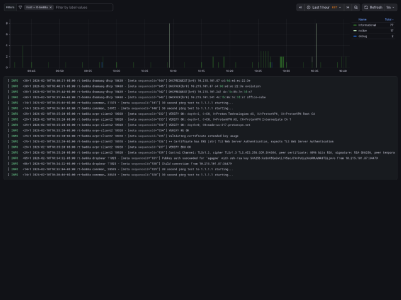
  • System Log Viewer-1770738075019.png
    System Log Viewer-1770738075019.png
    199.4 KB · Views: 43
Last edited:
Release Notes for Scribe v3.2.10 production version now available
[2026-Feb-16]


1) FIXED: Bug fix in the code that searches for the full paths of all filtered log files.
For example, the following entry, which is syntactically valid in a syslog-ng configuration file, would generate an error message:​
Bash:
destination d_MyLogFile { file("/opt/var/log/MyLogFile.log"); };

2) FIXED: Bug fix in the code that generates the list of all filtered log files.
For example, the following entry, which is syntactically valid in a syslog-ng configuration file, would not generate an error message, but the file path ended up being excluded from the list of filtered log files:​
Bash:
destination d_MyLogFile { file('/opt/var/log/MyLogFile.log'); };


The fork from @cmkelley's Scribe add-on is now hosted on the AMTM-OSR GitHub repo:
 
Release Notes for Scribe v3.2.11_26030223 BETA development version
[2026-Mar-03]


1) IMPROVED: Adjusted code to allow searching for and storing filtered log files under a subdirectory of the "/opt/var/log" directory.
Note that the 'messages' log file is a special case and cannot be stored in a subdirectory within "/opt/var/log" directory.​

2) IMPROVED: Modified syslog-ng ethernet filter configuration file to prevent it from capturing log entries intended for the Skynet/firewall log files.

3) IMPROVED: Modified code to minimize the number of scenarios where the top-level syslog-ng configuration file (/opt/etc/syslog-ng.conf) is overwritten during a version update.
The config file will be replaced only under certain conditions when non-optional changes have been introduced; otherwise, the file will not be overwritten.​

4) IMPROVED: Modified top-level syslog-ng configuration file (/opt/etc/syslog-ng.conf) to filter out from the "messages" log file all log entries tagged with the 'debug' severity level.

5) NEW: CLI menu option to specify how to handle incoming log messages that have been tagged with the 'debug' severity level (i.e. 'debug' log messages).
There are 3 settings available:​
1) Discard debug log messages. They will not be stored anywhere.​
2) Capture debug log messages and store them in a separate log file [/opt/var/log/debugMessages.log]. This allows users to review the debug messages if it's deemed necessary (e.g. for reporting or troubleshooting possible issues).​
3) Allow debug messages so that other custom filters may handle them if deemed useful or necessary. This is the initial default setting.​

IMPORTANT:
To download the latest filter configuration files, go to the Scribe CLI menu and choose the ft. Update filters option. When prompted to update the filter files, type y and follow the prompts to accept the update of any filter config file you may have previously installed manually.

Scribe_v3.2.11_CLI_UpdateFilters_Option.jpg


New menu option and settings:
Scribe_v3.2.11_CLI_MessagesWith_DebugSeverityLevel.jpg


Scribe_v3.2.11_CLI_DebugMessages_MenuOptions.jpg


BETA development version:
Scribe_v3.2.11_CLI_HelpDevelop.jpg
 
Release Notes for Scribe v3.2.11 production version now available
[2026-Mar-22]


1) NEW: Added code to support "Automatic Script Updates" via AMTM.
This new functionality requires AMTM 6.4 or a later version.​

2) IMPROVED: Adjusted code to allow searching for and storing filtered log files under a subdirectory of the "/opt/var/log" directory. Note that the 'messages' log file is a special case and cannot be stored in a subdirectory within the "/opt/var/log" directory.

3) IMPROVED: Modified syslog-ng 'ethernet' filter configuration file to prevent it from capturing log entries intended for the Skynet/firewall log files.

4) IMPROVED: Modified code to minimize the number of scenarios where the top-level syslog-ng configuration file (/opt/etc/syslog-ng.conf) is overwritten during an add-on version update.
The config file will be replaced only under certain conditions when non-optional changes have been introduced; otherwise, the file will not be overwritten.​

5) IMPROVED: Modified top-level syslog-ng configuration file (/opt/etc/syslog-ng.conf) to filter out from the "messages" log file all log entries tagged with the 'debug' severity level.

6) NEW: New CLI menu option to specify how to handle incoming log messages that have been tagged with the 'debug' severity level (i.e. debug log messages).
There are 3 settings available:​
1) Discard debug log messages. They will not be stored anywhere.​
2) Capture debug log messages and store them in a separate log file [/opt/var/log/debugMessages.log].​
This allows users to review the debug messages if deemed necessary (e.g. for reporting or troubleshooting possible issues).​
3) Allow debug messages so that other custom filters may handle them if deemed useful or necessary. This is the initial default setting.​

IMPORTANT:
To download the latest filter configuration files, go to the Scribe CLI menu and choose the "ft. Update filters" option. When prompted to update the filter files, type 'y' and follow the prompts to accept the update of any filter config file you may have previously installed.

Scribe_v3.2.11_CLI_UpdateFilters_Option.jpg


New CLI menu option and available settings:
Scribe_v3.2.11_CLI_MessagesWith_DebugSeverityLevel.jpg


Scribe_v3.2.11_CLI_DebugMessages_MenuOptions.jpg


The fork from @cmkelley's Scribe add-on is now hosted on the AMTM-OSR GitHub repo:
 
Last edited:
Question I believe is relevant here. I use Scribe along with several other amtm AddOns, including unbound (with Scribe integration enabled). I have noticed that when rebooting the router (in my case BE88U, though also occurred with an AX86U), unbound will sometimes appear to be non-functioning from a logging perspective and sometimes be perfectly fine; determined from the logs in the GUI or by entering unbound manager and pressing "l" to view live logging.

I also notice that if Scribe is restarted, the live logging stops at that time, which leads me to believe there is a non-recoverable dependence for unbound logging with Scribe and a race condition on router reboot. I suspect this is not only with me, though may not be visible to others as use of Unbound might not be very broad and, even if it is, enabling Scribe integration is done through use of unbound_manager advanced under Advanced Tools.

Normally this wouldn't be a concern as I manually update Scribe, and unbound is only updated with entware, at most twice a year. Now that amtm auto-updater came out, however, I was wondering if this is something Scribe would handle (reloading unbound config on update), something that unbound manager would need to add (unlikely due to lack of continued development), or custom scripting, if that's possible?
 
Some interesting new possibilities with syslog-ng 4.10-2:
  1. Integrating logrotate into syslog-ng
  2. Using @version:current and eliminating all the version checking/rewriting
  3. Using inotify instead of poll for checking the wild-card source (I think this works now but auto may now work as a config option) to cut CPU time. EDIT: inotify works but auto doesn't.
I'm playing around with #1:
  • Add at the top of the .conf file a definition: @define rotate "logrotate(enable(yes),size(2048KB),rotations(5))" just to make it simpler
  • lower down, in the messages destination definition, add (these are backticks) `rotate` after file("/opt/var/log/messages"
  • And then, in each file destination definition in syslog-ng.d, do the same.
Obviously there's a race depending on how you have logrotate set up. I'll let you know how it turns out.

EDIT: Early evidence is that the syslog-ng logrotation is working: it saves the existing log file as .log.1 and starts a new log file. Unlike logrotate, I can't see that there is going to be a compressed version of a rotated file.
Code:
Apr  7 17:10:11 RT-AX88U syslog-ng[14208]: Maximum log file size reached, rotating log file ... ; filename='/opt/var/log/truenaspt.log'
Apr  7 17:10:11 RT-AX88U syslog-ng[14208]: Reopened log file after logrotate; filename='/opt/var/log/truenaspt.log'
Apr  7 17:10:19 RT-AX88U syslog-ng[14208]: Maximum log file size reached, rotating log file ... ; filename='/opt/var/log/truenasmain.log'
Apr  7 17:10:19 RT-AX88U syslog-ng[14208]: Reopened log file after logrotate; filename='/opt/var/log/truenasmain.log'
 
Last edited:
Question I believe is relevant here. I use Scribe along with several other amtm AddOns, including unbound (with Scribe integration enabled). I have noticed that when rebooting the router (in my case BE88U, though also occurred with an AX86U), unbound will sometimes appear to be non-functioning from a logging perspective and sometimes be perfectly fine; determined from the logs in the GUI or by entering unbound manager and pressing "l" to view live logging.

I also notice that if Scribe is restarted, the live logging stops at that time, which leads me to believe there is a non-recoverable dependence for unbound logging with Scribe and a race condition on router reboot. I suspect this is not only with me, though may not be visible to others as use of Unbound might not be very broad and, even if it is, enabling Scribe integration is done through use of unbound_manager advanced under Advanced Tools.

Normally this wouldn't be a concern as I manually update Scribe, and unbound is only updated with entware, at most twice a year. Now that amtm auto-updater came out, however, I was wondering if this is something Scribe would handle (reloading unbound config on update), something that unbound manager would need to add (unlikely due to lack of continued development), or custom scripting, if that's possible?

I don't have enough experience with Unbound Manager to understand what "enabling Scribe integration" really means. At this point, I can only guess that perhaps Unbound Manager downloads/installs some ready-made configuration files for syslog-ng and logrotate so that all Unbound log entries are filtered and log files are rotated accordingly (based on some predefined rules).

If that's the case, I'd suggest posting those configuration files to check and verify that they have the correct syntax, are located in the expected directories, follow a standard setup, and have no conflicts with the top-level and/or the global configuration files.

Also, please provide context and relevant details of your router setup and installed add-ons.

Assuming that those config files for Unbound are correct and valid, Scribe will treat them just like any other config files, with syslog-ng and logrotate performing their actions as dictated by the configuration directives. There's nothing in the Scribe/uiScribe code that would treat Unbound config files any differently from the rest.

Bottom line, let's understand first what "enabling Scribe integration" actually entails, and what the config files look like, before proceeding to investigate.
 
Some interesting new possibilities with syslog-ng 4.10-2:
  1. Integrating logrotate into syslog-ng
  2. Using @version:current and eliminating all the version checking/rewriting
  3. Using inotify instead of poll for checking the wild-card source (I think this works now but auto may now work as a config option) to cut CPU time. EDIT: inotify works but auto doesn't.
I'm playing around with #1:
  • Add at the top of the .conf file a definition: @define rotate "logrotate(enable(yes),size(2048KB),rotations(5))" just to make it simpler
  • lower down, in the messages destination definition, add (these are backticks) `rotate` after file("/opt/var/log/messages"
  • And then, in each file destination definition in syslog-ng.d, do the same.
Obviously there's a race depending on how you have logrotate set up. I'll let you know how it turns out.

EDIT: Early evidence is that the syslog-ng logrotation is working: it saves the existing log file as .log.1 and starts a new log file. Unlike logrotate, I can't see that there is going to be a compressed version of a rotated file.
Code:
Apr  7 17:10:11 RT-AX88U syslog-ng[14208]: Maximum log file size reached, rotating log file ... ; filename='/opt/var/log/truenaspt.log'
Apr  7 17:10:11 RT-AX88U syslog-ng[14208]: Reopened log file after logrotate; filename='/opt/var/log/truenaspt.log'
Apr  7 17:10:19 RT-AX88U syslog-ng[14208]: Maximum log file size reached, rotating log file ... ; filename='/opt/var/log/truenasmain.log'
Apr  7 17:10:19 RT-AX88U syslog-ng[14208]: Reopened log file after logrotate; filename='/opt/var/log/truenasmain.log'

It will likely be a while before I can review the docs for the latest 4.10.2 version, then modify the code, and run tests and validation. Given that this is the first syslog-ng 4.10 version from Entware, I think it would be prudent to wait things out, see if any issues or bugs are lurking behind this latest version, and let the dust settle a bit before taking the plunge and starting to take things apart.

My 2 cents.
 
I wasn't intending to give you an assignment :) Scribe works fine now, and I agree people should play on their own with the new features before you change what ain't broken.

@version: current works fine now--scribe throws errors on a start but the line isn't changed to @version 4.7.

The internal logrotate seems to be working, but I haven't yet seen a second rotation, e.g., messages, messages.1 and messages.2.

I think inotify vs poll is not improving things if the wildcard file is in the /opt/var/log directory--I think it may get kicked off continuously as other files change. It may need to be moved to a subdirectory for the checks to be suspended.

Syslog-ng is at 4.11 now, having gone through 4.8, 4.9, 4.10 and interim bug fixes. Most of the changes are not relevant here, but they drove cynicastic crazy.
 
Self inflicted injury as a result of diving into the shallow end of the pool with the latest Entware update.
So far the only issue I have seen is intermittent shutdowns of syslog-ng on my mesh nodes only.
The only consistent shutdown was at midnight on all three mesh nodes. I would re-start in the morning.

2026-04-10T00:00:04.667737-04:00 xt8-garage syslog-ng[7247]: syslog-ng shutting down; version='4.10.2'
2026-04-10T04:39:59.926267-04:00 xt8-garage syslog-ng[22319]: syslog-ng starting up; version='4.10.2'

This looks to be resolved by following @MegaMango recommendation to add unset LD_LIBRARY_PATH to
/jffs/scripts/service-event.

The only other issue I see now is with logrotate on one of my mesh nodes that I had tried
uninstall scribe,reboot and reinstall scribe. When logrotate runs from cron I get the following error.

Apr 11 10:50:01 xt8-garage logrotate: /opt/sbin/logrotate: /lib/libc.so.6: version `GLIBC_2.27' not found (required by /opt/sbin/logrotate)
Apr 11 10:50:01 xt8-garage logrotate: /opt/sbin/logrotate: /lib/libc.so.6: version `GLIBC_2.27' not found (required by /opt/lib/libpopt.so.0)

If I run logrotate from the Scribe TUI it runs fine.

2026-04-11T11:02:31.127107-04:00 xt8-garage logrotate: logrotate state -- version 2
2026-04-11T11:02:31.127107-04:00 xt8-garage logrotate: "/opt/var/log/wlceventd.log" 2026-4-11-10:0:0
2026-04-11T11:02:31.127107-04:00 xt8-garage logrotate: "/opt/var/log/messages" 2026-4-11-10:0:0
2026-04-11T11:02:31.127107-04:00 xt8-garage logrotate: "/opt/var/log/logrotate.log" 2026-4-11-10:0:0
2026-04-11T11:02:31.127107-04:00 xt8-garage logrotate: "/opt/var/log/firewall.log" 2026-4-11-10:0:0
2026-04-11T11:02:31.127107-04:00 xt8-garage logrotate: "/opt/var/log/syslog-ng.log" 2026-4-11-10:0:0
2026-04-11T11:02:31.127107-04:00 xt8-garage logrotate: "/opt/var/log/hostapd.log" 2026-4-11-11:0:0
 

Latest threads

Support SNBForums w/ Amazon

If you'd like to support SNBForums, just use this link and buy anything on Amazon. Thanks!

Sign Up For SNBForums Daily Digest

Get an update of what's new every day delivered to your mailbox. Sign up here!

Staff online

Back
Top