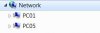
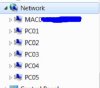
This worked for me...
First up to be able to properly communicate between all the XP and Windows 7 machines you need to ensure the Lan Manager authentication level is set the same on all machines. This can be accomplished by using the information provided by
Microsoft. Section 10 breaks down the different settings. Basically XP defaults to using a lower authentication level than Windows 7. For better security I recommend setting this to "Send NTLMv2 response only" on the XP machines. (HKEY_LOCAL_MACHINE\SYSTEM\CurrentControlSet\Control\Lsa\LmCompatibilityLevel = 3 for those who are using Win XP home and don't have access to the Local Security Policy control panel)
Next up you need to make sure all XP and Windows 7 computers can use the same protocol to access each other by computer name. Basically NetBIOS needs to be enabled on all machines.
For Windows XP, Windows Server 2003, and Windows 2000
On the desktop, right-click My Network Places, and then click Properties.
Right-click Local Area Connection, and then click Properties
In the Components checked are used by this connection list, double-click Internet Protocol (TCP/IP), click Advanced, and then click the WINS tab.
Note In Windows XP and in Windows Server 2003, you must double-click Internet Protocol (TCP/IP) in the This connection uses the following items list.
Click Use NetBIOS setting from the DHCP server, and then click OK three times.
For Windows Vista
On the desktop, right-click Network, and then click Properties.
Under Tasks, click Manage network connections.
Right-click Local Area Connection, and then click Properties
In the This connection uses the following items list, double-click Internet Protocol Version 4 (TCP/IPv4), click Advanced, and then click the WINS tab.
Click Use NetBIOS setting from the DHCP server, and then click OK three times.
For Windows 7
Click Start, and then click Control Panel.
Under Network and Internet, click View network status and tasks.
Click Change adapter settings.
Right-click Local Area Connection, and then click Properties.
In the This connection uses the following items list, double-click Internet Protocol Version 4 (TCP/IPv4), click Advanced, and then click the WINS tab.
Click Use NetBIOS setting from the DHCP server, and then click OK three times.
Last make sure Windows 7 machines are setup as follows under the advanced sharing settings for Home/Work networks:
Delete any Homegroups
Network Discovery on
File/Print Sharing on
Public Folder sharing off (you can probably try both settings)
Media Streaming off (I don't think this one really will make a difference)
Use 128-Bit encryption on
Password Protected sharing off (I would try this setting first but a more secure setting would probably be on)
HomeGroup Connections "Use user accounts ..."
Once all of these settings are changed turn off all the computers and then start turning back on computers. I recommend the computer that stays on the most be the first one you turn back on. This might help keep one computer as the "Master Browser" and maintain a current list of computers on the network.
Let me know if this works for you or not.
00Roush