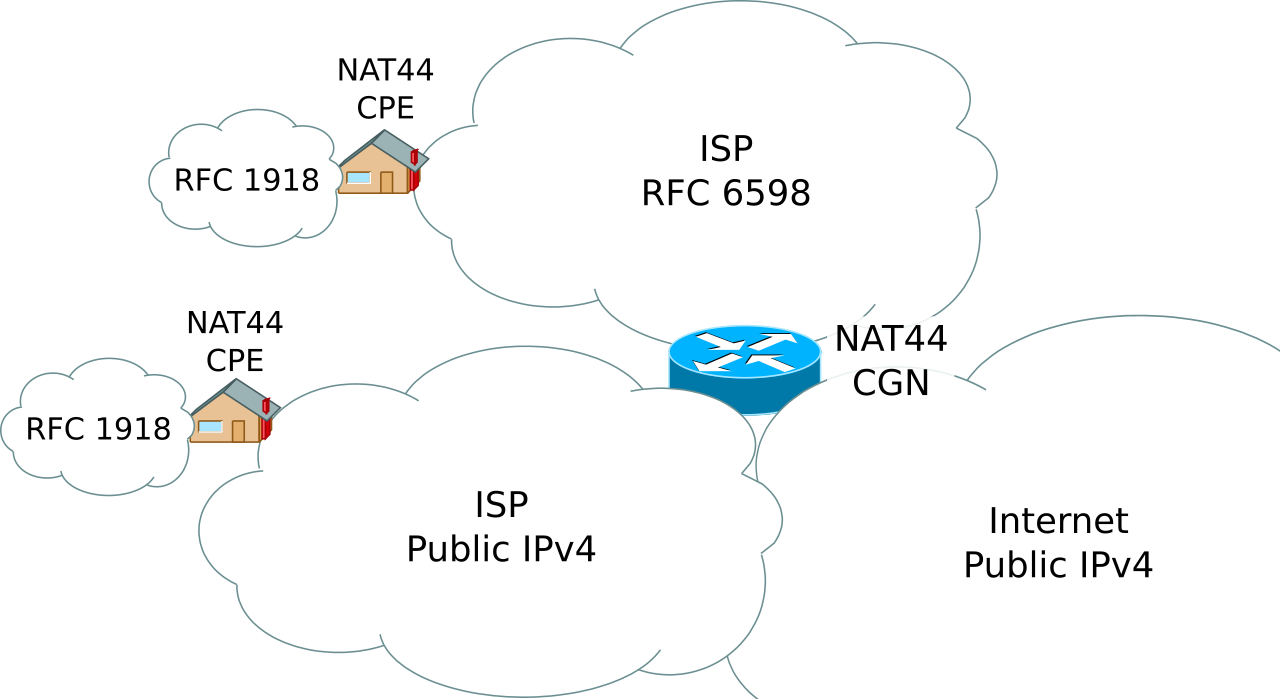
The WAN IP reported on Network Status > Internet Status is not the actual WAN IP.
I first noticed this when I could not connect to the router over Wireguard. Looking further the WAN showing in Network Status > Internet Status and via ifconfig eth0 is 100.69.119.85 which tallies with System Log > Routing Table showing the IPv4 gateway as 100.69.119.1.
However look at the system log I can see
where 95.214.228.171 is also given running any tool like Browserleaks, ipleak.net etc.
I have cold rebooted both the router and ONT (adtran) and in each case while the WAN IP address detected by inadyn, ipleak, browserleaks, etc changes, the WAN address shown on the router stays stuck at 100.69.119.85.
I was running 3004.388.11_alpha1 but reverted to 3004.388.10_2 in case this was the issue, but it made no difference.
Before I do a full reset and rebuild from scratch - can anyone suggest what else I can try or what may be causing this?
Thank you
I first noticed this when I could not connect to the router over Wireguard. Looking further the WAN showing in Network Status > Internet Status and via ifconfig eth0 is 100.69.119.85 which tallies with System Log > Routing Table showing the IPv4 gateway as 100.69.119.1.
However look at the system log I can see
Code:
Dec  8 10:03:08 Router inadyn[10421]: alias address=<95.214.228.171>
Dec  8 10:03:08 Router inadyn[10421]: request<GET /ddns/update.jsp?hostname=xxxxxx.asuscomm.com&myip=95.214.228.171&model=RT-AX88U&fw_ver=3.0.0.4.388.10_2 HTTP/1.0
where 95.214.228.171 is also given running any tool like Browserleaks, ipleak.net etc.
I have cold rebooted both the router and ONT (adtran) and in each case while the WAN IP address detected by inadyn, ipleak, browserleaks, etc changes, the WAN address shown on the router stays stuck at 100.69.119.85.
I was running 3004.388.11_alpha1 but reverted to 3004.388.10_2 in case this was the issue, but it made no difference.
Before I do a full reset and rebuild from scratch - can anyone suggest what else I can try or what may be causing this?
Thank you