o/
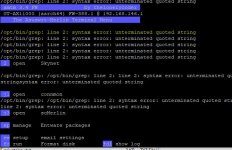
I have an issue atm with amtm not starting due to a script error as shown in the screenshot. I have a distinct feeling that it is related to Diversion. Can some1 tell me how I can manually remove Diversion from my router? I know how to SSH connect to it and to manipulate the files and all, I just don't know what I need to remove or change in a script file.
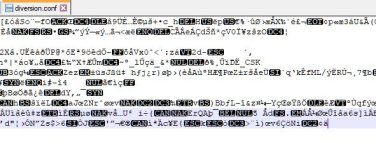
I tried to look at the diversion conf file itself but I think its encrypted as I can only see garballed info.
Any help is appriciated.
PS: already tried to disable scripts reboot and enable reboot but that didn't solve the issue.
I have an issue atm with amtm not starting due to a script error as shown in the screenshot. I have a distinct feeling that it is related to Diversion. Can some1 tell me how I can manually remove Diversion from my router? I know how to SSH connect to it and to manipulate the files and all, I just don't know what I need to remove or change in a script file.
I tried to look at the diversion conf file itself but I think its encrypted as I can only see garballed info.
Any help is appriciated.
PS: already tried to disable scripts reboot and enable reboot but that didn't solve the issue.