
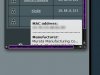
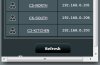
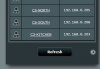
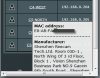
Small cosmetic UI glitch when using Asuswrt-Merlin 3.0.0.4.374.33 (Merlin build) on RT-AC66u and trying to read the last entry in the Client Status... if you click to show the Mac address vendor the bottom of the information box gets cut off and if you move off the selection and try to scroll to read it, it retracts and dissapears so you cant read it.. Not sure if theres an easy way to fix this...
Cosmetic UI issue with Client Status
- Thread starter joltdude
- Start date









Similar threads

Similar threads
Similar threads
-

-
-
Having an odd GUI issue, cleared cache but problem remains, side menu text messed up.
- Started by diyguy
- Replies: 2
-
-
RT-BE92U LAN issue after upgrading to the latest firmware
- Started by ashishrc
- Replies: 13
-
-

-
-
IoT Guest network issue (anyway script to create guest network?)
- Started by Noodle05
- Replies: 14
-
Latest threads
-
 Rt-AX86S for home & AX3000 as travel router- Can I easily Mesh both at home?
- Started by peanstein
- Replies: 12
-
Is it worth buying an ASUS router over my stock ISP Wifi 7 router?
- Started by ILikeCoffee
- Replies: 3
-
-
Will the Asus RT-AX59U receive the 3.0.0.6 firmware upgrade in future ?
- Started by Hypereal
- Replies: 1
-
Best way to benchmark public DNS servers from your actual location?
- Started by PaddraighOS
- Replies: 7
Support SNBForums w/ Amazon
If you'd like to support SNBForums, just use this link and buy anything on Amazon. Thanks!
Sign Up For SNBForums Daily Digest
Get an update of what's new every day delivered to your mailbox. Sign up here!
