What's new

Cudy Switches; do they pass VLAN tags like tp-link do ?

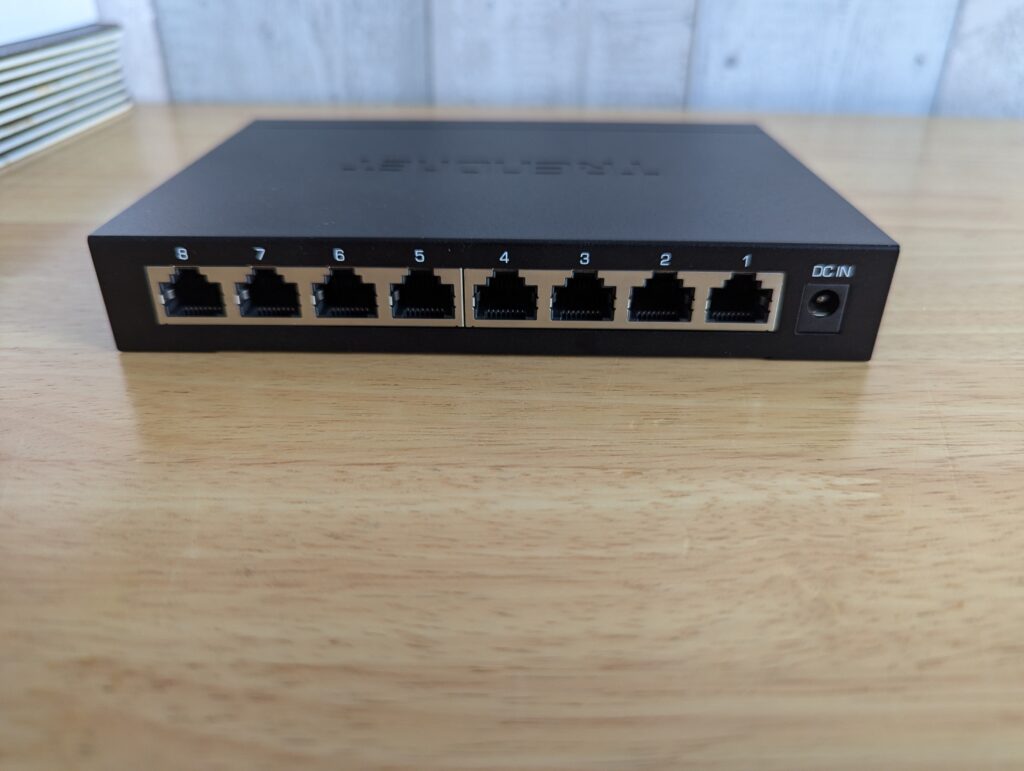
Yeah, I had the same result with a TEG-S380: doesn't pass VLAN-tagged packets. In these unmanaged switches I think it comes down to which behavior the chipset defaults to.

I was connected to the 2.5 Gb ports on the TEG-S762. Hmmm...
 
Just out of curiosity, which hardware revision of the TEG-S380, as there's V1.0, V1.xR and V2.
They don't appear to be based on the same hardware.
 
Mine's "V1.0R".
 
Mine's "V1.0R".
Mine says "V1.0R".
Right, I have a V2, which is much more compact, but unfortunately I don't use VLANs for anything, but is there some simple test I could do to test if that version works?

The internals are quite different. Looks like the V2 is "cheaper".
 
Do you have two ASUS routers that can create/support a guest network, in AiMesh?

Create a guest network and if possible just use the node radio, (switch in the middle of course). If you have trouble connecting any device to that network, that's pretty much it...

EDIT- I bought a TEG-S762 recently and received a V2. It's significantly smaller than V1, you are very correct. (I did not open it though so can't comment on the quality)...
 
Do you have two ASUS routers that can create/support a guest network, in AiMesh?

Create a guest network and if possible just use the node radio, (switch in the middle of course). If you have trouble connecting any device to that network, that's pretty much it...

EDIT- I bought a TEG-S762 recently and received a V2. It's significantly smaller than V1, you are very correct. (I did not open it though so can't comment on the quality)...
That's it? I think I could test that, give me a couple of days though, as I don't have time right now.
 
That's it? I think I could test that, give me a couple of days though, as I don't have time right now.
No rush on my behalf.

I was wondering why I was having so much trouble when these were my main switches and I guess I now know why, (and all clients are on my main network)...
 
No rush on my behalf.

I was wondering why I was having so much trouble when these were my main switches and I guess I now know why, (and all clients are on my main network)...
Ok, sorry, took me forever to even attempt this, but I can't even get ai mesh to work, so I can't test it, sorry.
 
Ok, sorry, took me forever to even attempt this, but I can't even get ai mesh to work, so I can't test it, sorry.
Did you get to try changing settings on your AX6000 via the App, (the ones that weren't working on the Web GUI)?

I am on a managed switch now so I have that headache to deal with. (Don't even need to keep it in mind. I already know the result is unpleasant)...
 
Did you get to try changing settings on your AX6000 via the App, (the ones that weren't working on the Web GUI)?

I am on a managed switch now so I have that headache to deal with. (Don't even need to keep it in mind. I already know the result is unpleasant)...
I had no problems changing the GT-AX6000 to aimesh, but it just wouldn't find the other router. They're on different major firmwares, so I guess that could be an issue? No matter what I tried, starting the setup on the RT-AX68U or doing it via the app, the GT-AX6000 just wouldn't detect it. I believe I ended up resetting the RT-AX68U a dozen times today, with no luck. If I was a normal consumer and if this was something I just purchased, I would've taken it back to the shop.
Bridge mode works perfectly fine though and the two have no issue communicating that way.
 
I had no problems changing the GT-AX6000 to aimesh, but it just wouldn't find the other router. They're on different major firmwares, so I guess that could be an issue? No matter what I tried, starting the setup on the RT-AX68U or doing it via the app, the GT-AX6000 just wouldn't detect it. I believe I ended up resetting the RT-AX68U a dozen times today, with no luck. If I was a normal consumer and if this was something I just purchased, I would've taken it back to the shop.
Bridge mode works perfectly fine though and the two have no issue communicating that way.

I have a lot of experience with AiMesh... Most of the time they can find in another room... Are you able to move them close enough to connect ethernet from LAN of router to WAN of potential node?
 
Try Ethernet (and avoid those switches) or maximum one...
 
I have a lot of experience with AiMesh... Most of the time they can find in another room... Are you able to move them close enough to connect ethernet from LAN of router to WAN of potential node?
I tried all the options and they were just one wall apart. I guess I can try plugging it in directly to the GT-AX6000, but that'll have to wait.
 
I had to do Ethernet for some reason on same firmware 5.0 but BE router to add another BE router... Once added can remove the Ethernet cord...
 

Support SNBForums w/ Amazon

If you'd like to support SNBForums, just use this link and buy anything on Amazon. Thanks!

Sign Up For SNBForums Daily Digest

Get an update of what's new every day delivered to your mailbox. Sign up here!
Back
Top