I noticed on the PIA website merlin router setup guide that they recommend using the persist-key & persist-tun commands in the custom configuration field:
I noticed on the PIA website merlin router setup guide that they recommend using the persist-key & persist-tun commands in the custom configuration field:
AFAIK if those commands are included in the PIA ovpn config file ( which they are in their latest ovpn files), and you import that file then they are not needed in custom config
I certainly don't have them in my custom config file and my PIA connection is just fine at at full speed on AC86U router
Thanks for all the responses guys. I've tried my connections both with & without those two commands & I've not noticed any difference tbh, which was why I asked about them. I did check the openvpn wiki but it's all a bit above my paygrade....lol So I'm still none the wiser. It's always been stable using the aes-256-cbc/sha256 combo & it's still running fine with the extra commands so I'll just leave it be in case I break something.
Thanks again.
Currently PIA is haveing a DNS issue with Amazon and some other sites.
Is there a command for the custom configuration field that would let me changed the DNS to w/e I want cloudflare, google?
Some googling I came across ( push "dhcp-option DNS 8.8.8.8" ) for a config file but putting that in the field didn't seem to help.
Edit: Looks like you just put
dhcp-option DNS 1.1.1.1
dhcp-option DNS 1.0.0.1
I have never configured OpenVPN of my router before (I have used PIA client apps with Android, Ubuntu and Windows 10) and now when I tried to get some info when it comes to tweaking with router OpenVPN settings it seems that during this year several links regarding PIA and Asuswrt-Merlin OpenVPN setup settings have disappeared from PIA website and (maybe because of the similarities) they have focused on Asuswrt OpenVPN, and there is even this rather recently updated link with instructions available:
I use PIA and while I previously tweaked the settings in the custom configuration I found it never seemed to make an improvement in performance and more recently it seemed to result in instability and the clients would fail.
Instead I would just go to PIA's configurator and download a file for the server you want to use along with the security settings you want. I currently use AES-128-CBC on Port 1198 and for the second client AES-256-CBC on Port 1197. Add your user name and password and then start the clients up. NOTE: If you plan to use multiple VPN clients from any vendor only a single VPN (client or server ) can be running on a particular port. PIA offers at least eleven configuration options but some of the options are not compatible with Merlin's firmware. I have used configurations using Ports 443, 1198 and 1197 and maybe ports 502 and 501. Start with the basic AES-128-CBC on Port 1198.
I have run PIA on an N66, AC1900P and an AC86.
Don't run multiple clients until you are comfortable with just a single client.
PS. I haven't had any problems with Amazon. I am using the DNS policy = relaxed.
Yes, but it doesnt matter as the linux and windows config files are the same as far as i can see
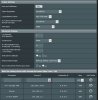
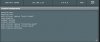
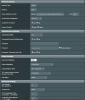
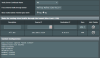
these are my settings on 384.12
for me this works fine with one exception that even though i have
Block routed clients if tunnel goes down set to Yes
if the vpn client goes down then it reconnects using my ISP's IP ---- this happens very rarely
Just a heads up to all you PIA users out there (me included): PIA have been bought by the notorious malware/adware/data selling company Kape Technologies & as of yesterday can no longer be trusted with your info/privacy. Read more about it:
Greetings all! Longtime reader just don't post often because I typically find my answer(s) on here. Have a question though and would appreciate the feedback.
Have the 86U, latest firmware. Also running Skynet. 300 connection from my ISP going through PIA. When I first configured the router, I was able to get 200+ when connecting to their Texas servers. Can't figure out what's changed, now I only see 50-125 from that server. I've used many combinations of referenced settings from this thread and some of the stickied threads. I've tried setting encryption at AES-128-CBC/GSM which doesn't seem to make a difference. Compression adaptive/none etc. I'll attach some screenshots when I get home this evening, but would appreciate any assistance.
You're PIA settings are the same as mine. My custom config is:
resolv-retry infinite
tls-client
remote-cert-tls server
disable-occ
persist-key
persist-tun
fast-io (last I heard this was in beta but may help a little with speeds)
These are some recent speedtest results using the Chicago PIA server.
You're PIA settings are the same as mine. My custom config is:
resolv-retry infinite
tls-client
remote-cert-tls server
disable-occ
persist-key
persist-tun
fast-io (last I heard this was in beta but may help a little with speeds)
These are some recent speedtest results using the Chicago PIA server.
Ok. Thanks. I’ll add the fast-io, see if there’s any noticeable difference. Closest server to me is Texas but have seem a little difference if I connect thru Denver. Nothing like you posted though.
I’ve been using Speedtest (single connection) to get my results. Are using spdmerlin from the router?



 ---- this happens very rarely