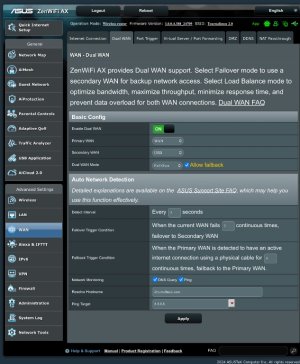
Adding my 2 cents if it might help
Since 3g/4g usb modems are usually small linux computers, you might run into different types of behavior depending on the settings on the USB. Few quirks:
Hardware:
I have DWM-222, connected to RT-AC68U.
a) If I set "Auto reconnect" to be enabled, USB modem might not recognize SIM after router reboot. Its because modem boot sequence finished some time ago, it just takes 5 watts from USB, connects to the LTE network and router would not be able neither manage card, nor access network.
b) If UPNP is disabled in Primary WAN, it will try to enable itself for USB and then disable in an endless cycle.
Found out because UPNP integration kept popping up in Home Assistant OS, even when it should be disabled.
Workaround is to enable UPNP for Primary WAN.
c) Setting anything else than "Auto" for network type might fail USB to be connected.
d) If USB dongle automatically sets its IP address to 192.168.1.1 on desktop you might end up in IP conflict instead of failover.
Avoid using USB modems like these, they are usually running a lot of bloatware with web interface and quite slow.
e) 4G modem which runs 150mbit download and 50mbit upload on desktop PC, runs 20-40mbit download and 10mbit upload when connected via router.
Not sure about the cause. I suspect USB port, maybe usb extension cable with external power source will resolve this. CPU utilization isnt that high, i might test it on USB 3.0 port...
f) You can send SMS via LTE modem:
connect via ssh/terminal and send following commands
echo -e "AT+CMGF=1\r" > /dev/ttyUSB2
echo -e "AT+CMGS=\"+phonenumber\"\r" > /dev/ttyUSB2
echo -e "Message\x1A" > /dev/ttyUSB2
Actual endpoind may vary, depending on your LTE modem, in my experience it varied in Cold and Hot standby.

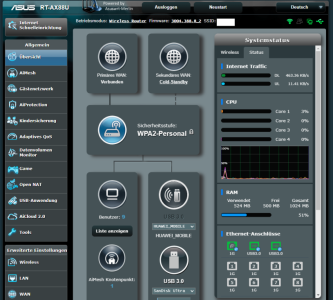
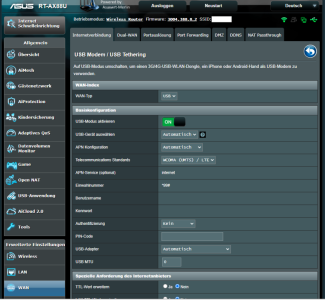


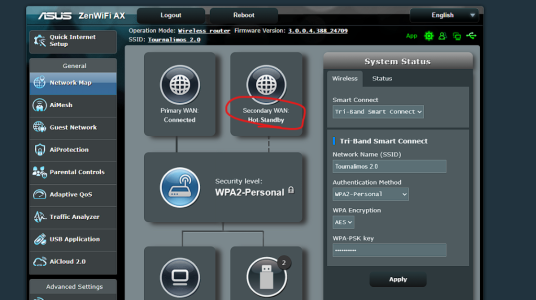
 Nonetheless I hadnt the dns/ping check options enabled