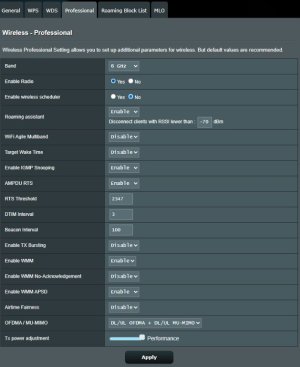
@jack ryan That is from an AC router settings. Your 5 GHz shows "WiFi7" and that is a concern to me. Try toggling it off.
@John Fitzgerald
View attachment 67416
This is actually a WiFi 7 router layout. What we are seeing is all three bands on separate SSIDs (no smart connect). He has selected 5 GHz (on the left) and the properties of that SSID are on the right. The two arrows pointing left <-- show where 2.4 and 6 GHz are on. The one pointing curved down and to the right shows that 5 GHz is the band of this SSID. If you want to Smart Connect 2.4 and/or 6 GHz you check the corresponding check box. (Very likely you will need to delete the 2.4 and/or 6 GHz SSID on the left first, before it allows you to).
@jack ryan I would say turn WiFi Agile Multiband ON, and Auto channel selection and auto bandwidth. Personally I do Smart Connect 2.4 and 5 GHz as shown on my BE98 Pro. I personally feel that it is mature enough to trust, so long as WiFi 7 Mode is off, (which I don't trust).