You should only get the crond message once at the very end of the boot process. If that is all it is, then it is not a problem. It is probably the number of minutes since the default date/time of May 5 1:05 AM
First, ensure ntp client configuration is correct. Something like:
You should only get the crond message once at the very end of the boot process. If that is all it is, then it is not a problem. It is probably the number of minutes since the default date/time of May 5 1:05 AM
Yes, I wasn't sure about the crond message. I have the same settings in my basic config. I don't know what the problem could be. Like I said before, When ever I schedule a reboot or reboot from the button on the back of the router, everything boots fine. It's just when I press the reboot button in the gui. Also my vpn client doesn't boot back up when I have this problem.
(Not difficult for the script guru's here, just much more checks and balances needed than the mere physical difference of 'oh look! another option for us!' that seems like it is a few characters 'extra' code.
(Not difficult for the script guru's here, just much more checks and balances needed than the mere physical difference of 'oh look! another option for us!' that seems like it is a few characters 'extra' code.
(Not difficult for the script guru's here, just much more checks and balances needed than the mere physical difference of 'oh look! another option for us!' that seems like it is a few characters 'extra' code.
I think the restart command would be handy in the menu, not sure start and stop are that useful for most users. The config editing would be icing, and might be nice for those not familiar and comfortable with Linux CLI commands, or combing through scripts with an editor....
All these scripts offer so much already, and give me incentive to learn more and more and more.
If you want to add config editing, I'm sure many will appreciate it.
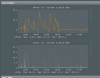
I'm in the uk and the graph was jumping like a box of frogs using the uk.pool.ntp.org so I blanked them for some other stratum 1 servers and now the chart is very good.
If anyone's interested.
#server 0.uk.pool.ntp.org iburst
#server 1.uk.pool.ntp.org iburst
#server 2.uk.pool.ntp.org iburst
#server 3.uk.pool.ntp.org iburst
server ntp1.speedwelshpool.com iburst
server ntp0.uos.ac.uk iburst
server ntp1.anduin.org.uk iburst
server ntp5.leontp.com iburst
server ntp.shr.ug iburst
server ntp6.leontp.com iburst
Add menu option to configure ntp.conf (with automatic restart of ntpd if changes are detected)
Implement md5sum check for updates
Code refactoring
Various fixes and improvements to functions
I'm in the uk and the graph was jumping like a box of frogs using the uk.pool.ntp.org so I blanked them for some other stratum 1 servers and now the chart is very good.
Yes, I wasn't sure about the crond message. I have the same settings in my basic config. I don't know what the problem could be. Like I said before, When ever I schedule a reboot or reboot from the button on the back of the router, everything boots fine. It's just when I press the reboot button in the gui. Also my vpn client doesn't boot back up when I have this problem.
I was under the impression that when you use the reboot button that at some point nothing is running as it resets. So if things were not shut down gracefully, well they go down hard.
But your experience suggests that this is not the case. I do not have a guess how there could be a difference between off button reboot and webgui reboot button.
There are two scenarios for why the ntp client does not sync.
One is that there is no internet. Looking through my logs led me regard this as not likely. However, I do not use a router VPN client which complicates things.
The other is that the ntp client cannot lookup 0.us.pool.ntp.org. Since I have another NTP server on my LAN, I am using an IP addres for the ntp client to connect to, thus avoiding the possibility of a DNS lookup issue. I am also using stubby. I raise stubby because the installation places a line in the dnsmasq configuration just for the ntp client to lookup pool.ntp.org possibly before stubby is ready. Do you have such a line in your dnsmasq config, possibly for dnscrypt? If not, I wonder whether it could help.
Code:
# grep server /etc/dnsmasq.conf
server=127.0.0.1#5453
server=0::1#5453
server=/pool.ntp.org/1.1.1.1
The last line tells dnsmasq just to go to Cloudflare to lookup pool.ntp.org. You could have another line for your VPN provider.
I’m trying to install on my router rt-ac86u with rmerlin firmware version 384.9, but I see errors:
In the system log this: Admin: fai led to start ntpd from .
And durirng the uninstall this two: jffs/scripts/ntpmerlin: line 720: ntpq: not found
/jffs/scripts/ntpmerlin: line 720: rrdtool: not found
Others software in use are : amtm, diversion, stubby, Yazi
Can you help me ?
Thanks
Sorry I found the solution: update Entware package



 We have great members on these forums.