
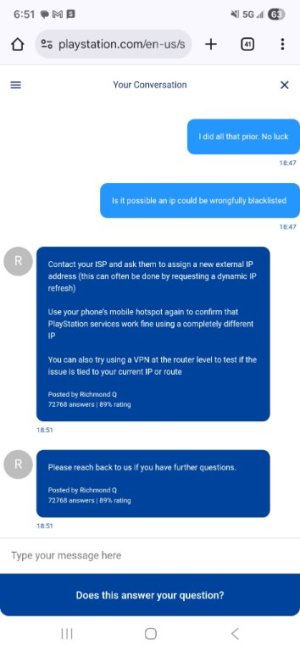
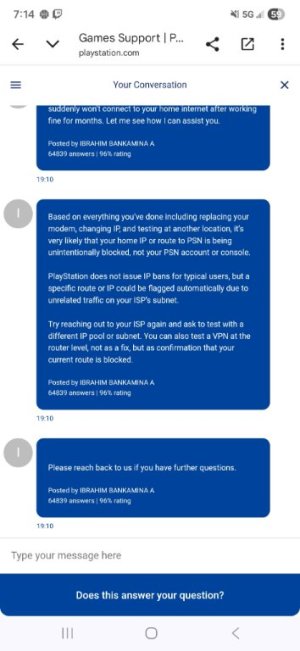
So my son recently bought a Rt -BE82U and he has Spectrum as his ISP. The router and everything that was connected to it worked fine for about 2 months. All of a sudden his area kept getting random outages and after that his PS5 started acting funny and now he cannot connect to PlayStation network at all. I tried everything that I can think of with the router connected including Mac clone in wan settings to no avail . Then I told him to bypass the router all together and plug directly into the modem and it still will not connect to PlayStation network! He called spectrum and they are stumped! I told him to bring it over and try it on my network and it worked first try ! We are using a lan cable btw not wifi . He refuses to try a factory reset on the PS5 cause he's afraid to lose stuff etc and he's troubleshooted and performed safe mode resets and everything possible without factory resetting it . Spectrum claims there is nothing on their end. Is his PlayStation is blocked/banned or his lan port flaky or broken?! He never received any emails or anything and claims he didn't do anything to get a ban. What do you think I should do?! I feel defeated
This is sooooooo frustrating!! Does anyone have any idea ?!
- Thread starter pfunk25
- Start date


Similar threads

Similar threads
| Thread starter | Title | Forum | Replies | Date |
|---|---|---|---|---|
| I | Where (country) does ASUS develop the firmware? | ASUS BE Routers & Adapters (Wi-Fi 7) | 6 |
Similar threads
-
Where (country) does ASUS develop the firmware?
- Started by Intensifi
- Replies: 6
Latest threads
-
BE92U roaming issues between 5/6ghz bands.
- Started by kakashisensei
- Replies: 0
-

-
Release ASUS RT-AX68U Firmware version 3.0.0.4.388_24824 (2026/03/24)
- Started by fruitcornbread
- Replies: 0
-
Release ASUS RT-AX1800S V2 Firmware version 3.0.0.4.388_34015 (2026/03/24)
- Started by fruitcornbread
- Replies: 0
-
Mini-PCs running a desktop OS instead of retail NAS boxes
- Started by maxbraketorque
- Replies: 10
Support SNBForums w/ Amazon
If you'd like to support SNBForums, just use this link and buy anything on Amazon. Thanks!
Sign Up For SNBForums Daily Digest
Get an update of what's new every day delivered to your mailbox. Sign up here!