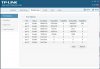
I bring up #4 in part because of the prompting I got seeing this. I've been looking at the bad packets on my network through my TP-Link, Trendnet and DLink switches.
Most of them have at least a few bad packets on every port, but we are talking single to double digits on most of them after an hour or so of monitoring (with actual activity, not just ARP stuff). However, my Apple TV seems to specialize in backpackets. Over the duration of an entire movie streams, I get somewhere in the high hundreds of back packets from it. I've swapped cables and even tried swapping ports and hooking it up straight to the LAN drop instead of through the DLink DGS1100 I have sitting in my entertainment center (in which case I see the Rx bad packets on the TP-link core switch instead of on the DLink edge switch). Same deal, still get the bad packets from it.
It isn't causing any obvious issues, but I am 99.99% sure it is some issue with the Apple TV itself spawning some bad packets.
But...meh. Nothing I can do about it. The Apple TV works perfectly as far as the user can tell and no obvious issue occuring on the network other than the fact that the Apple TV is (I assume) retransmitting a packet every once in awhile after one gets dropped.
Looking at the total packet count, its something on the order of .02-.03% bad packets compared to total count. I think most other devices/ports I am seeing something on the order of .0001-.001% bad packet rate on my network.