What's new

WinFi Pro Engineer V3 now available for free

RMerlin

Asuswrt-Merlin dev
Staff member
You guys might remember WinFi, a really nice Wifi analysis tool for Windows that was provided a ton of extra info not found in other tools, such as channel utilisation or 802.11 extension report.

The author went MIA around the time he was supposed to release V2, with a timebomb causing V1 to stop working. He came back about a year ago, with beta builds of V3, which was now multiplatform. He was offering a free version, and selling a Pro version directly through his Discord.

In another weird twist, he just announced on his Discord support channel that the full Pro version was now available for free for everyone.


It's now available for Windows and MacOS. I assume the Linux and iOS builds will be added later.
 
Last edited:
I think the iOS version requires additional hardware (if I remember correctly)? (Raspberry Pi with specific software?)
 
It has strange location services requirement in Windows. Doesn't want to run without it.
 
It has strange location services requirement in Windows. Doesn't want to run without it.
Might be because it needs to scan locally available networks, which is typically a location service.
 
Might be because it needs to scan locally available networks, which is typically a location service.

No... not needed

I'm not convinced that a tool like this needs Location Services other than to report what it finds to something upstream for adjacent networks to services upstream.

Seems like a privacy issue to be honest...
 
I don't remember any other Wi-Fi Analyzer for Windows asking for location services.
 
On Mac they do, because “the BSSID or MAC address of the networks, which is unique for each network, may be used for tracking a user’s physical location.”:

 
Could be something Windows 11 permissions related. I don't like this OS anyway. 🤮
 
Android Wi-Fi scanning apps require location permissions to do most things or give full info. So annoying. I think Windows is 'maturing' to be like other OS-es with app permissions. However, I too, think it is (or should be) bogus.
 
I don't remember any other Wi-Fi Analyzer for Windows asking for location services.
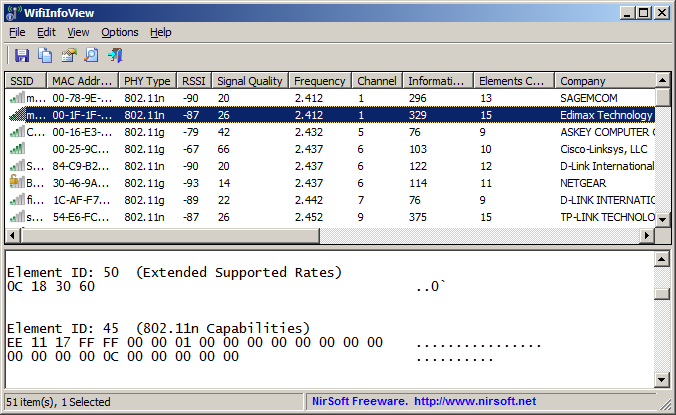
WifiInfoView
Windows 11 24H2 Update - Starting from this Windows update, you must enable location access (Windows Settings > Privacy & security > Location) in order to allow the WifiInfoView toolto access wi-fi information. You have to enable the following options: 'Location services', 'Let apps access your location', 'Let desktop apps access your location'.If location access is not enabled properly, you'll see 'Error 5: Access is denied' message in the bottom status bar.
 

Support SNBForums w/ Amazon

If you'd like to support SNBForums, just use this link and buy anything on Amazon. Thanks!

Sign Up For SNBForums Daily Digest

Get an update of what's new every day delivered to your mailbox. Sign up here!

Members online

Back
Top