chrismcpole
Occasional Visitor
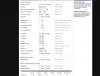
Ok here is the info page for 5ghz. The problem is that the client (Vaio Z with Intel 5100, latest drivers 13.0.0.107 and Win 7 64bit) shows 150mbps connection speed in the task manager 30cm away from the router, even though the router shows 270mbps (why not 300?! )
)
Also the Signal Quality at 79% within 30cm of the router is rather low, as I believe. Furthermore, Transmitted (TX) shows 5 errors as you can see, is that normal?
I know 5100 is problematic and might be reporting theTX to windows, which is 150 max, but still I see 245 for a second ones in a while and it gets back to 150. What gives and is it something that I'm missing about both the AP and client? Thanks
)Also the Signal Quality at 79% within 30cm of the router is rather low, as I believe. Furthermore, Transmitted (TX) shows 5 errors as you can see, is that normal?
I know 5100 is problematic and might be reporting theTX to windows, which is 150 max, but still I see 245 for a second ones in a while and it gets back to 150. What gives and is it something that I'm missing about both the AP and client? Thanks