Richard1864
Regular Contributor
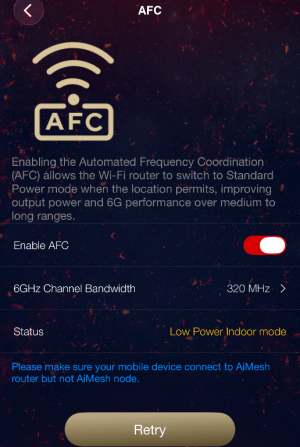
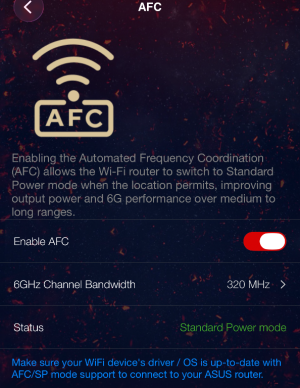
ASUS today released an update for the BE19000AI which enables AFC, version 3.0.0.6.102_40272. it can be downloaded from the BE19000AI product page, and also includes some bug fixes.
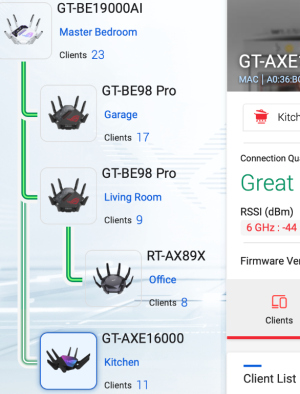
Thank you for sharing your AiMesh setup. You can control 5 GHz-2 on the GT-AXE16000 and 6 GHz-2 on the GT-BE98 Pros?The wifi signal strength also increased by 18dBm with AFC, standard power mode, when connected to wireless mesh node.
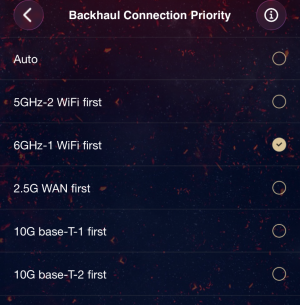
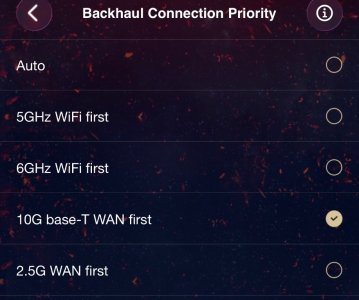
BE98PROOn BE98PRO, you can only choose either 5GHz or 6GHz as backhaul. You can’t specifically choose 1 out of the two 6GHz radios. See the second snapshot.
Much Appreciated Lax, Got home and went straight to the ASUS app on my phone. Toggled it off and on and after a 1 minute wait period all things started working as intended. I picked up another 20dbm of signal strength right away. -37dbm currently.Try it from your cellphone using Asus router app. I had the same issue, but after toggling few times from my iPhone it started working.
I'm using auto and width 320Mhz, which sets to channel 37.
I know what you are referring to... We used to have that issue while ago on the AXE16000 as mesh node with the 5Ghz-2 radio SSID don't get initialized properly and arbitrarily sets-up with some random SSID name which can't be controlled. Now it still not controllable on th mesh nodes, but I don't see the rogue random SSIDs anymore, means it's correctly setting up the SSID.@Lax Thanks for taking time to share those.
I have had my GT-BE98 Pro and GT-AXE16000 as AiMesh with Ethernet backhaul mode. I was not able to utilize the AXE16000 5 GHz-2. I assume if you have selected 5 GHz-2 as preferred backhaul then everything would be okay as you can set the SSID of AXE16000 5 GHz-1 for clients. With 6 GHz as priority are you able to use 5 GHz-2 for clients? I eventually set the AXE16000 as an AP with AiMesh, then had two AiMeshes: one WiFi 7 and the other WiFi 6/6e. Finally I found a way to combine them again with an ExpertWiFi EBG15 although it seems underpowered, (especially with a 4 TB USB HDD connected).
I'm also curious how the BE98 Pro works as a node. Are both 6 GHz-1 and 6 GHz-2 manageable? I suspect you can control 6 GHz-1 since the BE19000Ai has 6 GHz but how about 6 GHz-2?
My apologies to everyone as this is off-topic!

Welcome To SNBForums
SNBForums is a community for anyone who wants to learn about or discuss the latest in wireless routers, network storage and the ins and outs of building and maintaining a small network.
If you'd like to post a question, simply register and have at it!
While you're at it, please check out SmallNetBuilder for product reviews and our famous Router Charts, Ranker and plenty more!