What's new

Aimesh AX Router with BE Node Compatibility?

peterlee

New Around Here
Hello,

I’m considering buying the ASUS RT-BE92U to try out the new Wi-Fi 7, but I already have several AiMesh devices. Due to budget constraints, I can only upgrade one device in my home, and only the devices in my room will support Wi-Fi 7.

Current setup:

• Aimesh main node: GT-AX6000 as the main router, 3.0.0.6.102_34810

• Aimesh node: AX86U Pro in my room 3.0.0.6.102_34336, (to be replaced with the RT-BE92U) 3.0.0.6.102_37025

All devices are running the original ASUS firmware.
P.S My home Ethernet speed is 2.5Gbps, and the external network is 500Mbps up and down. Also have a 2.5Gbps Synology NAS.
About 20 wireless client.


I’ve looked into some information, and it seems that certain new Wi-Fi 7 features, such as 6GHz and MLO, might not be configurable and not working.
If that’s the case, it seems replacing only the router in my room wouldn’t make much sense.

Would there be any compatibility or setup issues with this configuration?

Does anyone have experience using a mix of Wi-Fi 6 and Wi-Fi 7 routers, particularly in setups with Wi-Fi 6 routers and Wifi 7 as Node ?

And thanks for your reply. :)
 
Last edited:
What exactly improvements you expect from Wi-Fi 7 and to what clients?
 
What exactly improvements you expect from Wi-Fi 7 and to what clients?

It seems that only the new 6GHz band will bring noticeable benefits with this upgrade.

When using Wi-Fi 5 with a 160MHz channel, DFS occasionally fails and switches back to 80MHz.
I’m thinking the 6GHz band should be more stable.

P.S My home Ethernet speed is 2.5Gbps, and the external network is 500Mbps up and down.

I’m concerned that if I use an AX router, its settings might not show the 6GHz band or other Wi-Fi 7 features.


Wi-Fi 7: (support 6Ghz)

• iPhone 16 Pro. Channel bandwidth: 160MHz. MLO is used only for signal backup, and no 4096-QAM.

Wi-Fi 6E: (support 6Ghz)

• iPad Pro M4. Channel bandwidth: 160MHz, 2x2 MIMO

• PC: PRO-B760-P-WIFI-DDR4. Channel bandwidth: 160MHz, 2x2 MIMO

Other Devices:

• Wi-Fi 5 or Wi-Fi 6
 
So you basically want to upgrade for a single device only - the PC. The iPhone/iPad - doesn't matter much, they have nothing to do with this speed anyway. If you just want a new toy for Christmas in your room - say it straight. Otherwise there will be no much of improvement. I would get a wire and connect this PC to the 2.5GbE network. This is going to be the best improvement and light on the budget.
 
I’m considering buying the ASUS RT-BE92U to try out the new Wi-Fi 7, but I already have several AiMesh devices. Due to budget constraints, I can only upgrade the router in my room, and only the devices in my room will support Wi-Fi 7.

Current setup:

• Aimesh main node: GT-AX6000 as the main router, 3.0.0.6.102_34810

I'd wait a bit - your current HW is fine as it is... the BE92U isn't adding anything to the party.

reason for waiting - we're coming up on the 2025 trade show circuit, and there, we'll see more than a few announcements around the next generation, which isn't a bad thing as most WiFi7 gear is basically beta testing for what should be a bit more stable next year.
 
Does anyone have experience using a mix of Wi-Fi 6 and Wi-Fi 7 routers, particularly in setups with Wi-Fi 6 routers and Wifi 7 as Node ?
I am using Asus BT10 (Wifi 7) single unit as main router - Asus sells it as 1, 2 or 3 units, not as 2 or 3 pack alone - even though its marketed as Zenwifi.

I'm using the main unit along with an AX58u (Wifi 6) as the AiMesh node. So I have only 2-node AIMesh, and motivation was gaining the 6 GHz band for home-internal wireless bandwidth and stability. I might later buy another BT10 to replace the AX58u to have longer 6 GHz reach - especially if Asus doesn't enable AFC for the BT10, contrary to what they stated to DongKnows. I bought it after the stable firmware release on Nov 6 2024, from Asus - and DongKnows reported that his 3 day torture-test passed fine.

I am having no problems with the BE/AX mixed setup with AiMesh. I get the 6 GHz when in range for gigabit wireless bandwidth (160 MHz channel bandwidth). For my laptop, the connection falls back automatically to 5 GHz the channel (160 MHz channel bandwidth, including stable DFS channels) when the 6 GHz band is weaker.

The handoff for laptop/phones works fine on the 5 GHz channel in this mixed setup, in my experience, as does the switch between 6 GHz to 5 GHz channels and back, across my house.
 
I am using Asus BT10 (Wifi 7) single unit as main router - Asus sells it as 1, 2 or 3 units, not as 2 or 3 pack alone - even though its marketed as Zenwifi.

I'm using the main unit along with an AX58u (Wifi 6) as the AiMesh node. So I have only 2-node AIMesh, and motivation was gaining the 6 GHz band for home-internal wireless bandwidth and stability. I might later buy another BT10 to replace the AX58u to have longer 6 GHz reach - especially if Asus doesn't enable AFC for the BT10, contrary to what they stated to DongKnows. I bought it after the stable firmware release on Nov 6 2024, from Asus - and DongKnows reported that his 3 day torture-test passed fine.

I am having no problems with the BE/AX mixed setup with AiMesh. I get the 6 GHz when in range for gigabit wireless bandwidth (160 MHz channel bandwidth). For my laptop, the connection falls back automatically to 5 GHz the channel (160 MHz channel bandwidth, including stable DFS channels) when the 6 GHz band is weaker.

The handoff for laptop/phones works fine on the 5 GHz channel in this mixed setup, in my experience, as does the switch between 6 GHz to 5 GHz channels and back, across my house.
Saw a bt10 on sale and was thinking about doing the same thing. Hope it works out. I hear that iot devices have issues though.
 
Hello,

I’m considering buying the ASUS RT-BE92U to try out the new Wi-Fi 7, but I already have several AiMesh devices. Due to budget constraints, I can only upgrade one device in my home, and only the devices in my room will support Wi-Fi 7.

Current setup:

• Aimesh main node: GT-AX6000 as the main router, 3.0.0.6.102_34810

• Aimesh node: AX86U Pro in my room 3.0.0.6.102_34336, (to be replaced with the RT-BE92U) 3.0.0.6.102_37025

All devices are running the original ASUS firmware.
P.S My home Ethernet speed is 2.5Gbps, and the external network is 500Mbps up and down. Also have a 2.5Gbps Synology NAS.
About 20 wireless client.


I’ve looked into some information, and it seems that certain new Wi-Fi 7 features, such as 6GHz and MLO, might not be configurable and not working.
If that’s the case, it seems replacing only the router in my room wouldn’t make much sense.

Would there be any compatibility or setup issues with this configuration?

Does anyone have experience using a mix of Wi-Fi 6 and Wi-Fi 7 routers, particularly in setups with Wi-Fi 6 routers and Wifi 7 as Node ?

And thanks for your reply. :)
yup I sure do have a blend, even have the same primary router, I replaced both my nodes with the BE86U no issues so far....
 
@peterlee Any chance you can get the service line moved to your room?

My primary router is a BE router, I only have a single WiFi 7 phone but it is Android. BTW- How do you know that the iPhone 16 Pro does not support 4096 QAM? (By definition that is part of the WiFi 7 spec)...

The phone primarily stays in my room where I simply have a RT-AX5400 serving it. Speed is not great but also not bad, at least now after some rounds of firmware updates.
 
Saw a bt10 on sale and was thinking about doing the same thing. Hope it works out. I hear that iot devices have issues though.
How did it go?

I've AX58U as main router and want to improve the signal at home without replacing the router at the moment. Would AiMesh works by mixing WiFi 6 from main router to nodes running WiFi 7? Or would I better get WiFi 6 nodes
 
Perhaps the most cost effective solution for you is RP-AX58, it's AiMesh compatible.

 
How did it go?

I've AX58U as main router and want to improve the signal at home without replacing the router at the moment. Would AiMesh works by mixing WiFi 6 from main router to nodes running WiFi 7? Or would I better get WiFi 6 nodes
AiMesh works, without immediately reaping any benefits of WiFi 7 at the node, because a WiFi 6 router has no "knowledge" of any newer WiFi development. I have to agree with @Tech9 that the RP-AX58 is $10 dollars less than the WiFi 7 option that is available. But if the eventual goal is upgrading to WiFi 7 then for the current running price of the RP-BE58 ($79.99 at quick glance) is just as fine an option.
 
Last edited:
Perhaps the most cost effective solution for you is RP-AX58, it's AiMesh compatible.

RP-AX58 is WiFi 6 and I was considering WiFi 7 nodes so in the future I would only upgrade the router to WiFi 7 (given that there will be no issues in AiMesh between WiFi 6 and 7)
 
In this case based on your requirements and expectations you have to be careful which model Router exactly you upgrade to and what Node is a good match for it. AiMesh features compatibility are model dependent. There are Smart Home Master and Guest Network Pro models. ASUS "AiMesh Compatible" claim is tricky and the users usually discover limitations only after purchasing the hardware.
 
I would only upgrade the router to WiFi 7

In addition all current ASUS routers using Trend Micro bwdpi engine have unresolved firmware issue. Whatever firmware feature is using bwdpi - don't count on it. The most affected is Adaptive QoS. Think twice about your ASUS and AiMesh future. If you have specific needs it may not be very bright. And don't think about purchasing the cheapest tri-band model RT-BE92U, Smart Home Master series. It's the one with most issues reported so far and with few hardware revisions already. For tri-band your start model is RT-BE96U. For dual-band RT-BE86U, better RT-BE88U. All Guest Network Pro with VLAN support. Good luck!
 
How did it go?

I've AX58U as main router and want to improve the signal at home without replacing the router at the moment. Would AiMesh works by mixing WiFi 6 from main router to nodes running WiFi 7? Or would I better get WiFi 6 nodes

If one were to purchase a BT10, with current router a RT-AX58U, might as well use the BT10 as router and RT-AX58U as node. This is why only the RPs were suggested, because they can only be used as nodes, (and are a lot cheaper than a BT10)...
 
I've AX58U as main router and want to improve the signal at home without replacing the router at the moment.

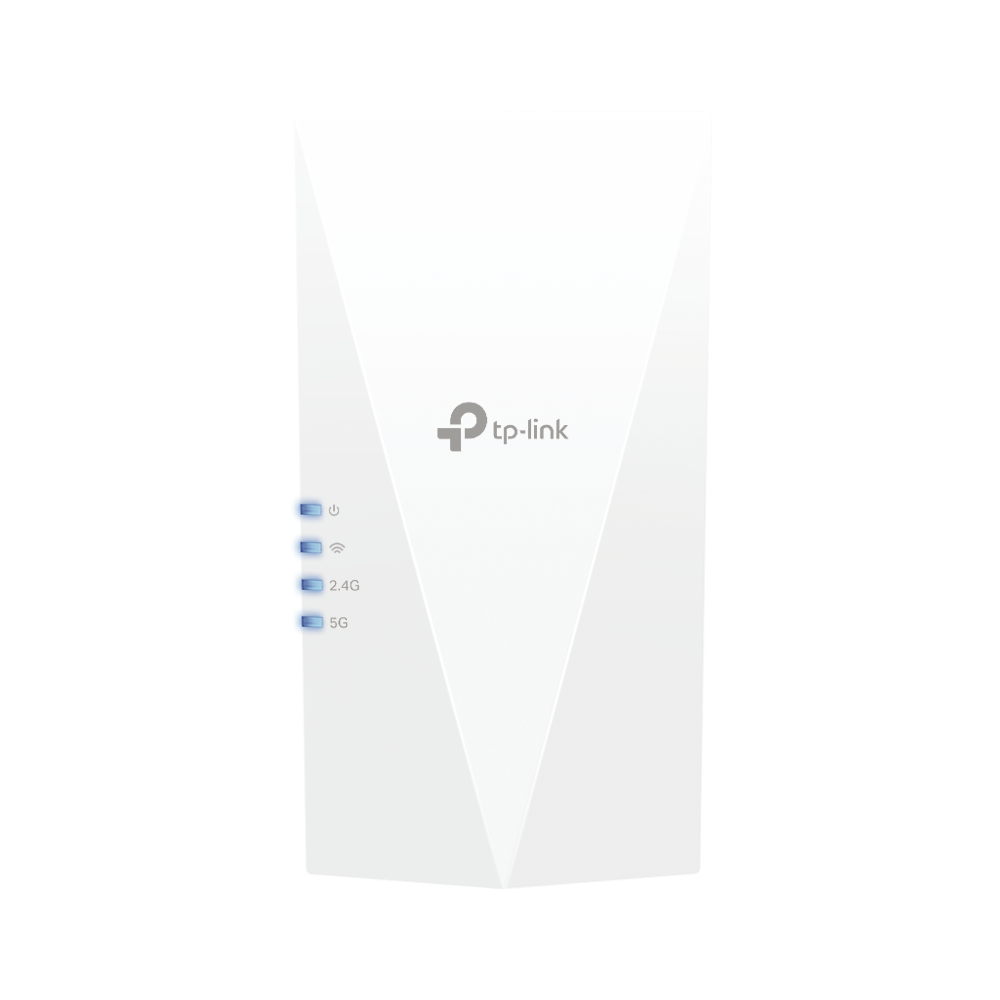
If this is the only requirement (no interest in Guest Networks) - AX-class extenders start from about $50. It doesn't have to be ASUS and AiMesh compatible. The clients connected to the extender will be shown as wired in ASUS GUI, not a big deal. Roaming and one SSID will work the same way. Something like this:


Latest threads

Support SNBForums w/ Amazon

If you'd like to support SNBForums, just use this link and buy anything on Amazon. Thanks!

Sign Up For SNBForums Daily Digest

Get an update of what's new every day delivered to your mailbox. Sign up here!
Back
Top