What's new

Asus BE88U login page inaccessible unless I reboot it

Which is it? The gui will listen on https on one port. Unless you meant http (port 80) for the second URL.
Either one doesn't work. I only mentioned https://192.168.0.1 as I tried it and it didnt work.
After reboot the https://192.168.0.1:8443/Main_Login.asp works but after a day or two it doesnt.
Sorry cant be sure after how long. Need to check that. Rebooting is a pain.
No unfortunately this did not work either
 
What happens if you use the default LAN IP 192.168.50.1 with IP range starting with 192.168.50.2
 
Last edited:
What happens if you use the default IP 192.168.
1776136410715.png
50.1 with IP range starting with 192.168.50.2
 
I would try in SSH:

Code:
service restart_httpd

No information on what else is running on your router. Something may be killing httpd.

Same with the Asus app on mobile

ASUS App may be connecting to a router running Asuswrt-Merlin firmware, but it's officially unsupported and you have to be careful what options you change there because they may break your Asuswrt-Merlin configuration.
 
I would try in SSH:

Code:
service restart_httpd

No information on what else is running on your router. Something may be killing httpd.


ASUS App may be connecting to a router running Asuswrt-Merlin firmware, but it's officially unsupported and you have to be careful what options you change there because they may break your Asuswrt-Merlin configuration.
Nothing new. I have IOT, 2.4 and 5G. Frankly under utilising it. No storage attached to usb etc.
The Asus app has worked all the time until this issue started and now only when this issue comes up. Once I reboot it will work from all devices including the app.
Only reason I didn't report it before as I rarely need to make any changes these days and was kinda thinking it would be fixed noting others would have had something similar.

btw how do I do this? I am not well versed with this


SSH:

Code:
service restart_httpd

Update: Chatgpt said
try in cmd so I did

ssh [email protected] "service restart_httpd"
ssh: connect to host 192.168.0.1 port 22: Connection refused

Chatgpt says SSH not enabled on your router
 
Almost sounds like there's a second dhcp server on your network.
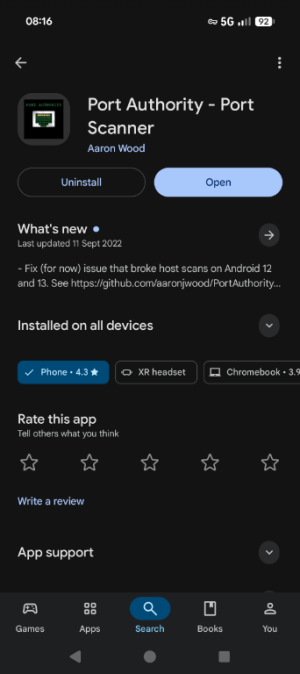
If you have an android device install Port Authority. Scan your network for devices then, if found, scan the well known ports on your router.
 
Almost sounds like there's a second dhcp server on your network.
If you have an android device install Port Authority. Scan your network for devices then, if found, scan the well known ports on your router.
Are you sure of the name "Port Authority"? I am on Samsung Galaxy 24 and cant find anything with that name in play store.
 
Are you sure of the name "Port Authority"? I am on Samsung Galaxy 24 and cant find anything with that name in play store.
It's still there
Screenshot_20260414-081656.png
 

Latest threads

Support SNBForums w/ Amazon

If you'd like to support SNBForums, just use this link and buy anything on Amazon. Thanks!

Sign Up For SNBForums Daily Digest

Get an update of what's new every day delivered to your mailbox. Sign up here!
Back
Top