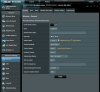
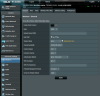
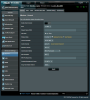
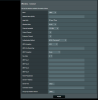
I was looking at the UI again last night and found that it wasn't so bad after all. The problem is when you're on the General Tab. With 2.4 Ghz selected, you can see and navigate to all of the other tabs. When you select the 5 Ghz band, the rest of the tabs disappear, so you can't see them or navigate to them. So, given that when you're on the 2.4 Ghz General tab and you can see the other tabs, navigate to any of those tabs. When you're on the selected tab, you can then select the 5 Ghz band and you will see all of the 5 Ghz tabs. You can navigate to any of the other tabs, with 5 Ghz still selected on arrival at that tab. At that point you will still see all of the other tabs. The odd exception is when you go to the General tab, at which point all of the other tabs are no longer seen. So, it doesn't matter which way you get to the 5 Ghz General tab, the problem can be seen, or in this case, not seen.
The problem with downgrading is that you can't prevent the update to the latest firmware version. So, if you log back in, you will see the new version loaded. As long as you have the 5 Ghz settings where you want them to be, with the previous version, then the update should still retain those settings and you probably won't notice the upgrade.
Fwiw, the MD5 code checks out and is the same as the MD5 code shown on the Asus download page, so, its not a matter of a corrupted file. Looks like a UI bug introduced in this version.