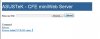
Just wanted to post and let everyone know you may not have to use the firmware recovery software as there is a built in miniweb server once you are in recovery mode.
It has options to upload a firmware file, reboot router and clear NVRAM.
To access the miniweb server you static IP your network adapter to 192.168.1.2 with gateway 192.168.1.1 then open your web browser to 192.168.1.1
I have not tried uploading tomato this way yet but did revert back to stock through this. At first I was stuck in a reboot loop after reverting back to stock so I went back into recovery mode and cleared NVRAM through the webserver then rebooted through the webserver. After that all was good to go. Next up is to see if I can upload tomato through the webserver.
EDIT:
Successfully went from stock to tomato and then back to stock through the miniweb server. It is really nice that you can clear the NVRAM right through the browser before uploading a file. Just remember it takes time (up to 5 minutes) after uploading a file until the router reboots. Still seemed maybe faster then waiting for 1%, 10%, etc. that the recovery software makes you wait through.
Browser opens to this page: