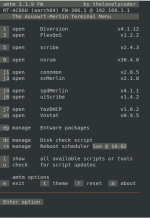
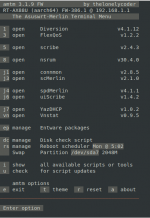
All, I'm pleased to announce version 0.9.5 was just merged. In the dn-vnstat menu, choosing
u should update (some may require a force update:
uf).
A force update is no different than a regular update for this version.
I've been fortunate to continue my collaboration with
@Jack Yaz who deserves a huge round of applause (and more)!
What's new?
- If this were in release, it would be an entirely new version!
- This is considered Beta 3; for all intents and for all intents and purposes it is a RC
- Includes many, many under the hood optimizations to improve reliability, accuracy and functionality
- For those with data caps, we've added user-specified data limits: check vnstat-reported data use against a user-set limit
- Looking at you Comcast, Cox, others
- This data limit monitoring includes:
- Optional email notification when you reach 75%, 90% and 100% of data limit
- Data use warning message on UI page (75% and higher)
- Data limit calculations - in both the UI and CLI menu (% data limit used)
- CLI menu- and UI-updatable; selectable GB or TB limits
- There is an expanded number of UI settings options (the CLI menu has a few more)
- There is now a self-contained emailer, which still leverages Diversion credentials, but no longer calls a separate script
- During the initial install, the script automatically backs-up existing vnstat databases (if found)
- This version deprecate the "CLI daily total" graphic in favor of textual view
- Obviates the need for imagmagick
- Still retains the daily summary emailed at 23:59 local (if enabled)
The changelog is here:
https://github.com/de-vnull/vnstat-on-merlin/blob/main/changelog.md
Known issues:
- The day of month selection: changing this from the 1st of the month may not result in a change in calculations of data used. This is likely an issue with the current Entware version of vnstat (1.18). We're trying to determine if there is a work-around
- Changing data use units: the calculations if you switch from GB to TB and vice versa are not fully functional, particularly from the UI
- Recommendation: change the UNIT, then save, then go back and change the number, save, and check to make sure the expected data limit is set. Or use the menu version, which should be calculating correctly.
- CLI vnstat flags do not work properly in the current Entware version of vnstat (1.18). For example, the
--reset flag does not reset. A full removal of dn-vnstat, including removing the database files, is required, followed by a full install (via amtm).
- If hardware acceleration is enabled, the numbers reported by vnstat are likely inaccurate. This script *does not* disable HwA because it is up to the user to determine if data reporting or HwA is the more critical activity.
As usual, if you have any findings to report, please include your router model, firmware version, other add-ons you may be using, and description of the event, including actions or observations proximal to the event.