What's new

Did Asus site get hacked?

cc666

Very Senior Member
I have been checking and getting updates from this USA site for years, today I get a blank page?


CC
 
The download tabs seem to disappear, but that doesn’t mean they were hacked.
 
I have been checking and getting updates from this USA site for years, today I get a blank page?


CC
No, sometimes this happens when they are doing some updates. The Middle East version started working again today, it was also showing blank updates for the past couple of days.

PS: I just checked the link you posted and it's working fine.
 
Issue is probably specific to the Rog website (https://rog.asus.com). On Firefox the missing tabs show briefly before being hidden. On the main Asus site (https://www.asus.com/) the tabs are all showing up for several routers I've checked this morning.
 
Looks like lots of the page are "redacted" for me too. Southern California here...

If I try to open in an Incognito (Chrome for Android) it appears to show for a split second and then is deleted/redacted...
 
I tried in 3 browsers same result, just blank where the firmware should be listed. For those that say it works please refresh the page while you are there and see if it dissappears. It could be your cache showing an older date of the site.

CC
 
This is what I see:

1770303127162.png


CC
 
@cc666 can you access the site okay using a mobile device not connected to the wifi? I think you're still having problems with diversion/Skynet, or something else is configured wrong.
 
Anyone know what could cause the regular tabs to show for a split second then deleted in front of your eyes? That's what I am seeing, if not blank from the start except for FAQ and More Service....
 
Anyone know what could cause the regular tabs to show for a split second then deleted in front of your eyes?

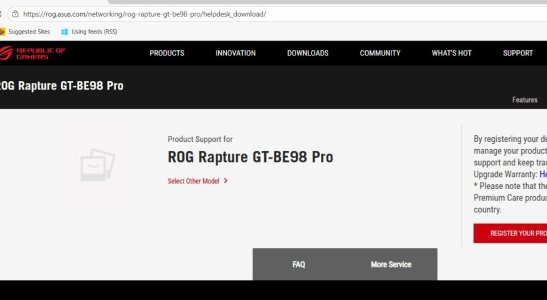
It's funny, but GT-BE98 Pro is North American model and from my NA ISPs I see what @cc666 sees. From my EU ISPs where GT-BE98 Pro is not available I see the full menu website shown in post #9 above.
 
Try removing the /us/ from the URL - that seems to get the other tabs to show up that you're not seeing.
Not working here. Still showing just two tabs (FAQ and More Services)
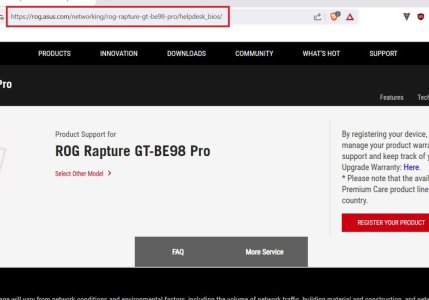
Rog.jpg

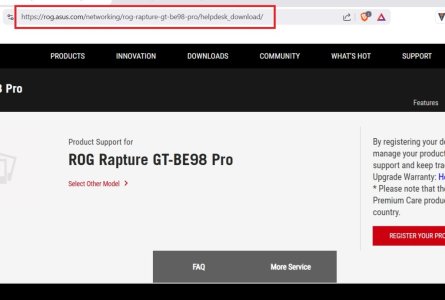
Doesn't work either.

RogDownload.jpg

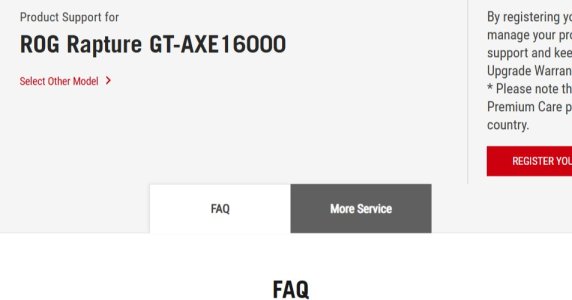
Edit to add: As indicated up page, it seems to be a site issue. Don't see other tabs other than FAQ and More Service on other ROG router pages. For example this one also doesn't display correctly.
https://rog.asus.com/networking/rog-rapture-gt-axe16000-model/helpdesk/

ROG Rapture GT-AXE16000.jpg
 
Last edited:
That's odd. The /us/ link doesn't show the tabs for me either but removing it and using the global site works for me on both Edge and Firefox. Perhaps your browsers are out of date?
 
Perhaps your browsers are out of date?
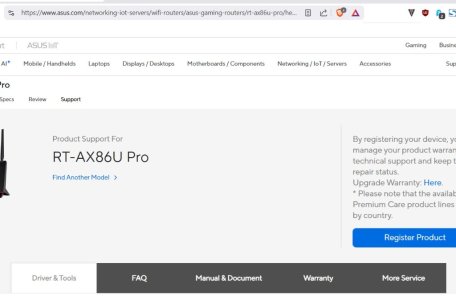
Nope latest browsers. Same issue across three browsers and it's only with the ROG support website. Main Asus support website works fine and displays all the tabs on the support page for routers (at least RT-AX86U Pro and RT-AC68U that I checked just now).

Windows 11 Home Version 10.0.26200 Build 26200
Brave 1.86.148 (Official Build) (64-bit) (edit: Used for screen captures in my prior post above)
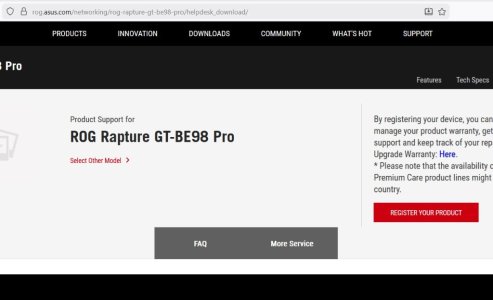
Firefox 147.0.3 (64-bit)
Edge 144.0.3719.115 (Official build) (64-bit)

Firefox:
Firefox.jpg

Edge:
Edge.jpg

Edit to add: Brave browser on RT-AX86U Pro's support site to show on the main site the tabs show correctly.
Brave RT-AX86U Pro.jpg
 
Last edited:
There you go everyone has the same problem. I thought maybe they were updating the page with updated firmware but not so.

CC
 

Support SNBForums w/ Amazon

If you'd like to support SNBForums, just use this link and buy anything on Amazon. Thanks!

Sign Up For SNBForums Daily Digest

Get an update of what's new every day delivered to your mailbox. Sign up here!
Back
Top