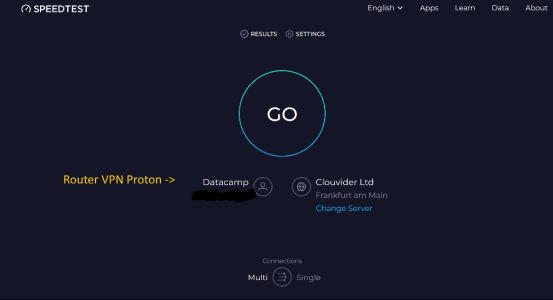
Do any of these speedtest connections appear in the Tracked Connections list? If so, please post screenshots.
Sorry for the delay all. This report did catch my interest, I don't have as much time to test stuff.
Now I may be missing it, but I’m not sure I see a screenshot that cleanly matches each case you reported
@xTc2k
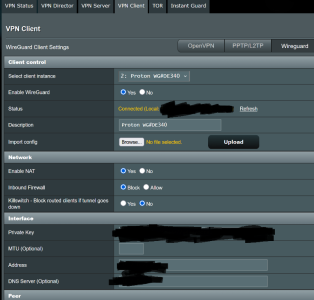
- OpenVPN config Proton VPN file -> all traffic in the FlexQoS graph stays at ~ 0 KB/s.
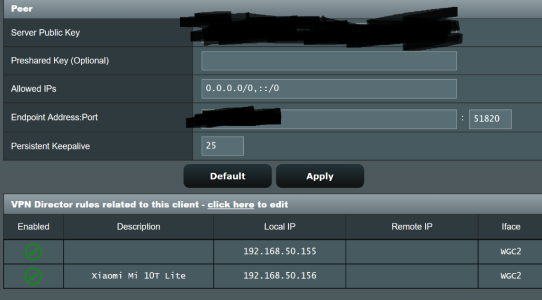
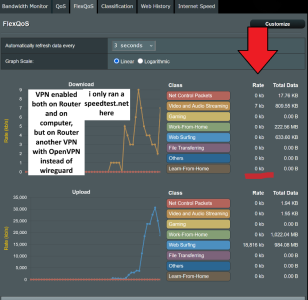
- WireGuard .conf Proton VPN file -> Download traffic is identified correctly, but Upload is always identified as "Router VPN Outbound Traffic" though the VPN is enabled on the Router and not on the device/computer.
- NordVPN Router .ovpn showing no Download traffic and only "Router Outbound" Upload traffic again
So instead, I got some time tonight to reinstall FlexQoS and replicate these scenarios on my side (RT-AX92U / Gnuton).
I managed to recreate 2 of the 3 original reported situations below:
1) The only situation I did NOT manage to recreate was the first report for:
"all traffic in the FlexQoS graph stays at ~ 0 KB/s."
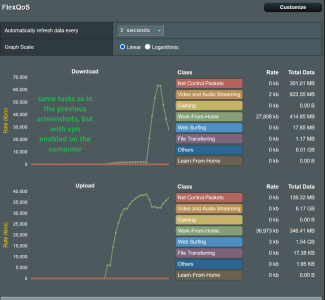
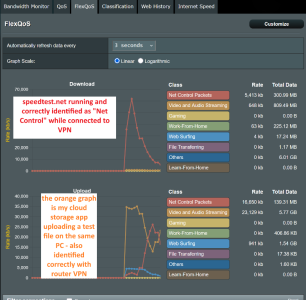
2) Here are the screenshots of the second situation:
"Download traffic is identified correctly, but Upload is always identified as "Router VPN Outbound Traffic""
- Same behavior as
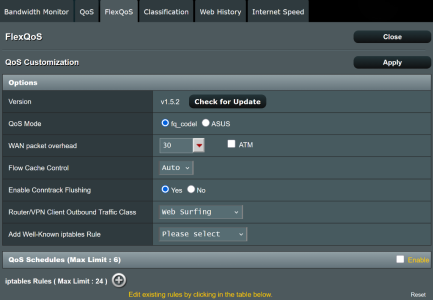
@xTc2k : download may appear classified, but upload collapses into Router/VPN Outbound (Router/VPN Client Outbound Traffic Class).
And to answer your question
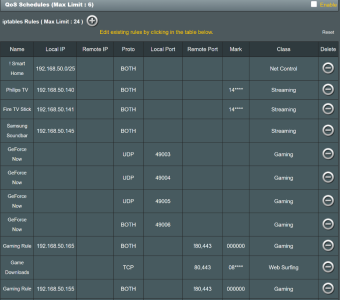
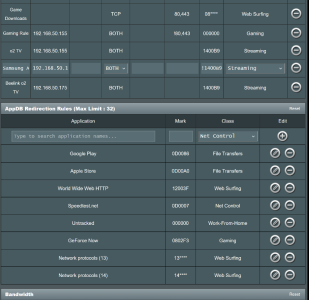
@dave14305 ; yes the speedtest connections in the Tracked Connections list as seen below with a
MARK of
0D0007 (or 0x400d0007 if using “direction bits + class bits”)
What convinced me the “upload lumping” is expected is where ASUS QoS actually shapes:
-> off (so not an fwmark collision in my case)
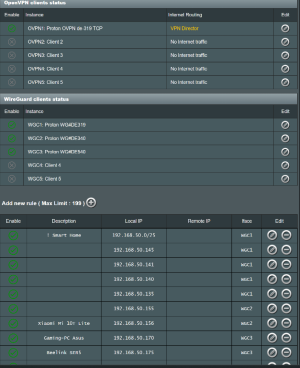
-> routing is by source (e.g. from <client IP> lookup wgc1)
And most importantly! Adaptive QoS/FlexQoS (often) uses WAN (tcwan) for upload,
and LAN bridge (br0) for download (at least on my setup!)
On my RT-AX92U,
shows the HTB hierarchy (qdiscs/classes), while
is empty.
That implies upload shaping happens AFTER wg encapsulation.
You can also see this with tc filter counters: the Speedtest/Net Control mark (0x400d0007) does not get hit during VPN upload, meaning the WAN shaper isn’t seeing that mark on the outer encapsulated packets:
Code:
tcwan="$(cat /sys/module/tdts_udb/parameters/qos_wan 2>/dev/null || nvram get wan_ifname)"
tc -s filter show dev "$tcwan" | sed -n '/0x400d0007/,+12p'
So by the time packets hit the WAN shaper it's what we originally described:
LAN traffic → router → VPN encapsulates/encrypts → (now it’s just “VPN tunnel traffic”) → QoS on WAN → internet
So the FlexQoS accounting happens on br0 (LAN egress), and it sees packets after WG decrypts them.
Code:
tc -s filter show dev br0 | head -n 60
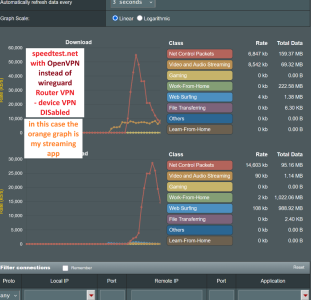
3) And here is the screenshot of the 3rd reported situation:
"ovpn showing no Download traffic and only "Router Outbound" Upload traffic"
I see the same general behavior
@xTc2k described: download often doesn’t show up in the FlexQoS graph, while upload is lumped into my “Router/VPN Client Outbound Traffic Class” (Web Surfing on my config).
- I don’t see “everything stuck at 0 KB/s” in my test though, upload counters definitely move.
I believe FlexQoS only “counts/classifies” traffic that already has the ASUS QoS direction marks set: (Correct me if I'm wrong
@dave14305 )
- Download path hook in FlexQoS:
- POSTROUTING -o "${lan}" -m mark --mark 0x80000000/... -> FlexQoS_down
- Upload path hook in FlexQoS:
- POSTROUTING -o "${wan}" -m mark --mark 0x40000000/... -> FlexQoS_up
So if ASUS’ QoS engine doesn’t apply the 0x80000000 “download-direction” mark to those packets, FlexQoS effectively won’t “see” them for the download graph.
Code:
iptables -t mangle -vnL POSTROUTING | grep -E 'FlexQoS_(down|up)'
iptables -t mangle -vnL FlexQoS_down
So my result is WireGuard decrypted packets still get 0x80… marks → FlexQoS download graph shows real traffic (as in the WG screenshot).
But OpenVPN download packets forwarded to the LAN are not carrying the 0x8000… download-direction mark. FlexQoS_down only counts packets with that mark, so OpenVPN download can show ~0.
I would say the takeaway is that even if this is “expected behavior”, upload tends to get lumped under router VPN traffic, and OpenVPN download classification/accounting may be inaccurate.
The practical fix is still:
- set Router/VPN Client Outbound Traffic Class to a low-priority/bulk class, and/or
- exclude heavy uploaders from the router VPN via VPN Director/policy routing.
Hope this helps explain better
@xTc2k
@dave14305 if you think I’m missing anything FlexQoS-specific here, happy to test further!
But at least on my setup, it looks like a limitation of where Adaptive QoS shapes (WAN egress) once traffic is inside a router VPN tunnel.