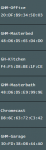
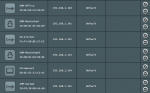
Alright, apologies for the delay, did some extended testing.
First, reset the router and installed a fresh alpha4 - reconfigured everything on the network - also removed the pi.hole from the equation completely. After extended testing, no google home connectivity issues - everything was working perfectly. Even the Sonos.
Second, reintroduced the pi.hole with a brand new configuration - wiped it out, redid everything. Google Homes disconnected randomly with the DHCP issues. Sonos was fine.
Third, attempted your DHCP broadcast test. No change.
Fourth, attempted random changes to pihole - unable to get back to things working. (even attempted the DNS bypass and it didn't work)
At this point, to prove concept, I may remove the pihole from the equation to see if I can get back to the initial setup working completely. This would beyond a shadow of a doubt now say the pihole is the cause of the problems; and then I can open a support thread and hope for some help there.
I had originally thought the issue was the router as the pihole was working just fine with the old router... Perhaps someone with some institutional history may have some thoughts on how DHCP/DNS changed between 370 and 384/6 firmwares? It seems something has changed enough for that it requires some additional configurations now for Google devices. I attempted to "static" the dns on the router to bypass the pihole to 8.8.8.8 and that did not work too.
I know I am missing something. I just don't know what.