What's new

Wi-Fi Calling not working on ASUS Router

Spartan

Senior Member
I use Android phones and have always enabled Wi-Fi calling, I thought it just works and never paid any attention to it. This has been the case on all my past routers like the GT-AX6000, AX-86U, RT-BE92U, and now my GT-BE19000.

Recently, I was at a friend's house who has a cheap ISP-provided router. When I connected to their router, I saw the WiFi calling symbol on my phone's WiFi connection, indicating that it's working.

That made me wonder what's going on so I Googled this and Google suggested to disable SIP Passthrough so I did, then forgot the network on my phone and reconnected but it still doesn't show the Wi-Fi calling icon. Another post I saw on this forum is from one member suggesting the opposite, which is to enable SIP Passthrough but both ways it doesn't work.

Any other suggestions?
 
From my experience, and I believe this is the answer, wifi calling will only kick in if your cell singal is weak or if you have no signal at all. Do you know how strong your signal was at these locations? Someone will correct me if I'm mistaken.
 
When my phone is on my desk it has a marginal mobile signal. The Wi-Fi calling icon frequently appears and disappears.

Looking at the phone's settings, the Wi-Fi calling preference is set to "Mobile network preferred". Changing that to "Wi-Fi preferred" makes the Wi-Fi calling icon always appear (presumably it won't if I go out of Wi-Fi range).
 
Someone will correct me if I'm mistaken.
You are mistaken!
Don't know if it's the same all over the world but for me it requires 'IPSec passthrough'. Then I see the symbol.
And I have a strong signal: 200+ MBit/s over 5G
And I think @ColinTaylor is right, you have to set "Wi-Fi preferred" on the phone.
I also think it has to be supported by your ISP - after all it goes through their network.
 
Last edited:
That made me wonder what's going on so I Googled this and Google suggested to disable SIP Passthrough so I did, then forgot the network on my phone and reconnected but it still doesn't show the Wi-Fi calling icon. Another post I saw on this forum is from one member suggesting the opposite, which is to enable SIP Passthrough but both ways it doesn't work.
In my case the SIP Passthrough setting has no effect on Wi-Fi calling. Although that might vary by service provider or device (speculation). When the phone shows Wi-Fi calling as available (see my previous post) go to System Log - Connections and filter the results for a destination port of 4500. I can see my phone is maintaining a connection to my mobile service provider from an ephemeral port, so it isn't reliant on NAT passthrough.
 
Last edited:
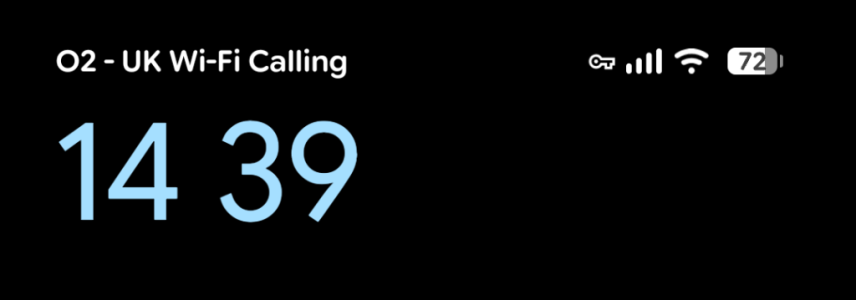
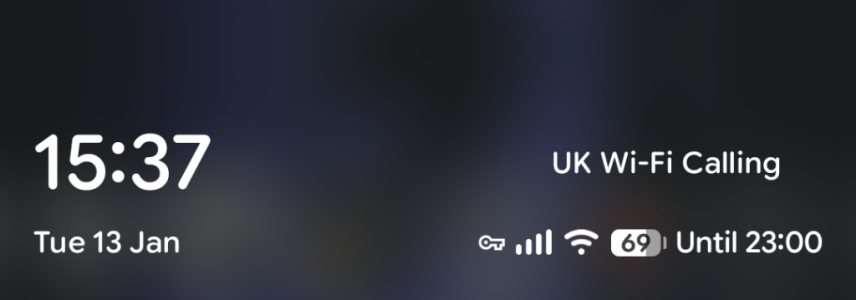
On newer phones, particularly Pixels, the is no icon for wifi calling. The only place you can see it's active is the lock screen.
1000046147.png
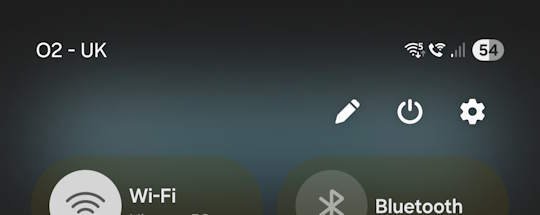
Correction - you can also see it in the pull-down settings
1000046148.png
 
Last edited:
On newer phones, particularly Pixels, the is no icon for wifi calling. The only place you can see it's active is the lock screen.
View attachment 69934
Correction - you can also see it in the pull-down settings
View attachment 69935
Right, but here's the thing, I have a vivo X300 Pro. At home, I don't see the icon but when I go to my friend's place as mentioned earlier, who has some crappy ISP provided router, the WiFi calling icons appears
 
Right, but here's the thing, I have a vivo X300 Pro. At home, I don't see the icon but when I go to my friend's place as mentioned earlier, who has some crappy ISP provided router, the WiFi calling icons appears
Did you check the setting I mentioned in post #3?
 
Quick way to test. Enable aeroplane mode then enable wifi. Does the icon appear? Can you make calls (even without the icon)?
 
Quick way to test. Enable aeroplane mode then enable wifi. Does the icon appear? Can you make calls (even without the icon)?
I enabled airplane mode then turned on wifi and got connected. When I tried calling I got a message saying "No network connection, turn off airplane mode before calling"
 
From my experience, and I believe this is the answer, wifi calling will only kick in if your cell singal is weak or if you have no signal at all. Do you know how strong your signal was at these locations? Someone will correct me if I'm mistaken.
That is not how it seems to work on my Samsung Galaxy cell phones. If my phone is connected to WiFi, it will use wifi calling. No matter what the cellular signal strength is.
 

Support SNBForums w/ Amazon

If you'd like to support SNBForums, just use this link and buy anything on Amazon. Thanks!

Sign Up For SNBForums Daily Digest

Get an update of what's new every day delivered to your mailbox. Sign up here!
Back
Top