
These articles are timely from some recent issues I have experienced. I recently installed an Asus AC86U at a friends house that also serves as a B&B. The primary purpose for the AC86U was to setup OpenVPN client to get circumvent Geo-restrictions for some streaming media.
He has two Ubiquity APs outside. The APs had different SSID names from the main router. So while I was onsite, I suggested they rename the APs SSIDs and make them the same name as the SSID on the Asus Router. All SSIDs are using different channels. The goal was to make their roaming experience more seamless by having their device automatically connect to the Router or AP SSID with the strongest signal. It does not appear to work for them. I now regret suggesting this as I have had several calls since then complaining about connectivity issues.
They are primarily an iOS household. When they are inside the main room where the Asus router is located, all is good. But when they go outside, they have connectivity issues. I first thought it was an iOS issue. I did not have any issues with my Android phone. On Wednesday, I unchecked the SmartConnect feature on the Asus Router and renamed renamed the SSIDs on the Asus router so they differ from the Ubiquity APs. They now see a separate 2.4 Ghz and 5 Ghz channel. Similar to how it was setup prior to me making the change. I also did this to help me determine where the problem is.
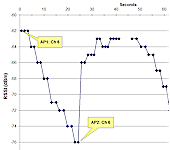
So yesterday, I went to the school I support. I also have SmartConnect enabled on the AC88U. There is a D-Link AP at the end of the building. The AC88U is in the middle of the building. I was working at the end of the building where the D-Link AP is located. I have some WiFi Analyzer Apps installed on my Android phone. As I moved away from the D-Link and moved to the other end of the building, my Android persisted on using the signal from the D-Link and not the AC88U. I would have expected my Android to see the stronger signal from the AC88U and switch to that source. But it did not. I also unchecked the SmartConnect feature on the Asus to have separate 2.5 Ghz and 5 Ghz SSIDs and restested. No change.
I can relate to
@abetancort posts after this experience. And after reading the articles, I am not sure there are any settings on the Asus or APs I can change to make roaming work as one would hope. The D-Link AP is old and perhaps an updated one may help? From reading the articles, it appears roaming behavior is controlled by the device and not so much the settings on the AP or Router. It would also be interested in updating the article to include iOS devices.
Thank you
@thiggins for this website and the great articles you have produced. They have really helped me the past few years. I hope you also launch a YouTube Channel in the future!
Update: The Asus 86U and Ubiquity AP issue is hopefully solved now. I called in the Network Engineer who installed the devices. The Pico Station used by the Ubiquity devices had a problem. Because of the language barrier, I am not sure what the issue was. But it appears to be fixed now. Whew.