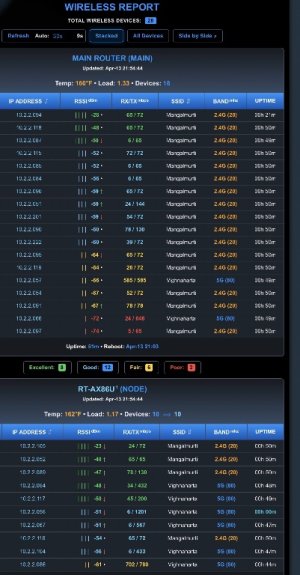
Thanks @JB_1366 for quick turnaround with new scripts - latest snapshot after second beta script works perfectly finev1.4.3-minor changes to router detection.
==================================================
WIRELESS REPORT AIMESH
==================================================
STATUS: [Offline] Could not reach GitHub
==================================================
(1) Install/Update Wireless Report
(2) Uninstall Wireless Report
(3) Temperature Unit: °F(def) or °C
(4) Set Router/Node Nicknames
(e) Exit
==================================================
Selection: 1
[*] Checking for Storage...
[+] USB Found: Using /tmp/mnt/USB_120GB/wirelessreport for reports and history.
[*] Verifying Passwordless SSH Environment...
[*] Testing Passwordless SSH to RT-AX86S (192.168.1.37) on port 60001... AUTHENTICATED
[*] Processing Wireless Report Files...
[!] ERROR: Download failed.
Press [Enter] to return...
"STATUS: [Offline] Could not reach GitHub" how did you install this, through AMTM or manually using curl? did you try quitting and trying more than once?Hi there, tried installing this but got Error: Download failed
Code:================================================== WIRELESS REPORT AIMESH ================================================== STATUS: [Offline] Could not reach GitHub ================================================== (1) Install/Update Wireless Report (2) Uninstall Wireless Report (3) Temperature Unit: °F(def) or °C (4) Set Router/Node Nicknames (e) Exit ================================================== Selection: 1 [*] Checking for Storage... [+] USB Found: Using /tmp/mnt/USB_120GB/wirelessreport for reports and history. [*] Verifying Passwordless SSH Environment... [*] Testing Passwordless SSH to RT-AX86S (192.168.1.37) on port 60001... AUTHENTICATED [*] Processing Wireless Report Files... [!] ERROR: Download failed. Press [Enter] to return...
I used the 'wr' option in amtm. Tried several times."STATUS: [Offline] Could not reach GitHub" how did you install this, through AMTM or manually using curl? did you try quitting and trying more than once?
I had the same, I discovered the -connect-timeout params to the curl command were too short.BE92U here, I click install and the page just refreshes, it doesn't install. I can sit hitting 1 all night and the same![]()
I'll try that, can you tell me where said file is please?I had the same, I discovered the -connect-timeout params to the curl command were too short.
I edited the wireless_report.sh script and changed them all from 3 to 30 and it worked.
This has happened on other scripts as well, I don't know if I have a problem with my router connecting to curl, but it seems to be a recurrent problem for me.
Interesting find, thank you for drilling down into it. I have not personally had an issue on two separate systems but it does make me curious.edited the wireless_report.sh script and changed them all from 3 to 30 and it worked.
This has happened on other scripts as well, I don't know if I have a problem with my router connecting to cur
/jffs/addonsI'll try that, can you tell me where said file is please?
Afraid that didn't help me.v1.4.6-changed GitHub timeout to 30.
All I see in that folder is the webui.conf, nothing else./jffs/addons
I think there's around five instances to change.
(And then the file will get overwritten by the new version)
goto post#1, and try manual install, see if that connects.Afraid that didn't help me.
Ah - I may be out of my depth,All I see in that folder is the webui.conf, nothing else.
I'd tried that as well (and have done it again to make sure)goto post#1, and try manual install, see if that connects.
Seems unrelated to your issue mate, thanks for the advice though.Ah - I may be out of my depth,
The script could be in a different location on your router.
| Thread starter | Title | Forum | Replies | Date |
|---|---|---|---|---|
| R | Diversion Which IP is Diversion using in my AIMesh system? | Asuswrt-Merlin AddOns | 4 | |
| E | Script That Would Reboot AImesh Units via Cron? | Asuswrt-Merlin AddOns | 1 |
We use essential cookies to make this site work, and optional cookies to enhance your experience.