What's new

YazDHCP YazDHCP v1.2.4 [2025-Nov-21] - Feature expansion of DHCP assignments (increasing limit on the number of DHCP reservations)

I did indeed mean that clients whose MAC addresses I have not registered should be excluded drom any connectivity.
From dnsmasq man page:
When a host matches any --dhcp-host directive (or one implied by /etc/ethers) then the special tag known is set. This allows dnsmasq to be configured to ignore requests from unknown machines using --dhcp-ignore=tag:!known.
So if you’ve assigned all your desired hosts a manual/reserved IP, you might be able to ignore any others by setting dhcp-ignore=tag:!known in /jffs/configs/dnsmasq.conf.add. Never tested it, but might get you closer to what you want.
 
After quite awhile without needing to add any new clients I finally went to add some last night and discovered that doing anything in the YazDHCP GUI isn't being saved, i.e. if I want to add new clients I have to SSH in to the router and edit the files directly. I switched to the Dev branch to see if that would resolve the problem but it did not. All the file permissions look like they're correct, and YazDHCP is running fine so I'm not sure what the problem is as it's never been an issue before.

Screenshot 2025-12-29 102555.png
 
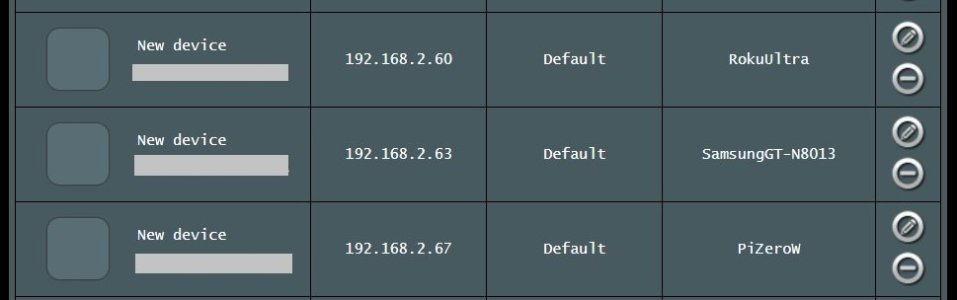
@Seth Harman That's a strange one. Not seeing the same. No problem removing, adding clients to YazDHCP v1.2.4 on a RT-AX86U Pro running Asus-Merlin 3006.102.6. I do not have any AiMesh nodes. In my quick test, removed a client from the main LAN and YazDHCP properly indicated the removal. Added that client back and YazFi properly indicated the addition to the main LAN pool. YazDHCP also properly updated a fake MAC address client added as a test to the main LAN pool.

As indicated in the following screen capture of the /jffs/addons/YazDHCP.d/ folder, files have been getting updated (todays date/recent time).

YazDHCP.jpg
 
@Seth Harman That's a strange one. Not seeing the same. No problem removing, adding clients to YazDHCP v1.2.4 on a RT-AX86U Pro running Asus-Merlin 3006.102.6. I do not have any AiMesh nodes. In my quick test, removed a client from the main LAN and YazDHCP properly indicated the removal. Added that client back and YazFi properly indicated the addition to the main LAN pool. YazDHCP also properly updated a fake MAC address client added as a test to the main LAN pool.

As indicated in the following screen capture of the /jffs/addons/YazDHCP.d/ folder, files have been getting updated (todays date/recent time).

View attachment 69720

Yeah, no idea what's going on here. I've never had an issue with YazDHCP before right up through the last time I added clients. It's been a few months and I have no idea what's happened between then and now that would cause this kind of behavior but I can confirm other changes to the router settings that aren't part of YazDHCP are being saved.
 
@Seth Harman check the system log to see if anything strange is happening, or errors are shown, around the time you are changing the YazDHCP entries. The log should show certain YazDHCP entries when one loads the YazDHCP enhanced LAN page and or makes changes to YazDHCP.
 
After quite awhile without needing to add any new clients I finally went to add some last night and discovered that doing anything in the YazDHCP GUI isn't being saved, i.e. if I want to add new clients I have to SSH in to the router and edit the files directly. I switched to the Dev branch to see if that would resolve the problem but it did not. All the file permissions look like they're correct, and YazDHCP is running fine so I'm not sure what the problem is as it's never been an issue before.

View attachment 69717
The two files in your list with the latest timestamp suggest you're trying to add to your guest network. Is this assumption correct?
 
The two files in your list with the latest timestamp suggest you're trying to add to your guest network. Is this assumption correct?
The new version of YazDHCP supports Guest Network Pro so yes, I was looking to change those static assignments I'd made in the GNP interface for my IoT VLAN over to entries in YazDHCP but the problem isn't limited to just the GNP entries. For example, if I take one of the existing entries on the main network and try to make any changes to it (for example, changing the hostname) the changes are not saved. I've checked the log and I don't see anything in there that looks like any kind of obvious indication of an error so it's unclear what's going on.
 
Last edited:
The new version of YazDHCP supports Guest Network Pro so yes, I was looking to change those static assignments I'd made in the GNP interface for my IoT VLAN over to entries in YazDHCP but the problem isn't limited to just the GNP entries. For example, if I take one of the existing entries on the main network and try to make any changes to it (for example, changing the hostname) the changes are not saved. I've checked the log and I don't see anything in there that looks like any kind of obvious indication of an error so it's unclear what's going on.
Did you previously setup manual IP reservations for your Guest Network Pro clients prior to installing or using the new YazDHCP? Either by using custom scripting files (e.g. /jffs/configs/dnsmasq*.conf.add) or the Guest Network Pro's advanced settings section? If so, make note of the YazDHCP Important Notes information and remove those prior configurations.
 
Did you previously setup manual IP reservations for your Guest Network Pro clients prior to installing or using the new YazDHCP? Either by using custom scripting files (e.g. /jffs/configs/dnsmasq*.conf.add) or the Guest Network Pro's advanced settings section? If so, make note of the YazDHCP Important Notes information and remove those prior configurations.
I did have manual IP reservations setup in the GNP "Advanced Settings" section. After I manually edit the YazDHCP files to add them they were deleted from the GNP section to avoid conflict. I can see why having those reservations in two places might cause some issues but I wouldn't think that would have anything to do with YazDHCP not saving config changes done in the GUI.
 
I did have manual IP reservations setup in the GNP "Advanced Settings" section. After I manually edit the YazDHCP files to add them they were deleted from the GNP section to avoid conflict. I can see why having those reservations in two places might cause some issues but I wouldn't think that would have anything to do with YazDHCP not saving config changes done in the GUI.
As a troubleshooting step, if you haven't tried it already, export a saved file of the YazDHCP list then uninstall YazDHCP followed by a router reboot. Check that no YazDHCP files exist in the /JFFS directory. The install YazDHCP and import the previously saved YazDHCP list. Then test if you can add new entries in YazDHCP.
 
As a troubleshooting step, if you haven't tried it already, export a saved file of the YazDHCP list then uninstall YazDHCP followed by a router reboot. Check that no YazDHCP files exist in the /JFFS directory. The install YazDHCP and import the previously saved YazDHCP list. Then test if you can add new entries in YazDHCP.
Yeah, I had planned on doing a complete uninstall/reinstall as a last resort to see if that fixed it but was hoping someone had encountered this before and knew a fix that was a bit less involved.
 
I did have manual IP reservations setup in the GNP "Advanced Settings" section. After I manually edit the YazDHCP files to add them they were deleted from the GNP section to avoid conflict. I can see why having those reservations in two places might cause some issues but I wouldn't think that would have anything to do with YazDHCP not saving config changes done in the GUI.
Yeah, I had planned on doing a complete uninstall/reinstall as a last resort to see if that fixed it but was hoping someone had encountered this before and knew a fix that was a bit less involved.
That was my issue once but you have done that. Also checked nothing extra in your dnsmasq-x.conf,add that you added?
 
That was my issue once but you have done that. Also checked nothing extra in your dnsmasq-x.conf,add that you added?
I don't recall ever editing that file, but I checked it and there's only two lines in there and both appear to have been added by YazDHCP.
 

Similar threads

Latest threads

Support SNBForums w/ Amazon

If you'd like to support SNBForums, just use this link and buy anything on Amazon. Thanks!

Sign Up For SNBForums Daily Digest

Get an update of what's new every day delivered to your mailbox. Sign up here!
Back
Top