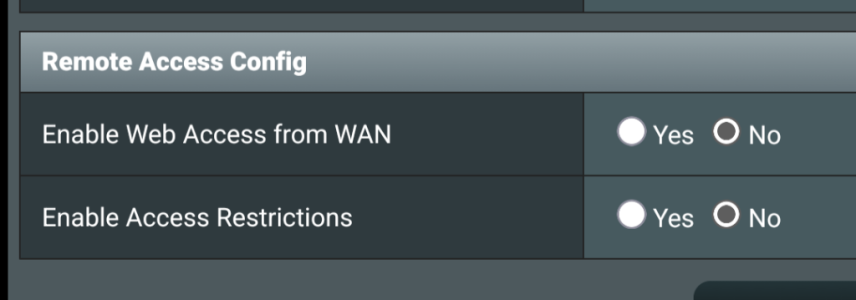
Check this setting at the bottom of the Administration>System page - should be "no" on the top one
View attachment 70958
If the
SSH or
WebUI access over the WAN ever gets enabled, inadvertently or sneakingly, via the phone app, you can set up access restrictions so
only your
LAN clients, or
only a small subset of your most
trusted LAN clients, have access to both SSH and WebUI. If you have a VPN server configured and running on your router, you could also restrict access to a subset of your VPN server clients.
Sample screenshot:
Full disclosure: While I have configured the above access restrictions in my own routers and verified the functionality a few years ago using various
LAN clients (both inside and outside the restricted subnets), I've never actually tested this over the WAN since both
SSH and
WebUI are always set up for "
LAN Only" access, but theoretically it should work.
Warning: Be very careful because if access restrictions are set incorrectly, you can lock yourself out from accessing the router. So always double-check before you click on the "
Apply" button, and always keep a screenshot of the allowed LAN/VPN subnets. This way, you can set up a local laptop with an unrestricted LAN IP address to regain access to the router.
Just my 2 cents.