What's new

Release Asuswrt-Merlin 386.2 is now available

Status
Not open for further replies.
Made the jump from 386.1 to 386.2. Have not uninstalled CAKE yet and jumped to the built in CAKE, but so far, so good.

Will play around with the built in CAKE later today.

Thanks for all the hard work on this project. This firmware has brought my network into places that I thought it would never go .......
 
AX86U flashed dirty and also tried clean flash and for some reason FTP with tls enabled via wan just doesn't work. I enter correct credentials and it doesn't open. Disabling tls works fine. Lan works fine also. Seen this is an issue from the past. Any fix available?
 
Upgraded an AC86U from 386.1_2 to 386.2 (dirty flash, though was factory reset when installing 386.1_2) and all seems fine, except the yellow flashing exclamation point says there's newer firmware available, but of course the admin page shows that everything is up to date.

Maybe a stale nvram setting somewhere?
 
I'm unable to update one of my AC68U routers. I get this everytime I try:
screencapture-192-168-1-1-Advanced-FirmwareUpgrade-Content-asp-2021-04-02-08_04_32.png
 
Dirty update from 386.1_2 to 386.2. Six IP cameras on 2.4 and five Chromecast devices on 5 reconnected automatically. Did the 86U node first then the 88U router. I'm new to AiMesh. Is this the recommended sequence?
 
I've updated my rt-ac5300 and my rt-ac68u aimesh device.
when working from the office I noticed 5 Ghz not working on rt-ac68. I've reverted the aimesh node to 386_1 and 5 Ghz worked again. I will have a go at updating again over the weekend to see if it would work after another update
 
Dirty update from 386.1_2 has been smooth. The only "glitch" has been solved easily with the note in the changelog (Shift+refresh in browser to see device icons). By the way, I do not like these new "minimalist" icons . It is a personal view, but I am more from windows 7 icons appearance :).

Thank you Merlin (and the other contributors) for this new piece of cake.
 
Tried that.
Someone was posting a while back of a similar issue that the updates would not complete on another version. Search around for that thread. I'm sorry I do not recall what they ended up doing.

I want to say, but won't swear to it, that it was that )@(*@* large "traffic database" hiding in the setup and something about not enough space. I'm sorry. I cannot find the posting. I think they ended up deleting that DB first... or maybe I'm confusing all the issues I had with 384.19 again. (yeah that DB was problem there too). I think it was under /jffs/.sys/... nc? maybe?
 
Last edited:
I'm unable to update one of my AC68U routers. I get this everytime I try:

It looks like somehow it sees Merlin as a third party invalid firmware. Strange indeed. Hope you get it worked out.
 
I'm unable to update one of my AC68U routers. I get this everytime I try:View attachment 32708

This forum member had the same issue and apparently he solved it the following way:

 
I just upgraded and no issues thank you sir.
 
This forum member had the same issue and apparently he solved it the following way:

that's what I was thinking of... it was recent. TY!
 
  • Like
Reactions: MvW
Thank you so much @RMerlin
i just did a dirty upgrade on my 68u router. So far so good.
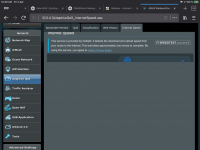
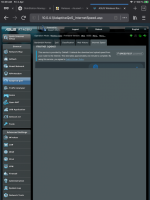
im noticing some UI issues on the Speedtest page, related to the frame. I can’t see or use the tool from an ipad
 

Attachments

  • 9DB0C0D0-FF70-494D-AA06-082966C84F70.png
    9DB0C0D0-FF70-494D-AA06-082966C84F70.png
    137.9 KB · Views: 235
  • 7DA0310A-62C1-4E38-B616-7AA71F022204.png
    7DA0310A-62C1-4E38-B616-7AA71F022204.png
    124.9 KB · Views: 213
I think Ive found a big bug. I updated my ac86u from 384.18 to this version. I formatted JFFS and factory reset. I manually entered my settings and then restored my JFFS. Waited an hour to get back into the WebUI.

I have a device on my network that is very old (nas box) so I dont want it to access the internet. On the routers main page, when I click on the client and select block internet access it blocks all routes going to the internet. So any device, be it wired or wireless cannot access the internet. The only way to get the internet back is to turn off the "block internet access" option for that client.

Could someone else please check this and confirm if this is happening to them? Otherwise it could be something isolated to my network (which wasnt the case before).
 
I've reaplied 386.2 to my RT-AC68U Aimesh router. Again 5 Ghz does not work. I'll revert back to 386.1_2 for now.
 

Attachments

  • PuTTY.png
    PuTTY.png
    6.6 KB · Views: 208
Dirty upgrade 386.1_2 to 386.2 almost everything went as expected on router and node. Two user Addons not showing on the Addons tab (scMerlin - user6.asp and spdMerlin - user5.asp) and do not show in scMerlin either but both can be browsed to manually. Will do a power down restart in the morning (when everyone else is offline) to see if that helps. Apart from that everything appears to be running perfectly.

Cake is up and running, I moved my old cake-qos settings into cake-qos.conf.add and he results are fine. What I could not find was how to stop and start the inbuilt cake from a command prompt. /tmp/qos stop stops as expected but /tmp/qos start does not pick up any changes in cake-qos.conf.add - to get these to work I had to go the the QOS tab in the GUI and select apply.
 
Status
Not open for further replies.

Similar threads

Support SNBForums w/ Amazon

If you'd like to support SNBForums, just use this link and buy anything on Amazon. Thanks!

Sign Up For SNBForums Daily Digest

Get an update of what's new every day delivered to your mailbox. Sign up here!
Back
Top