Hi, I made the mistake flashing the firmware first thing after waking up and accidentally downloaded the AX86U release (RT-AX86U_386.2_4_cferom_pureubi.w) and flashed it via the ASUS Firmware Restoration tool by putting the router into recovery mode. Since then, I'm unable to put the router...
Hi, I made the mistake flashing the firmware first thing after waking up and accidentally downloaded the AX86U release (RT-AX86U_386.2_4_cferom_pureubi.w) and flashed it via the ASUS Firmware Restoration tool by putting the router into recovery mode. Since then, I'm unable to put the router...
Dirty Flash from 386.2.2 to 386.2.4 everything workin fine !
One question:
at the syslog this 2 remarks called my attention:
May 3 08:05:27 avahi-daemon[2994]: Found user 'nobody' (UID 65534) and group 'nobody' (GID 65534).
May 3 08:05:27 avahi-daemon[2994]: Successfully dropped root privileges.
what does it mean ?!
Dirty Flash from 386.2.2 to 386.2.4 everything workin fine !
One question:
at the syslog this 2 remarks called my attention:
May 3 08:05:27 avahi-daemon[2994]: Found user 'nobody' (UID 65534) and group 'nobody' (GID 65534).
May 3 08:05:27 avahi-daemon[2994]: Successfully dropped root privileges.
what does it mean ?!
So basically what you're witnessing is the process avahi-daemon finding a (non-privileged) user 'nobody', which gives it the possibility to run as a non-privileged user instead of root (admin) with all its privileges. It's just a security measure.
@RMerlin
Like to report a minor matter on the OpenVPN FAQ links for setting up OpenVPN clients on OpenVPN Server Page. Specifically, the FAQ link for Windows is missing.
Dirty upgrade from 386.2_2 to 386.2_4 on a RT-AC88U and a RT-AC86U/RT-AC2900.
Problem with USB3.0 mode is still present. (After some time the USB drive is not recognized/readable anymore by the router. Reverting to USB2.0 mode solves this problem.)
I just checked mine (administration/system page) and while I haven't seen a captcha, mine was set to enabled. I turned it off and applied the setting. AX86U here on 386.2_4.
Also, I have had the issue of the router not logging out after the set time. May be related but will have to wait and see if things get logged out properly.
EDIT: It logged me out finally and I was required to re-authenticate with my username and password (no captcha)
Still couldn't get in, so I broke down and reset button'd it. During initial setup, no Captcha and using your instructions, I turned that exercise in irritation off. Hope I never see that damned thing again.
@RMerlin
Like to report a minor matter on the OpenVPN FAQ links for setting up OpenVPN clients on OpenVPN Server Page. Specifically, the FAQ link for Windows is missing.
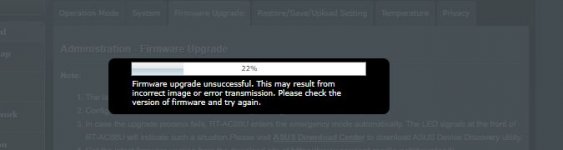
Hmm, this never happened before, tried to flash my AC86U from 2_2 to 2_4 and it says "Firmware upgrade unsuccessful. This may result from incorrect image or error transmission. Please check the version of firmware and try again." I've checked the hash of the downloaded file with both Chrome and FFx and it is the same.
Hmm, this never happened before, tried to flash my AC86U from 2_2 to 2_4 and it says "Firmware upgrade unsuccessful. This may result from incorrect image or error transmission. Please check the version of firmware and try again." I've checked the hash of the downloaded file with both Chrome and FFx and it is the same.
Hmm, this never happened before, tried to flash my AC86U from 2_2 to 2_4 and it says "Firmware upgrade unsuccessful. This may result from incorrect image or error transmission. Please check the version of firmware and try again." I've checked the hash of the downloaded file with both Chrome and FFx and it is the same.
No, it is the correct router, this one is in another location, I have 3 of them spread over multiple locations AX86U , AC86U and an AC68U. Currently I am in the location where the AC86U is . Sorry for the confusion. I will put all of them in the signature.





 . Sorry for the confusion. I will put all of them in the signature.