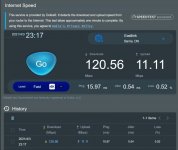
So I guess I am not the only one who has issues with 5 GHz.
I only have the RT-AC5300, but 5 GHz stopped working for my IPad after the install of 386_1.2. On my Android it is working fine, as
I was hoping the upgrade to 386_2 would fix this, but halas. I have done a factory reset and restored a backup of the configuration to see if that would help: it didn’t. Turned off the VPN clients I had running, didn’t help. Disabled IPv6, didn’t help.
The internal network is working fine, it seems like the 5 GHz isn’t allowed to go outside the local network.
I'm running a quite clean setup, only have YazFi installed for my guest network.
So I am quite lost what the next step should be, besides downgrading to a version that does work (probably 386_1.1). I do see posts of others that have the same router as I do, and everything seems to work fine for them, so I'm wondering what the difference might be?
That did the trick!You might try to reset the network settings on your iPad (settings->general>reset->reset network settings) and after reboot connect your iPad again to your wifi. (Apple stores some undocumented goodies when initially connecting to a wifi that interfere with your wifi connection after a router software update).
I stopped getting these after clearing cookies in my browsers (I have read about someone else doing it). I used to get it with every 386.1 alpha/beta upgrade beforeHere to report a successful (after more or less the fifth try) dirty u/g from beta_1 to 386.2 a few minutes ago. I have seen no immediate problems.
A couple of observations, fwtmbw, but first, a huge thank you to Merlin and contributors for the firmware.
This (similar but different) happened, again, to me also but this time neither a different browser no clearing cookies seemed to help.
What happened was that the browser hung indefinitely at the “please wait, Applying Settings...” dialog. So then I changed “Authentication Method” from https to both and tried the u/g again, and after a while got this (apologies if the screenshot is fouled up somehow, I'm not in the habit of doing this and I really don't know how - but I tried.)
View attachment 32758
Please note that it says the firmware u/g was unsuccessful but the progress bar shows it is upgrading anyway. After the u/g completed, the gui reported the 86u was still on beta_1. So I tried again, this time successfully – both the gui and amtm report the router on 386.2. Obviously, the key factor is the full moon at the same time as the cosmic ray bitflip event.
Btw, I notice that after a forced upgrade, the amtm check for update process shows on first run an “awm” option which gives the download link. Is it in the works to allow a f/w u/g via amtm? Sure would be nice, and maybe bypass the browser problems, if yes.
I would appreciate if someone would share, or point me to the link for, the ju-ju for doing a fw u/g from a terminal. Thanks in advance.
I used to just unmount usb stick from WebUI inline with clean update instructions, but stopped doing it recently without any problems on AX88U in last two upgrades. Plenty of memory available on mine.That's good to know, thanks! I thought I knew @L&LD by heart now, but this suggestion I have apperently overseen. However, Eric recommends rebooting before upgrading, which means that the USB drive is auto mounted again. Is that solely for the same purpose, freeing up memory? Should I perform the upgrade before rebooting then? Does unmounting the USB drive and thus stopping all related processes, free up enough memory, to perform the upgrade?
Thanks in advance.
Best regards,
Marco
As a possible workaround, you could look at the content of Tor_redir_list, and then re-apply it in a services-start user script.
Code:#/bin/sh nvram set Tor_redir_list="blah" nvram commit
I had the exact same thing happen to me on my AC86UHere to report a successful (after more or less the fifth try) dirty u/g from beta_1 to 386.2 a few minutes ago. I have seen no immediate problems.
A couple of observations, fwtmbw, but first, a huge thank you to Merlin and contributors for the firmware.
This (similar but different) happened, again, to me also but this time neither a different browser no clearing cookies seemed to help.
What happened was that the browser hung indefinitely at the “please wait, Applying Settings...” dialog. So then I changed “Authentication Method” from https to both and tried the u/g again, and after a while got this (apologies if the screenshot is fouled up somehow, I'm not in the habit of doing this and I really don't know how - but I tried.)
View attachment 32758
Please note that it says the firmware u/g was unsuccessful but the progress bar shows it is upgrading anyway. After the u/g completed, the gui reported the 86u was still on beta_1. So I tried again, this time successfully – both the gui and amtm report the router on 386.2. Obviously, the key factor is the full moon at the same time as the cosmic ray bitflip event.
Btw, I notice that after a forced upgrade, the amtm check for update process shows on first run an “awm” option which gives the download link. Is it in the works to allow a f/w u/g via amtm? Sure would be nice, and maybe bypass the browser problems, if yes.
I would appreciate if someone would share, or point me to the link for, the ju-ju for doing a fw u/g from a terminal. Thanks in advance.
NTP works on your 384.19 in Repeater mode. The syslog doesn't even show any attempt to do NTP on 386.2Check your configuration, NTP worked fine for me when I tested it in repeater mode.
i dont have any mesh...havent tried also Beta, installed just Stable and getting it...Same issue here. I m using 2 ac86u in a mesh setup with guest network 1 on both main and node.
i dont have any mesh...havent tried also Beta, installed just Stable and getting it...
Apr 3 12:41:17 kernel: protocol 0800 is buggy, dev br0
Apr 3 12:41:17 kernel: protocol 0800 is buggy, dev eth0
Apr 3 12:41:17 kernel: protocol 0800 is buggy, dev br0
Apr 3 12:41:17 kernel: protocol 0800 is buggy, dev eth0
@RMerlin please any clue what it might be the reason?
Thanks
www.snbforums.com
What Channel is your 5Ghz on? Is it auto? I had a similar issue with 5 Amazon devices that would not connect on the dfs ranges when the auto chose 100. 36-44 & 144 up were fine. 100 without 160mhz also did not fix it. 149 works fineI have 1 client (Honeywell Thermostat) which cannot connect to the ax86u after upgrading to 386_2.
This is what I see in the gui log of the router specific to the Honywell thermostat.
A quick google does not shed light on what this means.
Any assistance would be appreciated.
*** UPDATE 1 ***Code:Apr 3 08:15:31 kernel: CONSOLE: 122906.030 wl1: wlc_txbf_delete_link_serve failed for b8:2c:a0:77:a6:b7 Apr 3 08:16:52 kernel: CONSOLE: 122986.910 wl1.0: wlc_send_bar: for b8:2c:a0:77:a6:b7 seq 0x1 tid 5 Apr 3 08:16:56 kernel: CONSOLE: 122990.653 wl1.0: wlc_send_bar: for b8:2c:a0:77:a6:b7 seq 0x1 tid 0 Apr 3 08:16:56 kernel: CONSOLE: 122990.654 wl1.0: wlc_send_bar: for b8:2c:a0:77:a6:b7 seq 0x1 tid 0 Apr 3 08:16:57 kernel: CONSOLE: 122992.149 wl1.0: wlc_send_bar: for b8:2c:a0:77:a6:b7 seq 0x1 tid 7 Apr 3 08:17:01 kernel: CONSOLE: 122996.179 wl1.0: wlc_send_bar: for b8:2c:a0:77:a6:b7 seq 0x2 tid 3 Apr 3 08:18:04 kernel: CONSOLE: 123058.271 wl1.0: wlc_send_bar: for b8:2c:a0:77:a6:b7 seq 0x1 tid 4 Apr 3 08:18:04 kernel: CONSOLE: 123058.275 wl1.0: wlc_send_bar: for b8:2c:a0:77:a6:b7 seq 0x1 tid 4
I just found my main tv roku (4k model) is now not seeing the 5ghz wifi from the router either.
Show stopper for me so back to 386.1_2 where every client I have connects as expected.
I downgraded to 386.1.2 because it simply don't get ntp with any setting, the only thing that i can do to get ntp is click on apply in the settings tab (administration system) after every reboot and you wil get NTPNTP works on your 384.19 in Repeater mode. The syslog doesn't even show any attempt to do NTP on 386.2
I will say, that Asus's official firmware has several serious bugs when using Repeater mode since 386.40558, and their bugs are also in your recent versions. So, I am trying to notify Asus about it. The NTP issue is the only one they don't have. My parent router isn't an Asus router, so I can't use AiMesh mode.
thanks, but still no clue what to do with this instruction:![]()
AU86U - Merlin 386.1 - System Log errors
I updated my 86U to Merlin 386.1 a few days ago and everything seems to be working fine. I was checking logs and notice this repeating block of errors (log level is set to critical): Any input ? Feb 8 15:20:08 kernel: protocol 0800 is buggy, dev eth5 Feb 8 15:20:08 kernel: protocol 0800 is...www.snbforums.com
Could someone please post screenshot? no clue where to find it, Thanks!
Each radio band, 2.4 and 5 GHz, has three possible Guest networks. Left to right they are called Guest 1, 2 and 3. They do not have to be use in order. In the 386 codebase the left most Guest network for each band has the ability to sync to AiMesh nodes to enable each node to have the same Guest WIFI. Without getting into the nuts and bolts of how this works I can confirm that it works well on Asus factory firmware and Merlin Firmware.thanks, but still no clue what to do with this instruction:
Shift your guest network/s from position 1, to position 2.
i.e shift them to the right on the guest network page.
Will fix ‘some’ of your error messages.
----
Could someone please post screenshot? no clue where to find it, Thanks!
I would appreciate if someone would share, or point me to the link for, the ju-ju for doing a fw u/g from a terminal. Thanks in advance.
hnd-write /tmp/RT-AC86U_386.2_0_cferom_ubi.w
Guest 2 works as intended, it is isolated provided intranet access is disabled. To test if it works, connect a client to guest 2 then try to access any client in the LAN or try to print in a printer connected to the main router, it will not let you.Also, it has been discovered that the WIFI clients on Guest 2 are not isolated from the LAN clients and may pose a security risk. I feel it is better to use Guest 1.
Hi, on 386.1_2 5ghz auto works well.What Channel is your 5Ghz on? Is it auto? I had a similar issue with 5 Amazon devices that would not connect on the dfs ranges when the auto chose 100. 36-44 & 144 up were fine. 100 without 160mhz also did not fix it. 149 works fine
We use essential cookies to make this site work, and optional cookies to enhance your experience.