Did a dirty upgrade from 386.3_2, just unmounted my USB stick first.
On returning, my swap file was not configured.
Had to delete the file off the USB stick and recreate it using amtm.
Another reboot and everything seems to be back and running.
May  5 07:05:05 lldpd[1678]: could not open either /etc/os-release or /usr/lib/os-release
May  5 07:05:05 lldpd[1678]: lsb_release information not available
May  5 07:05:05 lldpd[1683]: created chroot directory /var/run/lldpd
May  5 07:05:05 lldpd[1683]: /etc/localtime copied to chroot
all fine after flashing FW_RT_AX88U_300438645934 first then 386.4
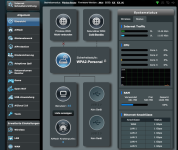
updated from 386.3_2 everything working except wan is showing no internet. but Internet is working over wan. Secondary Wan is only on cold not hot-standby since the Update. Any ideas how to solve the issue? Network-Monitor is set to ping google.de as before.
Three AX86U upgraded here and no problems (can't test WAN Ipv6 as all ISPs are IPv4 still, and one that was IPv6 has changed to another provider who isn't).
No-IP DDNS updating fine.
updated from 386.3_2 everything working except wan is showing no internet. but Internet is working over wan. Secondary Wan is only on cold not hot-standby since the Update. Any ideas how to solve the issue? Network-Monitor is set to ping google.de as before.
After upgrading from 386.2_6 clean the Daily and Monthly Traffic Analyzer views stopped working. It seems like data is being saved because the "Per device" section is working.
Did any of you get this as well and knows how to fix it?
I have the traffic analyzer to save data to a usb stick connected via USB on the router and I have chosen the option to "Create or reset data files".
When pages like that are updated, sometimes there are caching issues. Holding the shift key down while refreshing (in any non-Microsoft web browser) typically fixes it. I had the same issue last firmware upgrade.
Edge however does not respect Shift+Reload, and takes it more as a suggestion than a firm request. For Edge, there is CCleaner - purge that internet cache!
I had the exact same issue on Dirty upgrade from 386.3_2 on AX68U.
I tried a lot of WAN settings including Static and Dynamic IP configurations. Could not get it connected.
I just reverted back to 386.3_2 and everything is working fine. The two other AiMesh nodes were updated to 386.4 and there is no issue there (AC68U).
Dirty update from previous release on AC88U.
Everything's fine except Time Machine, I have the following message when I try to select the AC88U usb drive as Time machine drive (that I just formatted): The version of the server you are trying to connect to is not supported.
Edit: Time Machine backup using the same exact drive was working perfectly in version 386.3_2.
When pages like that are updated, sometimes there are caching issues. Holding the shift key down while refreshing (in any non-Microsoft web browser) typically fixes it. I had the same issue last firmware upgrade.
Edge however does not respect Shift+Reload, and takes it more as a suggestion than a firm request. For Edge, there is CCleaner - purge that internet cache!
Didn't work for me. At least in Safari MacOS ... CMD+R should refresh cache. But it didn't solve the bug.
Just some curios things:
1) While refreshing cache ... just a moment (less than a second) is showing internet access and the WAN IP. It is just less than a second ... but immediately it is showing again no Internet Connection.
- If I check at the "Internet Status" menu, which is located just at the left ... it is showing my WAN IP (public IP).
Still need to manually restart dnsmasq after a reboot in order for router to use correct IPv6 DNS, otherwise it will default to ISP. Other than that all seems fine.
Try as I might, I can't update my remote AX86U... Had this with 384.6Beta1 as well.
This morning I updated my home router (AX88U) and AiMesh nodes (AX58u's) from various 384.6 betas to 384.6 release.
All went fine, everything running well!
I was at the remote site last week and updated the AX86U (locally) to 386.4 beta 2.
This morning, I tried to update remotely to 386.4 release. It just sits on the "Please wait, Applying Settings..." page and never moves to the bar graph.
I waited for 10 mins or more then did a refresh and I am back at the Admin/Firmware page.
I did a few things, nothing helped:
1) Disabled Jffs custom scripts and configs - then did a reboot. No change.
2) Disabled OpenVPN Server, did a reboot - No change.
I then SSH'd into the remote router and did a tail -f /tmp/syslog.log
Tried the update - no activity in syslog.log.
I tried 2 different Web browsers (Firefox and Edge).
I guess I will have to update when I get back to the remote site...