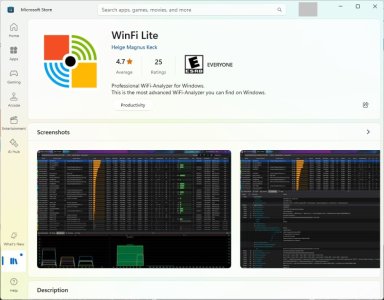
There was an awesome WinFi Analyzer at https://www.helge-keck.com/, but unfortunately stopped working and disappeared. Now even the website doesn't open. It was showing channels and AP details like nothing else. Anyone knows something about it? I want it back and will pay for it. Otherwise NetSpot is okay-ish in free version.
There was an awesome WinFi Analyzer at https://www.helge-keck.com/, but unfortunately stopped working and disappeared. Now even the website doesn't open. It was showing channels and AP details like nothing else. Anyone knows something about it? I want it back and will pay for it. Otherwise NetSpot is okay-ish in free version.
Here's my "timebomb defuser" script. Update the path if necessary, then run this batch file with Administrator privileges.
Code:
@ECHO OFF
for /f "tokens=1" %%a in ('date /t') do SET ct=%%a
DATE 2021/02/08
START "" "C:\Program Files (x86)\Helge Keck\WinFi\WinFi.exe"
timeout 5 > NUL
DATE %ct%
Here's my "timebomb defuser" script. Update the path if necessary, then run this batch file with Administrator privileges.
Code:
@ECHO OFF
for /f "tokens=1" %%a in ('date /t') do SET ct=%%a
DATE 2021/02/08
START "" "C:\Program Files (x86)\Helge Keck\WinFi\WinFi.exe"
timeout 5 > NUL
DATE %ct%
No 'app' will give you any more usable information than what I suggested. Unless you're paying big bucks for it and/or it comes with its own dedicated hardware.
In addition to making the device it is on, 'less secure'.
Here's my "timebomb defuser" script. Update the path if necessary, then run this batch file with Administrator privileges.
Code:
@ECHO OFF
for /f "tokens=1" %%a in ('date /t') do SET ct=%%a
DATE 2021/02/08
START "" "C:\Program Files (x86)\Helge Keck\WinFi\WinFi.exe"
timeout 5 > NUL
DATE %ct%
Took me a bit to get it working, using the script to by pass the time bomb (using 12/31/1999) on Win10 22H2.
This App is awesome, so much info, metrics to monitor, so many options to choose from.
Most of all it reconfirms I'm a bad neighbor from a WiFi perspective
Though not sure why it didn't pick up the channel utilization on the 2.4Ghz band on the AX86u nodes?
Same with Win 11 Home. WinFi-1.0.22.10 Just hangs with "Loading".
I did have to change the timebomb script above so the date was mm/dd/yyyy.
Also get a notice that there is an update which I bypass by selecting "No".
Edit: Got it to run eventually not sure what I did to make it eventually work. Keep in mind, run the bat file as administrator.
Just change the date to 2021 on your system, run program as admin and when your done with winfi change the date back to normal.
Working on Windows 11 Pro Version 23H2 OS Build 22631.3672 over here
Just change the date to 2021 on your system, run program as admin and when your done with winfi change the date back to normal.
Working on Windows 11 Pro Version 23H2 OS Build 22631.3672 over here
I think what worked for me was changing the date in the script to mm-dd-yyyy (ex: 12-31-1999). Using a dash rather than a slash seems to work. And it changed my system date correctly finally.
It's possible that the batch might need adjusting based on your regional settings (some backward countries like the US put the month ahead of the day, for example). Or that the date separators are different.