
What's new
  • SNBForums Code of Conduct

    SNBForums is a community for everyone, no matter what their level of experience.

    Please be tolerant and patient of others, especially newcomers. We are all here to share and learn!

    The rules are simple: Be patient, be nice, be helpful or be gone!

IPV6 while in Access point mode ac68u

Ssamm45

New Around Here
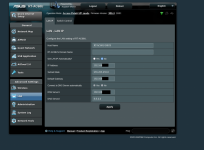
I'm currently running version 386.4 on an ASUS RT-AC68U. When I had the router set to "Wireless Router" mode the ipv6 option showed up as you would expect, however when I switched it to "Access Point mode" the option for ipv6 disappeared. Looking under "Lan" didn't give me any hints as to how to set that up.
 

Attachments

  • router.png
    router.png
    452.9 KB · Views: 194
Access Point Mode is a wired to wireless bridge. You don't heed to setup anything there.
 
I'm currently running version 386.4 on an ASUS RT-AC68U. When I had the router set to "Wireless Router" mode the ipv6 option showed up as you would expect, however when I switched it to "Access Point mode" the option for ipv6 disappeared. Looking under "Lan" didn't give me any hints as to how to set that up.

Access Point Mode is a wired to wireless bridge. You don't heed to setup anything there.
I concur. just make sure your accesspoint only points back to your router, you shouldn't bother filling in a public dns server, only point back to the router.
 
Tech9 is incorrect, with Asus WRT based devices (and many non asus WRT based ones), neither lan or link local ipv6 is available on devices attached to the router configured as AP, wirelessly or wired, nor the downstream devices on a Media bridge because ipv6 services are fully turned off in these modes.

This has not changed, in over a decade


2023 - https://www.snbforums.com/threads/ipv6-and-wireless-repeater-not-working-how-to-route-ipv6.83150/

2018 - https://www.snbforums.com/threads/ac68u-ap-mode-ipv6-not-working-over-wi-fi.47880/

2015 - https://www.snbforums.com/threads/ipv6-and-media-bridge-repeater-mode.22450/#post-977458

2013 - https://www.snbforums.com/threads/how-to-enable-ipv6-in-bridge-mode.10402/#post-977466

if you append /Advanced_IPv6_Content.asp to the media bridge or AP's ip <http://192.168.xxx.xxx/Advanced_IPv6_Content.asp> you can turn on native or passthrough, and it does enable the propogation of ipv6 services across these modes, I'm convinced asus engineers have never been informed, as those who have contacted CSR's get the bs to factory reset into the same situation.
 
Last edited:
With an access point you simply setup everything regarding ip addresses (both ipv4 and ipv6) on the main router.
Devices attached to the access point WILL get ipv4 and ipv6 addresses.
 
With an access point you simply setup everything regarding ip addresses (both ipv4 and ipv6) on the main router.
Devices attached to the access point WILL get ipv4 and ipv6 addresses.

WRONG.

Every device within the network must provide ipv4 and 6 services up the entire connectivity chain in order for them to work, if you disable IPV6 at any point in the chain, you no longer get ipv6 connectivity beyond that point.

Asus treats IPV6 "Disabled" as "Disabled", meaning no forwarding of services.
Switching from Router mode with it enabled, to AP mode, switches it to disabled.
setting up AP mode from scratch sets it to disabled.

Disabled means no router advertisements reaching devices beyond the AP, or the Media Bridge.
 
Last edited:
Well, that's how I have done it and it works fine. How does your devices get an ip address when connected to the access point?
Also what router do you actually have (one from last century)?
 
Tech9 is incorrect, with Asus WRT based devices (and many non asus WRT based ones), neither lan or link local ipv6 is available on devices attached to the router configured as AP, wirelessly or wired, nor the downstream devices on a Media bridge because ipv6 services are fully turned off in these modes.
Out of curiosity. Why necropost another thread? Last reply was from Jan 16, 2022.
 
Tech9 is incorrect, with Asus WRT based devices (and many non asus WRT based ones), neither lan or link local ipv6 is available on devices attached to the router configured as AP, wirelessly or wired, nor the downstream devices on a Media bridge because ipv6 services are fully turned off in these modes.

This has not changed, in over a decade


2023 - https://www.snbforums.com/threads/ipv6-and-wireless-repeater-not-working-how-to-route-ipv6.83150/

2018 - https://www.snbforums.com/threads/ac68u-ap-mode-ipv6-not-working-over-wi-fi.47880/

2015 - https://www.snbforums.com/threads/ipv6-and-media-bridge-repeater-mode.22450/#post-977458

2013 - https://www.snbforums.com/threads/how-to-enable-ipv6-in-bridge-mode.10402/#post-977466

if you append /Advanced_IPv6_Content.asp to the media bridge or AP's ip <http://192.168.xxx.xxx/Advanced_IPv6_Content.asp> you can turn on native or passthrough, and it does enable the propogation of ipv6 services across these modes, I'm convinced asus engineers have never been informed, as those who have contacted CSR's get the bs to factory reset into the same situation.
There is an easier way, just add this to init-start script.

Code:
echo 0 >/proc/sys/net/ipv6/conf/all/disable_ipv6
echo 0 >/proc/sys/net/ipv6/conf/default/disable_ipv6
 

Similar threads

Support SNBForums w/ Amazon

If you'd like to support SNBForums, just use this link and buy anything on Amazon. Thanks!

Sign Up For SNBForums Daily Digest

Get an update of what's new every day delivered to your mailbox. Sign up here!
Back
Top