What's new

Scribe Scribe v3.2.9 [2026-Feb-07] - Entware syslog-ng and logrotate installer for Asuswrt-Merlin

syslog-ng.conf
I also saw that. My instance of syslog-ng wouldn't start because that file was overwritten (I use a remote syslog server). Just a couple of edits got it running again.
Once you know you're fine.
 
I also saw that. My instance of syslog-ng wouldn't start because that file was overwritten (I use a remote syslog server). Just a couple of edits got it running again.
Once you know you're fine.

Ya, I was kinda happy to see the conf file wasn't changed much. It is way past due for me to move my changes to syslog-ng.d anyway.
I also would have to sort out my syslog server changes as well as template and rewrite rules I made to push log entries to loki.
 
I do indeed have a regular file and a time-stamped file, but the regular file contains my customization (adding an external log server with a specific hostname, which is definitely not part of the default Scribe configuration) ...

All that got changed was log_fifo_size in my existing syslog-ng.conf.

Could you both post the "/opt/etc/syslog-ng.conf" file that was installed with the latest v3.2.9 production release update?

The latest version of the configuration file has a "2026-Feb-01" date stamp at the top of its header, and the critical changes are in the "source src" statement (see the "wildcard_file(...);" entry).

Are there conditions where the update to 3.2.9 will not backup syslog-ng.conf and replace it with a new version?
If you had previously downloaded and installed the v3.2.9 BETA development version, you would likely have the newest version of the "/opt/etc/syslog-ng.conf" file, so when updating to the latest v3.2.9 production release, the code would see no need to make a date/time-stamped backup. If the only differences were the values for the "log_fifo_size(NNN)" and/or "log_msg_size(NNN)" options, the code would simply update those values without making a backup.

Any other changes to the file contents would trigger the code to make a date/time-stamped backup before replacing the file. That is, if you run the latest script with a "forceupdate" parameter.

Ya, I was kinda happy to see the conf file wasn't changed much. It is way past due for me to move my changes to syslog-ng.d anyway.
I also would have to sort out my syslog server changes as well as template and rewrite rules I made to push log entries to loki.
I'd highly recommend executing the following command just to double-check and make sure you have the very latest versions of all files before you start making any custom changes:
Bash:
/jffs/scripts/scribe forceupdate

HTH.

 
The latest version of the configuration file has a "2026-Feb-01" date stamp at the top of its header, and the critical changes are in the "source src" statement (see the "wildcard_file(...);" entry).

I'd highly recommend executing the following command just to double-check and make sure you have the very latest versions of all files before you start making any custom changes:

Bash:
/jffs/scripts/scribe forceupdate
I downloaded the 3.2.9 configuration file from GitHub and compared it with the one of my router; it's very clear that the regular update did not touch/update my syslog.conf at all... (for example the date that you mentioned is missing)

I then ran the forced upgrade and that one did indeed update the configuration file and warn me about it.

So maybe there's a bug in the regular update? (Since two people ran into this?)

PS: I never ran the 3.2.9 beta
 
Could you both post the "/opt/etc/syslog-ng.conf" file that was installed with the latest v3.2.9 production release update?

The latest version of the configuration file has a "2026-Feb-01" date stamp at the top of its header, and the critical changes are in the "source src" statement (see the "wildcard_file(...);" entry).


If you had previously downloaded and installed the v3.2.9 BETA development version, you would likely have the newest version of the "/opt/etc/syslog-ng.conf" file, so when updating to the latest v3.2.9 production release, the code would see no need to make a date/time-stamped backup. If the only differences were the values for the "log_fifo_size(NNN)" and/or "log_msg_size(NNN)" options, the code would simply update those values without making a backup.

Any other changes to the file contents would trigger the code to make a date/time-stamped backup before replacing the file. That is, if you run the latest script with a "forceupdate" parameter.


I'd highly recommend executing the following command just to double-check and make sure you have the very latest versions of all files before you start making any custom changes:
Bash:
/jffs/scripts/scribe forceupdate

HTH.
I haven't run the BETA and am definitely missing the new source configuration.

Code:
source src {
    unix-dgram("/dev/log" so_rcvbuf(65536) flags(syslog-protocol));
    file("/proc/kmsg" program_override("kernel") flags(kernel));
    wildcard_file(base_dir("/opt/var/log")
                  filename_pattern("syslogd.ScribeInitReboot.LOG")
                  recursive(no) max-files(1) follow_freq(1)
                  log_iw_size(1200) log_fetch_limit(1000) flags(syslog-protocol));
    internal();
# uncomment the line below to pass ALL network log messages through syslog-ng filters #
#OFF# udp(port(514) flags(syslog-protocol));
};

As found in :
agagne@xt8-garage:/tmp/mnt/xt8-garage/entware/share/syslog-ng/examples#/syslog-ng.conf-scribe

I need to look at how best to incorporate my customizations into the new conf before I run forceupdate.
 

Attachments

I then ran the forced upgrade and that one did indeed update the configuration file and warn me about it.
...
PS: I never ran the 3.2.9 beta

I haven't run the BETA and am definitely missing the new source configuration.

Ah, OK, my apologies. I should have made it clear in the release notes (as I did when the v3.2.9 BETA development version was issued) that you must run the following 2 commands even if the BETA version was never installed:
Bash:
/jffs/scripts/scribe stable
/jffs/scripts/scribe forceupdate
The reason to run *BOTH* cmds is that the 1st one executes the currently installed version of the script (e.g. v3.2.8), whereas the 2nd cmd executes the newly installed v3.2.9 version, which now runs the very latest code to configure the installation properly.

The original post has now been updated to make the update instructions clear, and again, my apologies for the confusion and misunderstanding.
 
The entware version of syslog-ng is at 4.7; the current release is at 4.10 and 4.11 is around the corner. Because the reboot.LOG only needs to be read on reboot, I experimented with follow-freq() and set it at 9000 seconds. Much higher values wouldn't load. But that means the reboot.LOG source is only read every 2 and half hours, and compared to the .persist value to see if there is anything new.

I also tried monitor-method(inotify), and very much to my surprise it worked (or: at least it loaded without complaint). I thought this was something introduced around 4.9, but this means reboot.LOG is not read at all unless a change is telegraphed. I've commented out follow-freq() for the moment.
 
@Martinski
Thank you for the clarity update.
I re-ran the update with the forceupdate option so all is squared away now.

Just for future reference for someone.
I placed my syslog server settings in /opt/etc/syslog-ng.d/loki-syslog-server.
This was working ok with the exception that some of the filters where no longer working.
After rummaging around with scribe cmdline ui and using the lc option to show the loaded configuration. I noticed that
the files are loaded in alphabetical order. A rename of loki-syslog-server to z-loki-syslog-server followed by a re-start of
syslog-ng had everything working correctly again.
 
@Martinski
Thank you for the clarity update.
I re-ran the update with the forceupdate option so all is squared away now.

Just for future reference for someone.
I placed my syslog server settings in /opt/etc/syslog-ng.d/loki-syslog-server.
This was working ok with the exception that some of the filters where no longer working.
After rummaging around with scribe cmdline ui and using the lc option to show the loaded configuration. I noticed that
the files are loaded in alphabetical order. A rename of loki-syslog-server to z-loki-syslog-server followed by a re-start of
syslog-ng had everything working correctly again.
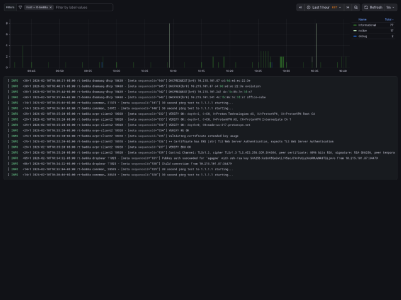
Interesting. Did you try the native Loki() destination and template?
 
Interesting. Did you try the native Loki() destination and template?
No, I cobbled together the destination and template as well as a few rewrite rules necessary since some
of the router services like to output null fields.
 

Attachments

  • System Log Viewer-1770738075019.png
    System Log Viewer-1770738075019.png
    199.4 KB · Views: 9
Last edited:

Latest threads

Support SNBForums w/ Amazon

If you'd like to support SNBForums, just use this link and buy anything on Amazon. Thanks!

Sign Up For SNBForums Daily Digest

Get an update of what's new every day delivered to your mailbox. Sign up here!
Back
Top