
ChatGPT, you're right. I know this isn't the best way to solve problemsChatGPT - first error.
If you truly meant the Reset button, it isn't reset to factory but only reset config (partial at that) - only WPS button reset is a true reset (as via GUI with the checkbox ticked to clear all).
So I would Reset that properly again before any next step...
 .
.The problem with writing to the USB happened even before I discovered that the GUI wasn't working. I always connected via Tailnet and used SSH to check if the scripts were up to date and possibly do an update.
Since I'm not advanced, I didn't know how to fix the script update problem myself, so I asked an AI, and with just one command it managed to make the drive writable again. The script update went fine. It was only yesterday that I discovered the GUI wasn't working and started dealing with it.
I put a new USB into the router and by holding the reset button I assumed everything got wiped. I set up the router from scratch.
Okay, so you're recommending a reset using the WPS button. Then set up the router again and finally go into AMTM – format the USB and then install everything else?

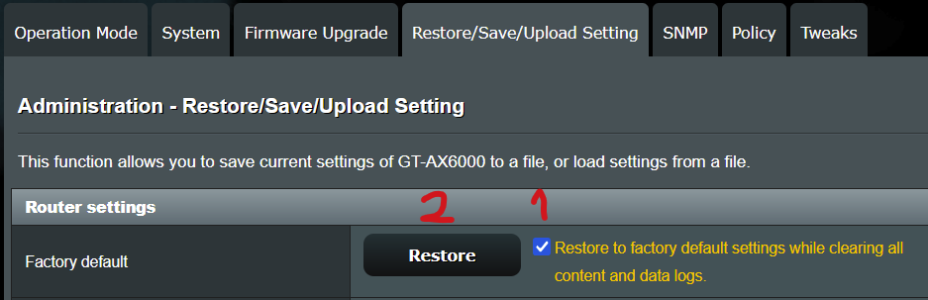

 ).
).


 (Hope the AI bubble bursts soon same as mining and other stupidities...)


