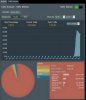
That's why it's not enabled in the regular builds - it's still a work-in-progress from Asus. Try enabling Apps Analysis under AiQoS -> Bandwidth Monitor and see if it helps.
If it still fails, try accessing the page an hour or two later, after it has started gathering some data.
Also note that this feature requires the JFFS2 partition to be enabled (one of the reasons why it's now enabled by default - you DID do a factory default reset when you first installed the beta, right?). Asus is starting to make use of that partition for various features now. Traffic Analyzer is one. The (still unfinished) custom icon selection on the networkmap will be another.



 )
)