What's new

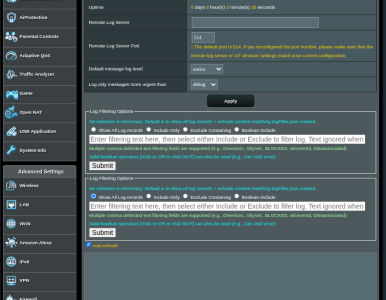
ModSyslogUI v1.0.0 [RELEASED - 3006.102.* ONLY] - add-on providing System Log page UI filtering capabilities

Checking back to see if this script is still on the radar or if there is something I need to do for this to be included in AMTM support?

I don't want to speak for @thelonelycoder but I do know he has a set of basic requirements for an addon to considered for integration into AMTM.

I'll link you to these requirements below so you can see if your add-on meets them:
Post in thread 'Utilize the robot to assist in analyzing router logs.' https://www.snbforums.com/threads/u...st-in-analyzing-router-logs.89410/post-899903

Hope this helps.
 
I wonder how they measure that...

Again I don't want to speak for thelonelycoder, so please just take this as my opinions only.

The easiest way that I know of is views on the thread.
Currently this thread has about 2,000 views.

You can also use the amount of replies on the thread.
Which this thread has 43 replies (44 when I hit submit)

Another method, although less direct, is stars on GitHub.
Which this project is at zero so far, stars on Github is not so related to SNB so it's less likely he's using that, but stars does show a good indication that people are trying to find/pin the project.

I'm sure the mods of these forums have additional tools, since XenForo is extremely good behind the scenes at tracking everything.
 
hi,
So after updating to new alpha build 3006.102.7
nothing is showing in log and i have dupliated modsyslog
 

Attachments

  • Screenshot From 2026-01-24 06-29-16.png
    Screenshot From 2026-01-24 06-29-16.png
    113.7 KB · Views: 19
Checking back to see if this script is still on the radar or if there is something I need to do for this to be included in AMTM support?
This script is limited to routers running 3006.102.* firmware. It does no checks if it is compatible on a router, just installs it, with frustrating outcome.
I would appreciate if at least the 3004.388 branch is still supported.

Also, after the installation the script returns to the shell prompt instead of showing the ModSysloUI when it clearly prompts to:
Code:
ModSysloUI installation complete!
- be sure to run the ModSyslogUI EDIT command (menu option #5), to modify the logFilter.json to exclude System Log records to your likings

 
This script is limited to routers running 3006.102.* firmware. It does no checks if it is compatible on a router, just installs it, with frustrating outcome.
I would appreciate if at least the 3004.388 branch is still supported.

Also, after the installation the script returns to the shell prompt instead of showing the ModSysloUI when it clearly prompts to:
Code:
ModSysloUI installation complete!
- be sure to run the ModSyslogUI EDIT command (menu option #5), to modify the logFilter.json to exclude System Log records to your likings
Thanks for the feedback.

I don’t have another router to test with 3004.388, but it would be helpful to know what the frustrating outcome was so I can check into it.
 
I don’t have another router to test with 3004.388, but it would be helpful to know what the frustrating outcome was so I can check into it.
The modifications are not applied to the asp file, hence no changes are seen on that page in the WebUI.
I pasted the content of Main_LogStatus_Content.asp to pastebin from my RT-AX86S with FW 3004.388.11
You'll figure it out, I'm sure.
 
The modifications are not applied to the asp file, hence no changes are seen on that page in the WebUI.
I pasted the content of Main_LogStatus_Content.asp to pastebin from my RT-AX86S with FW 3004.388.11
You'll figure it out, I'm sure.
Thank you kindly!
 

Latest threads

Support SNBForums w/ Amazon

If you'd like to support SNBForums, just use this link and buy anything on Amazon. Thanks!

Sign Up For SNBForums Daily Digest

Get an update of what's new every day delivered to your mailbox. Sign up here!
Back
Top