I resolved my problem thanks to Richard Li's post.
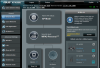
In the AiMesh settings for a node there are settings that are hidden which can be disclosed by clicking on <More Config>.
In the options that appear after clicking on < More Config> are the ability to select Connection Priority and Connection Type.
By selecting Ethernet and wired as options full speed was restored. I'm now getting over 350Mbps on the router and both nodes.
Handoff is now seamless and working very well.
Can I suggest that this information be included in the instructions for setup for novices like myself?
I was confused by the existing instructions because they seemed to imply that by simply attaching the ethernet cable as indicated, to the WAN and LAN ports, auto detection would take place.
By default the wireless option seems to have been selected
.
View attachment 11716 View attachment 11717