What's new

Release Asuswrt-Merlin 3006.102.7 is now available

This initial install attempt failed-- GT-AXE16000_3006_102.7_1-gb80bd846c0 --and the router reverted to Current Version : 3006.102.7 after the required manual reboot. Like many of the latest upgrades, the hard manual reboot is called for in the software dialogue.
Not sure why the _1 is being rejected on the 16000??
Tried it again with the same failure to install...
Here is the post-manual restart log:

Dec 31 19:02:30 kernel: eth5 (Int switch port: 6) (Logical Port: 6) (phyId: 13) Link Up at 2500 mbps full duplex
Mar 20 12:12:21 kernel: SHN Release Version: 2.0.6 9d6bb506
Mar 20 12:12:21 kernel: UDB Core Version: 0.2.20
Mar 20 12:12:21 kernel: Registered DNS Req parsing
Mar 20 12:12:21 kernel: sizeof forward pkt param = 280
Mar 20 12:12:38 kernel: In wl_dfs_cac_notify_status chanspec 0xec32 DFS state 2
Mar 20 12:12:40 kernel: Can't add zero mac!
Mar 20 12:12:40 kernel: CPU: 3 PID: 5648 Comm: amas_lib Tainted: P O 4.19.183 #1
Mar 20 12:12:40 kernel: Hardware name: GTAXE16000_2GB (DT)
Mar 20 12:12:40 kernel: pstate: 60040010 (nZCv q A32 LE aif)
Mar 20 12:12:40 kernel: pc : 00000000f6d548fc
Mar 20 12:12:40 kernel: lr : 00000000f6d2caac
Mar 20 12:12:40 kernel: sp : 00000000f640bfc8
Mar 20 12:12:40 kernel: x12: 0000000000000025
Mar 20 12:12:40 kernel: x11: 00000000f640c4b4 x10: 00000000002b437c
Mar 20 12:12:40 kernel: x9 : 00000000f640eac8 x8 : 00000000f6e1b000
Mar 20 12:12:40 kernel: x7 : 0000000000000000 x6 : 00000000f72229e3
Mar 20 12:12:40 kernel: x5 : 00000000fbad8004 x4 : 00000000f640c4c8
Mar 20 12:12:40 kernel: x3 : 00000000f72229e4 x2 : 0000000000000045
Mar 20 12:12:40 kernel: x1 : 0000000000000025 x0 : 00000000f72229e4
Mar 20 12:12:42 kernel: In wl_dfs_cac_notify_status chanspec 0xe872 DFS state 2
Mar 20 12:12:45 kernel: In wl_dfs_cac_notify_status chanspec 0xd028 DFS state 0
Mar 20 12:12:46 crond[3075]: time disparity of 1165930 minutes detected
Mar 20 12:12:49 kernel: In wl_dfs_cac_notify_status chanspec 0xe932 DFS state 1
Mar 20 12:12:51 kernel: In wl_dfs_cac_notify_status chanspec 0xd099 DFS state 0
Mar 20 12:13:00 kernel: wfd_registerdevice Successfully registered dev wds1.0.1 ifidx 1 wfd_idx 1
Mar 20 12:13:00 kernel: Register interface [wds1.0.1] MAC: e8:9c:25:9e:5d:c4
Mar 20 12:13:49 kernel: In wl_dfs_cac_notify_status chanspec 0xe932 DFS state 2
Mar 20 12:14:55 SIG_UPDATE: current sig : 2498
Mar 20 12:14:55 SIG_UPDATE: latest sig : 2498

Ideas?
 
Last edited:
anything i can do about this

when i run in ipv4 only mode i get the full 2040mbps via spdmerlin
yet when i enable ipv6 it drops to a consistent 1140
 
anything i can do about this

when i run in ipv4 only mode i get the full 2040mbps via spdmerlin
yet when i enable ipv6 it drops to a consistent 1140
This solved the same problem with my connection: "If you experience very slow download/upload speeds (especially with Gigabit, Fiber, or WSL2), disabling LSO V2 (IPv6) in your network adapter's Advanced Properties is a common, effective troubleshooting step." Device Manager -- Network Adapter -- Ethernet Controller -- Properties -- Advanced.
 
This solved the same problem with my connection: "If you experience very slow download/upload speeds (especially with Gigabit, Fiber, or WSL2), disabling LSO V2 (IPv6) in your network adapter's Advanced Properties is a common, effective troubleshooting step." Device Manager -- Network Adapter -- Ethernet Controller -- Properties -- Advanced.
its via spdmerlin hence a addon on the router
i now selected a different server and all seems well
1774070489185.png
 
can someone help me it seems i made a bridge connection sometime ago how can i remove that

Mar 21 14:43:40 kernel: br0: port 1(eth0) entered blocking state
Mar 21 14:43:40 kernel: br0: port 1(eth0) entered forwarding state


can i remove it
1774100948327.png

1774100964575.png
 
can someone help me it seems i made a bridge connection sometime ago how can i remove that

Mar 21 14:43:40 kernel: br0: port 1(eth0) entered blocking state
Mar 21 14:43:40 kernel: br0: port 1(eth0) entered forwarding state


can i remove it
View attachment 70815
View attachment 70816
br0 is the regular LAN interface (which is always present). It has nothing to do with bonding or link aggregation.
 
Just quick feedback installed version 3006.102.7_1 on both, RT-BE96U and RT-BE92U. No issues detected.
 
is there a version 7_2 alpha alluded to or a new beta... i cant find either thanks
7_1 is the test build. For point releases, I do like Linux used to do: use odd version for development builds, and even version for release. So, 7_1 is a test build, 7_2 will be the final release once available.
 
anyone know if the new stock asus firmware '3006-10237421' is merged with the 107.1 or would that be another version? anyway thanks for the continued support Merlin.

asus' changelog
Bug Fixes and Enhancements
- Improved WiFi roaming behavior to reduce temporary disconnections in some scenarios.
- Improved roaming compatibility for certain client devices.
- Improved App Remote Connection stability in certain scenarios to prevent unexpected connection drops.
- Improved AiMesh onboarding reliability, addressing cases where the onboarding process could stall and fail to complete.
- Fixed an issue where the guest network client list might not display correctly in certain scenarios.
- Fixed an issue where Aura LED could turn back on after reboot even when it was manually turned off.
- Fixed an issue with Web history display.
- Fixed an issue where the app could not remove offline devices.
- Fixed an issue where specific IPv6 configuration flows could cause IPv6 connectivity problems on the main network.
- Fixed an issue where enabling System Diagnostics and staying on a specific page could cause repeated reboots.

Security Fixes
- Enhanced input validation and protection to reduce the risk of command injection and SQL injection.
- Hardened environment variable handling.
- Hardened protections around specific logging/command composition flows to reduce potential injection risks.
- Patched a command injection risk in a specific network diagnostic function.
 
anyone know if the new stock asus firmware '3006-10237421' is merged with the 107.1 or would that be another version?
RMerlin will typically list the GPL's (if any) that are merged into the firmware build in the change log. From the change log from the 3006.102.7_1 test build:
3006.102.7_2 (xx-xxx-2026)
....
- UPDATED: Merged GPL 102_39848 (RT-BE92U only).
- UPDATED: curl to 8.17 (backport from 102_39848).
- UPDATED: wget to 1.25 (backport from 102_39848).

3006.102.7 (22-Feb-2026)
....
- UPDATED: Merged GPL 102_40399 (GT-BE19000AI only)
Further RMerlin has previously indicated how he gets GPL's from Asus:
I get code directly from Asus, it's unrelated to what's released on their website. I have particular requirements that their developers need to meet when preparing the archives, like having the same code base for all models, which is rarely the case with their own firmware releases.
It depends. If you ask them for a GPL drop for a particular model, it will be for the same version that was used for that model's released firmware - which is what the GPL licensing requires them to do. The difference in my case is they build the tarballs for all models within a branch but all on the same version, so I don't need to maintain 20 parallel branches to handle 20 devices on 20 different codebase versions. Sometimes, that version will match a released firmware. Sometimes it will be a newer snapshot, depending on the point in time where they prepare those archives. But in terms of content, yes, that is the same code that is available in regular GPL drops. Just it might be from a more recent git point.
This has always been the case, each model always had its own separate GPL. It's impossible to share a GPL for more than one model, as each GPL contains precompiled pieces that only work for one specific device.
 
This initial install attempt failed-- GT-AXE16000_3006_102.7_1-gb80bd846c0 --and the router reverted to Current Version : 3006.102.7 after the required manual reboot. Like many of the latest upgrades, the hard manual reboot is called for in the software dialogue.
Not sure why the _1 is being rejected on the 16000??
Tried it again with the same failure to install...
Here is the post-manual restart log:

Dec 31 19:02:30 kernel: eth5 (Int switch port: 6) (Logical Port: 6) (phyId: 13) Link Up at 2500 mbps full duplex
...
Mar 20 12:14:55 SIG_UPDATE: current sig : 2498
Mar 20 12:14:55 SIG_UPDATE: latest sig : 2498

Ideas?

I used to have issues upgrading until I realized the "required manual reboot" isn't required. At all. Never did anything for me except to prevent an upgrade from working. Just ignore the prompt to do the reboot, wait a little while, and it will be upgraded just fine. And yes I am also doing this on a GT-AXE16000.
 
Last edited:
anyone know if the new stock asus firmware '3006-10237421' is merged with the 107.1 or would that be another version? anyway thanks for the continued support Merlin.

asus' changelog
Bug Fixes and Enhancements
- Improved WiFi roaming behavior to reduce temporary disconnections in some scenarios.
- Improved roaming compatibility for certain client devices.
- Improved App Remote Connection stability in certain scenarios to prevent unexpected connection drops.
- Improved AiMesh onboarding reliability, addressing cases where the onboarding process could stall and fail to complete.
- Fixed an issue where the guest network client list might not display correctly in certain scenarios.
- Fixed an issue where Aura LED could turn back on after reboot even when it was manually turned off.
- Fixed an issue with Web history display.
- Fixed an issue where the app could not remove offline devices.
- Fixed an issue where specific IPv6 configuration flows could cause IPv6 connectivity problems on the main network.
- Fixed an issue where enabling System Diagnostics and staying on a specific page could cause repeated reboots.

Security Fixes
- Enhanced input validation and protection to reduce the risk of command injection and SQL injection.
- Hardened environment variable handling.
- Hardened protections around specific logging/command composition flows to reduce potential injection risks.
- Patched a command injection risk in a specific network diagnostic function.
@RMerlin this release seems to fix a lot of the stability issues of the GT BE98pro -- I am hoping you can incorporate these fixes in the next release !
 
@RMerlin this release seems to fix a lot of the stability issues of the GT BE98pro -- I am hoping you can incorporate these fixes in the next release !
There are no GPL changes in 3006.102.7 beside the GT-BE19000AI (because my previous release was based on much earlier code for that model) and the RT-BE92U in 102.7_2 (because of the stability issues in the previous GPL for that model). I won't be getting updated GPLs until late April or early May.
 
3006.102.7_2 is now available. Changes since 3006.102.7:

Code:
3006.102.7_2 (24-Mar-2026)
  - NEW: Added Cake support for GT-BE19000AI (implemented the
         missing webui to configure it).
  - UPDATED: Merged GPL 102_39848 (RT-BE92U only).
  - UPDATED: curl to 8.17 (backport from 102_39848).
  - UPDATED: wget to 1.25 (backport from 102_39848).
  - FIXED: Security issue on the Site Survey page
           (reported by Sasha Romijn).
  - FIXED: dnsmasq log noise for IPv6 on Guest Network Pro.
  - FIXED: NTPD settings missing on Wifi 6 models.
 
As much as I can tell, all OK on 7_2.

P.S.
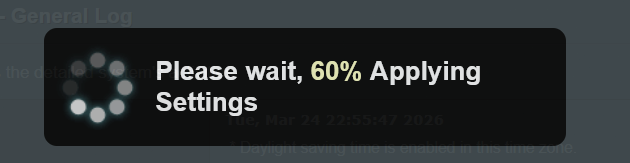
Just noticed, was this always the message for the reboot?
Wasn't it - Rebooting..??
 

Attachments

  • Screenshot 2026-03-24 230553.png
    Screenshot 2026-03-24 230553.png
    24.9 KB · Views: 51
Last edited:
P.S.
Just noticed, was this always the message for the reboot?
Wasn't it - Rebooting..??
Yes, if I remember right a manual reboot shows the same/similar display message. I've seen this message other times with prior Asus-Merlin firmware, like when saving a setting change. Example shown when I do a manual reboot via the GUI reboot button on a RT-AX86U Pro with this firmware 7_2:
manual reboot via gui.jpg
 
Last edited:
I have an ASUS RT-BE7200 (Best Buy Version) / RT-BE88U router.

I am seeing an interesting issue for the first time. I did a dirty upgrade, but did do a reset afterwards as well and have the same problem (Considering downgrading but want advice before I do).

The router does not have an issue on regular reboot through the UI.
But if the router looses power and the modem (Arris S34) stays on, then when the router turns back on the time is out of sync (its Dec 31, 2023).
NTP sync keeps failing, and since time is incorrect, the router is unable to actually get a connection to the internet through the modem and unable to sync with NTP service going into a loop of incorrect time and no internet.
Setting the time manually over ssh does did not fix the issue.

Powering off both the modem and the router, and then turning them on at the same time did fix the problem, and the time magically gets set (I am assuming no internet on the modem on reboot somehow delays the NTP sync? not sure).
Have been able to reliably reproduce this issue twice now.

Never had this issue with the previous version of the firmware, 102.6.
 

Similar threads

Support SNBForums w/ Amazon

If you'd like to support SNBForums, just use this link and buy anything on Amazon. Thanks!

Sign Up For SNBForums Daily Digest

Get an update of what's new every day delivered to your mailbox. Sign up here!
Back
Top