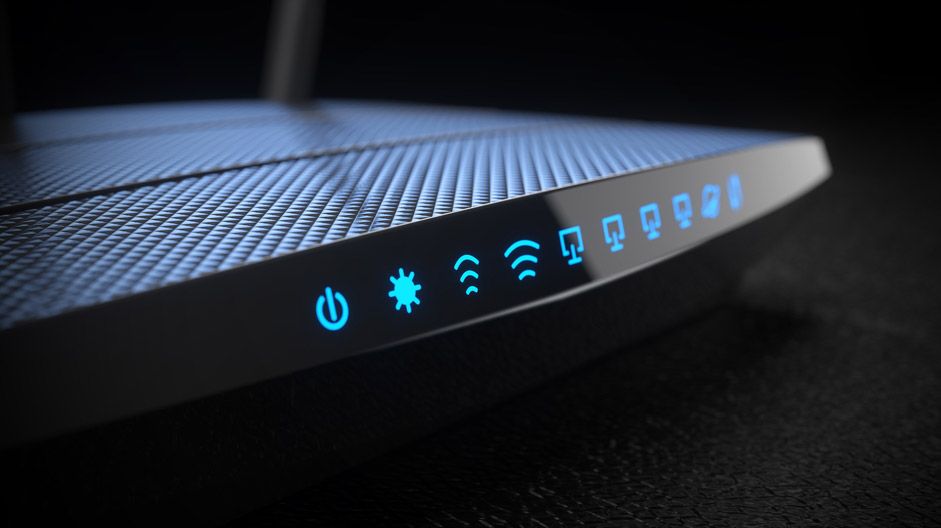
Quick Q please, a few F/W versions ago there was an issue with Guest Network 1 and the advice was to use Guest Network 2, which I still do. Is this advice still unchanged in this current 386.5 FW? I was thinking to switch to Guest Network 1.
Different hardware, but like you and many others I was having issues with Guest 1 on previous firmwares. Happy to report that Guest 1 has been working flawlessly for me with both router (AC86U) and aimesh node (AC68U) on merlin 386.5 for >16 days. Happy camper.
Yes. There have been several threads started about in recent days here in the Asus-Merlin subforum, but they've been removed and or rolled into the big thread about it in the General Network Security subforum.
This report discusses the technical capabilities of this Cyclops Blink malware variant that targets ASUS routers and includes a list of more than 150 current and historical command-and-control (C&C) servers of the Cyclops Blink botnet...
I'm on the latest version on a RT-AC88U and under the Adaptive QoS, it appears that the device priority list on the main tab is broken, I tried to move my main computer to the top and then apply changes but no matter what I do, the changes aren't saved.
Can't flash official RT-AX58U firmware over Merlin 386.5. It just instantly fails. Wtf? I had to use recovery mode to install official firmware back on router which is super fiddly and unnecessary. Why is it this way? Intentional or a bug?
Can't flash official RT-AX58U firmware over Merlin 386.5. It just instantly fails. Wtf? I had to use recovery mode to install official firmware back on router which is super fiddly and unnecessary. Why is it this way? Intentional or a bug?
No, I was doing it in reverse. Returning from 384.5 to official firmware. And it was just failing. I had to do recovery firmware install to override it.
No, I was doing it in reverse. Returning from 384.5 to official firmware. And it was just failing. I had to do recovery firmware install to override it.
Ok, thanks. Is it possible that installing latest one "forcibly" using firmware recovery tool would cause weird problems with it? One would think recovery just rolls whatever firmware clean into the ROM and that's that. Hm. Because I had some really weird bizarre issues after. Installing latest Merlin back solved those issues. Mostly anyways. Hm, I'll have to check this out.
@RMerlin I upgraded both my routers to 386.5 yesterday. Today suddenly internet became unresponsive, i tried to log into my main router - AX68 which was also unresponsive.
Noticed /bin/swmdk process using up all CPU
After rooter reboot it went back to normal.
To my knowledge swmdk is "Broadcom switch daemon" or that's something else for Asus router?
Using the WebGUI is actually the "prefered" way to upgrade firmware .
If you mean the Blinking Yellow "Icon" inside the WebGUI...
-That should to take you to the appropriate place, or you can simply click on the Firmware Version (link) right under the LOGOUT Button.
-You can then upload the "appropriate" firmware via the upload link
I encountered a strange hick-up with one of my RT-AC5300.
After 14 days of running 386.5 without any problems, the second 5Hgz WiFi on my RT-AC5300 crashed last night. Power off, reboot, reboot again, it did not help. Only by cable connection and re-flash of the firmware it came back alive. Now for around 12 hours stable. I hope it stays that way.
Do you have Smart Connect Enabled?
I'm not sure if I had this feature on before the upgrade (386.3_2) but I saw it was on so I turned it off and my 5Ghz problems went away.
Do you have Smart Connect Enabled?
I'm not sure if I had this feature on before the upgrade (386.3_2) but I saw it was on so I turned it off and my 5Ghz problems went away.
Appears that a backup I took two years ago (!!!) may have fixed my 5Ghz-high issues (not sure, could take days to confirm).
webUI is faster, link rate/bandwidth faster, wired performance back to normal, and wireless also solid.