UPDATE: I downgraded my Aimesh Node RT-AC68U firmware to 3.0.0.4.386_46065 and now it is able to connect via 5GHz wireless backhaul but Aimesh Router wireless log still showing 2.4GHz band twice. But my main issue is resolved. Thank you all for your kind help.
UPDATE: I downgraded my Aimesh Node RT-AC68U firmware to 3.0.0.4.386_46065 and now it is able to connect via 5GHz wireless backhaul but Aimesh Router wireless log still showing 2.4GHz band twice. But my main issue is resolved. Thank you all for your kind help.
I am having the same issue after the most recent firmware upgrade. I've tried downgrading the firmware but I am still facing the same issue. I have 2 x GT-AX11000 and the AiMesh is using 2.4GHz band and the signal strength shows as weak. I thought it was arouter issue and got a replacement router as part of my warranty but the issue still remains even with the new router.
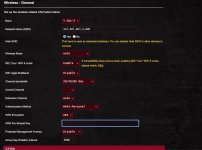
Also, I noticed when I select Wireless settings for 5GHz-2 band(Dedicated wireless back-haul), it also has 2.4 and 5GHz listed at the bottom. Is thsi normal?
I had the same problem and solved it by enabling Roaming Assistant and changing the RSSI value to -90 dBm. This might be cheating the system a bit to make it feel great connection, but my network is now 5x faster.
I had the same problem and solved it by enabling Roaming Assistant and changing the RSSI value to -90 dBm. This might be cheating the system a bit to make it feel great connection, but my network is now 5x faster.
I tried the solution as suggested by you but it still connects to 2.4GHz. Which band did you enable the roaming assistant? I tried setting it on 5GHz-2.
I tried the solution as suggested by you but it still connects to 2.4GHz. Which band did you enable the roaming assistant? I tried setting it on 5GHz-2.
I had the same issue. it appears that the remote nodes aren't connecting to hidden ssids like they used to after a firmware update. there have been a few since i noticed, so... not sure which one broke it. As a fix I set the 5-2 interface to hide ssid - no to keep slower radios from connecting, I set to AX only as well.
Asus updates aren't the best. last fall an auto update killed my 5 ghz connections. the router would reset the 5-1 interface and drop all clients for about a minute. reverting to the previous version fixed the problem, and then the next release fixed the issue.
I'm tempted to go back to a manual update process due to these issues.
I keep reading these AiMesh threads, so happy I can cover our large house > 5,000sqft with a single RT-AX 86U router on the top floor, central location, and one wired TP Access Point at the door for iOT stuff (Ring, cams, lock..), everything always works, nothing ever breaks, no SmartConnect, separate 2.4 and 5GHz bands, manual channel assignment, no 160MHz